
That simple spreadsheet you built to track newsletter ads probably felt like a smart move at first. But as your newsletter grows, that sheet quickly becomes a bottleneck, making it harder to track fulfilled vs pending newsletter ads and damaging your cash flow.
Why Your Spreadsheet Fails at Tracking Ads
A spreadsheet seems logical for managing a few sponsors. You create columns for the sponsor's name, the run date, and a "status" field. It works just fine when you have one or two ads a month.
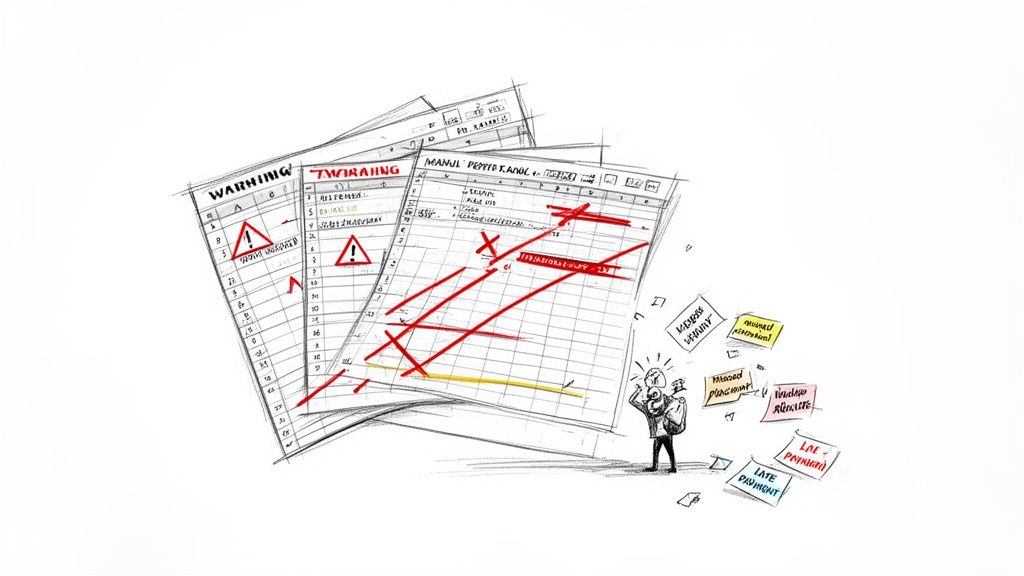
But what happens when you're managing three sponsors per week? That simple grid turns into a source of constant anxiety. You’re manually updating cells, color-coding rows, and triple-checking dates. It's not just tedious. It's a system begging for errors that can cost you money and sponsor trust.
The Downward Spiral of Manual Tracking
Let’s play out a common scenario. You sell an ad package to "SaaS Startup A" for four placements. You drop their name into four different rows for the upcoming month. A week later, "Local Coffee Shop" buys a two-week campaign. Now you're juggling multiple sponsors with different schedules, all in the same document.
This is where the cracks start to show. The completely manual process creates friction points that slow you down and introduce serious risk.
- Missed Placements: You forget to copy and paste an ad for a specific week, and the sponsor's paid placement never runs.
- Double Booking: You accidentally promise the same premium ad slot to two different sponsors, forcing an awkward apology and a make-good offer.
- Payment Chasing: You realize an ad was fulfilled weeks ago, but the invoice was never sent because you forgot to update the "Paid" column.
This isn't just a hypothetical problem. As newsletters scale, manually tracking sponsors becomes a massive time sink that directly hits your revenue and advertiser relationships.
For example, a publisher running 10 weekly newsletters and selling three direct sponsorships per issue would need to schedule and verify 1,560 placements a year. Managing that in a spreadsheet means dozens of manual updates every single week and a sky-high risk of errors. You can discover more insights about this trend on Beehiiv.
From Minor Annoyance to Major Bottleneck
The real cost of spreadsheet chaos isn't just the time you waste. It’s the damage to your reputation and your bottom line. A single missed ad placement leads to an unhappy sponsor who might not renew their contract. Forgetting to invoice on time means you're operating with delayed cash flow, which can cripple a growing business.
The breaking point often arrives when you spend more time managing your ad spreadsheet than creating content for your readers. That’s a clear signal your system is holding your newsletter's growth hostage.
A dedicated system is essential for scaling professionally. Instead of wrestling with cells and formulas, you need a solution designed specifically for the job. Our guide on Substack sponsor tracking tools explores some alternatives that can help you move past these limitations. This transition is less about finding a fancier spreadsheet and more about adopting a professional workflow.
Going Beyond "Pending" and "Fulfilled"
If you're only tracking ads as "pending" or "fulfilled," you're setting yourself up for headaches. Let's be honest, "pending" is way too vague. Does that mean a sponsor just kicked the tires? Or did they sign a contract and the check is in the mail? That ambiguity is where things fall through the cracks.
To get a real handle on your ad sales, you need to map out the entire journey of a sponsorship deal. This means creating clear, distinct stages that tell you exactly where a deal stands and what needs to happen next. It’s about building a shared language so you and your sponsors are always on the same page.
The Milestones That Matter in Your Ad Pipeline
Think of your ad workflow less like an on/off switch and more like a series of crucial milestones. Each stage represents a concrete action that has been completed, moving the ad one step closer to your readers' inboxes. When you define these stages, a messy to-do list suddenly transforms into a clear, manageable pipeline.
Here is a simple, field-tested set of statuses that works wonders:
- Booked: The sponsor has officially said "yes," and you've penciled them into your calendar. This is the starting gun.
- Creative Submitted: They’ve sent over all the ad assets: the copy, the images, the links. This is a huge step, and frankly, it's often where the biggest delays happen.
- Paid: The invoice is out the door and payment has hit your account. My golden rule? Never, ever run an ad until this box is checked.
- Fulfilled: The newsletter with their ad has been successfully sent to your subscribers. Mission accomplished.
- Archived: The campaign is done and dusted. All follow-ups are complete, and you can file it away.
This simple structure gives you an instant snapshot of your entire ad inventory. You can see at a glance which ads are good to go, which are stuck waiting on creative, and who still needs to pay up.
The Newsletter Ad Lifecycle From Booking to Fulfillment
To really visualize this flow, it helps to see it all laid out. This table breaks down what each ad status means in practice and what action pushes it to the next stage.
| Ad Status | What It Means for You | Action That Moves It Forward |
|---|---|---|
| Booked | A sponsor has committed to an ad slot and the date is reserved. | Sponsor signs the agreement or confirms the booking. |
| Creative Submitted | You've received all necessary ad copy, images, and links from the sponsor. | Sponsor sends you the final ad materials. |
| Paid | The invoice has been settled, and the funds are confirmed in your account. | You confirm receipt of payment from the sponsor. |
| Fulfilled | The newsletter featuring the ad has been successfully sent to your subscriber list. | You hit 'send' on your email service provider. |
| Archived | The campaign is complete, and all reporting and follow-up tasks are finished. | You send the final performance report to the sponsor. |
Having a clear, repeatable process like this isn't just about making your life easier. It’s about looking professional and being reliable for your partners.
Turning Statuses Into a Real System
Okay, defining these stages is a great first step. But the real magic happens when you build them into a central system where you can manage everything. While a spreadsheet can work when you're starting out, a dedicated newsletter sponsor CRM is built for this exact workflow and will save you a ton of time as you grow.
Clarity in your ad statuses does more than just keep you organized. It signals professionalism to your sponsors, showing them you have a structured process that protects their investment and guarantees smooth execution.
Imagine this: an ad moves from Booked to Creative Submitted. That could automatically trigger a task for you to review the assets. Once you mark it as Paid, it could lock in that slot on your content calendar. Each status change becomes a trigger for the next action, creating a reliable workflow that keeps things moving without you having to manually check on every single detail.
Designing Your Central Ad Tracking Hub
Alright, let's build the command center for your ad business. It's time to move past clunky spreadsheets and create a simple, powerful system that gives you instant clarity on every single ad campaign. The goal here isn't to track every tiny detail imaginable, but to zero in on the essential data points that actually matter.
Many creators are ditching basic spreadsheets for a more robust "single source of truth." If you're the type who likes to build your own systems, tools like Notion for creating a single source of truth can be a fantastic starting point. But honestly, the specific tool you use is less important than what you choose to track. The principles are the same everywhere.
Think of this system as the cockpit for your sponsorships. It's where you'll track everything from the moment a deal is booked to the day the ad is fulfilled. This isn't just about knowing if an ad is 'pending' or 'fulfilled'. It's about having all the critical information in one place to prevent slip-ups and keep your sponsors coming back.
The Essential Fields for Every Ad Campaign
Let’s put this into practice. Imagine you run "The SaaS Weekly," a newsletter that sells one premium sponsorship slot each week. For every ad you sell, you need specific details available at a glance. Moving away from a messy spreadsheet means tracking the right information, every single time.
Here are the fields I consider non-negotiable for any ad tracking hub:
- Sponsor Name: The company buying the ad. Obvious, but it’s the foundation.
- Primary Contact: The name and email of your point person. This alone will save you from digging through old email chains.
- Ad Run Date(s): The specific date the ad is scheduled to publish. This is your lifeline for avoiding embarrassing double-bookings.
- Ad Status: This is your workflow engine. Use the clear stages we defined: Booked, Creative Submitted, Paid, and Fulfilled.
- Payment Status: A simple tag like "Uninvoiced," "Invoiced," or "Paid" that connects directly to your bookkeeping.
- Link to Ad Creative: A direct link to a Google Doc, Dropbox folder, or wherever the final copy, images, and URLs live.
- Published Newsletter URL: Once the ad runs, you must save the link to the web version of that newsletter. This is your proof of publication.
This simple flow shows how a sponsorship moves from a confirmed deal to a completed campaign, making sure no step gets overlooked.
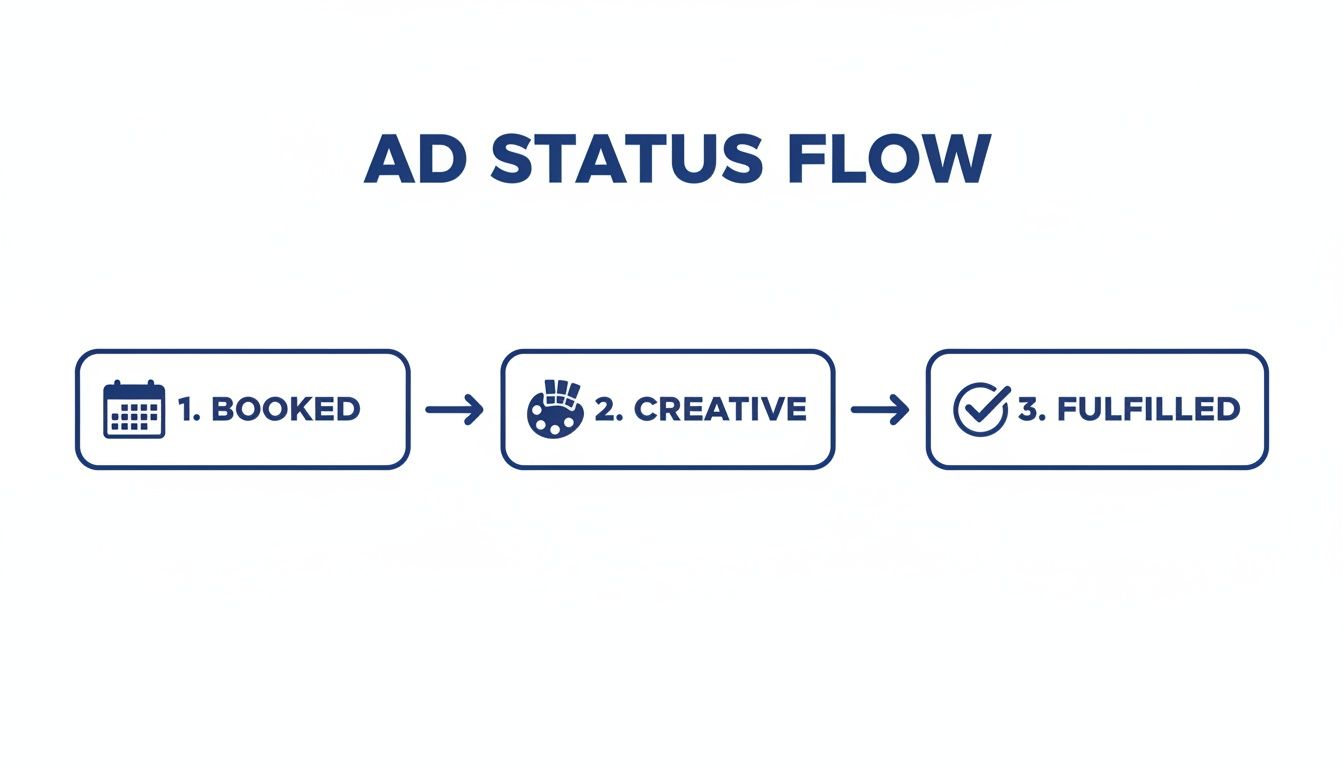
When you map it out like this, you start to spot the bottlenecks. Are ads always getting stuck in the "Creative Submitted" phase? That is a clear signal you need to improve your communication and creative submission process with sponsors.
Why This Structure Prevents Chaos
Having these specific fields in a central hub does more than just keep you tidy. It creates a reliable, repeatable process that can grow with your newsletter.
When a sponsor asks for a "tear sheet" proving their ad ran, you can instantly grab the published URL. When you need to follow up on an invoice, you know exactly who to email without a second thought.
Your ad tracking hub isn't just a database; it's a reflection of your professionalism. A well-structured system shows sponsors that you are organized and trustworthy, which is a major factor in securing repeat business.
Ultimately, this structure gets rid of the guesswork. You will no longer find yourself wondering if you ever received the creative for next week’s ad or if that payment from two months ago actually cleared. The system holds the answers, turning the messy task of tracking ads into a clear, manageable workflow.
Integrating Your Calendar and Invoicing for Seamless Fulfillment
Your ad tracking hub cannot just be a static spreadsheet sitting on an island. To really make it work for you, it needs to plug directly into the tools you already use every day, namely, your calendar and your invoicing software.
This is the connection that turns a simple list of ads into a powerful, automated workflow. By linking your ad tracker to your calendar and payment system, you create a direct line between scheduling a sponsor and getting paid. This helps you see your ad inventory at a glance, preventing costly mistakes like double-booking a premium slot. Even better, it builds a rock-solid process where ads only run after the invoice is paid.
Visualizing Your Ad Inventory with a Calendar
Spreadsheets are great for data, but a calendar is built for time. Seeing your ad schedule laid out visually is a total game-changer for managing your 'fulfilled' vs. 'pending' ads. All of a sudden, you can spot open slots in seconds and get a real feel for your revenue pipeline in the weeks ahead.
A calendar view makes abstract dates feel like real commitments. For instance, once you book a new sponsor for a four-week campaign, you should immediately see those four ad slots pop up on your calendar, clearly marked as pending.
This visual approach has some serious perks:
- No More Double-Booking: You can see instantly which dates are taken. This completely avoids that awkward moment when you have to tell a sponsor their chosen slot is gone after you have already said yes.
- Spot Sales Opportunities: See a big empty week on the calendar? That's a clear signal to your sales brain to start reaching out to prospects or past sponsors to fill that inventory.
- Easy Rescheduling: If a sponsor needs to move their ad date, it's as simple as dragging and dropping the calendar event to a new, open slot. No more manually hunting for dates and updating multiple spreadsheet cells.
A calendar view shifts ad management from a reactive chore of checking lists to a proactive strategy of managing your inventory. It gives you a quick, intuitive gut-check on the health of your business.
Connecting Payment Status to Fulfillment
Here is probably the most important rule in newsletter advertising: get paid before you publish. Tying your ad tracker directly to your invoicing process makes this rule the default.
The connection creates a system where an ad's status is directly linked to whether it's been paid for. This gets rid of manual checks and chasing down late payments.
The workflow is pretty simple. The second you mark an ad as "Booked," an invoice should automatically go out to the sponsor. The ad stays in a "Pending Payment" state until that invoice is settled. Only after you have marked it "Paid" does it move into the queue for fulfillment.
This link between payment and scheduling is your best defense for protecting cash flow. To dig deeper, you can learn more about setting up automated payment tracking for newsletters and build a truly robust system. By making payment a prerequisite for fulfillment, you ensure you are not giving away valuable ad space for free or chasing money weeks after an ad has already run. It’s a simple step that makes your whole operation feel more professional.
Using Automation to Cut Down on Errors and Win Back Time
Let's be honest: manually updating your ad tracker is where things go wrong. It only takes one missed email or a forgotten invoice to sour a relationship with a sponsor you've worked hard to land. This is precisely where a little bit of automation can be a lifesaver, taking over the repetitive tasks that drain your time and attention.
Instead of setting calendar reminders to chase sponsors for ad copy, imagine a system that just does it for you. It frees you from the administrative slog and lets you get back to what you are good at: creating great content and building real relationships with partners. We are not talking about complicated coding here, just simple, smart rules that handle the predictable parts of the job.
Where to Start Automating Your Ad Workflow
You don't need to automate your entire business overnight. The trick is to start with the tasks that cause the most headaches or are the easiest to mess up. You would be surprised how much time you can save each week with just a few small tweaks, and it makes your whole operation feel more polished.
Here are a few high-impact areas to focus on first:
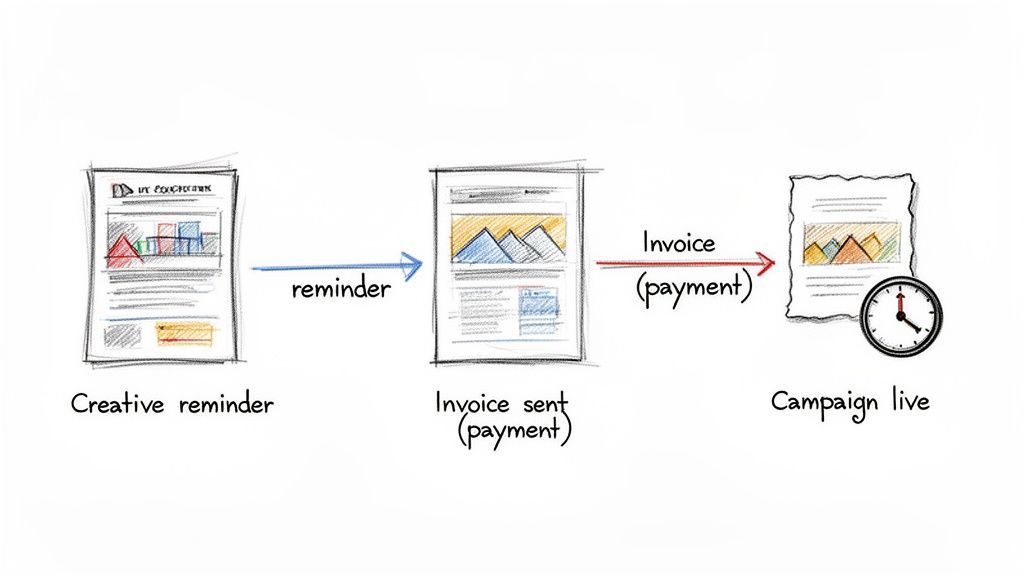
- Creative Reminders: Set up an automated email that goes out to a sponsor a week before their ad copy is due. It’s a simple nudge that can prevent those last-minute, frantic scrambles for creatives.
- Fulfillment Confirmations: As soon as your newsletter goes out, trigger an email to the sponsor with a public link to the issue. This acts as an instant "tear sheet" and confirms their ad ran exactly as planned.
- Invoicing and Payments: This is a big one. By connecting your booking calendar to a payment processor like Stripe, an invoice can be generated the moment an ad slot is confirmed. No more manually creating and sending PDFs.
- Payment Reminders: If an invoice becomes overdue, have your system send a polite follow-up. It keeps your cash flow moving and saves you from having those awkward "Hey, can you pay me?" conversations.
Automation is your secret weapon for looking like a well-oiled machine, even if you're a team of one. It ensures every sponsor gets the same professional experience, from booking to fulfillment, which is key for encouraging repeat business.
Choosing the Right Tools for the Job
Getting a handle on workflow automation software is key to building a system that actually works for you. General-purpose tools like Zapier are great for connecting different apps, but for a truly seamless experience, a dedicated platform is often the smarter move.
Many creators find their way to specialized solutions built specifically for newsletter advertising. If you're looking to get your entire process under one roof, exploring a dedicated newsletter ad scheduling software can be a total game-changer. These tools are designed to manage the whole ad lifecycle, bundling scheduling, communication, and payment into a single, automated workflow.
At the end of the day, the goal is to build a system that hums along quietly in the background. Automation isn’t just a time-saver. It’s about creating a reliable foundation for your business so you can grow your ad revenue without growing your administrative headaches.
Common Questions About Newsletter Ad Management
As you get your ad management system dialed in, you're bound to run into some tricky situations. It just comes with the territory. How you handle these little hiccups is what separates the pros from the amateurs and keeps your sponsors happy (and your revenue flowing).
Let's walk through some of the most common questions I hear from creators and how to handle them without breaking a sweat. Having a game plan before these things happen makes all the difference.
How Should I Handle Last-Minute Ad Cancellations?
The best way to deal with cancellation chaos is to prevent it from happening in the first place. This all comes down to having a crystal-clear policy in your sponsorship agreement. Be upfront about a cutoff date for any changes, something like 72 hours before publication is a solid, professional boundary.
Your agreement should also spell out your refund policy. A tiered approach works well. For example, you could offer a full refund if they cancel 14 days out, a 50% refund within 7 days, and no refund after that. When a cancellation does happen, a good tracking system with a visual calendar is your best friend. You can immediately see the open slot, update its status, and potentially fill it with another sponsor, saving you from lost revenue.
How Do I Prove to Sponsors That Their Ad Ran?
This one's easy. The standard practice is to send a "tear sheet" email within 24 hours of your newsletter hitting inboxes. All this email needs is a direct link to the web version of that specific newsletter issue, where they can see their ad live and in action.
A great little trick to add a touch of class? Include a screenshot of the ad as it actually appeared in the email. It's a small step, but it provides instant proof and tells your sponsor you're on top of your game.
You can even set this up as a simple automated email. Just create a template that gets sent out the moment you mark an ad as "Fulfilled" in your system. It saves you time and builds a ton of trust.
How Many Ads Should I Sell in Each Newsletter?
There is no magic number here. It really depends on your newsletter's style, length, and what your audience will put up with. A good, safe place to start is with 2-3 ad slots per issue.
A popular and effective layout I've seen work well is:
- One main sponsorship slot right at the top for the best visibility.
- One or two smaller, classified-style ads placed further down.
The name of the game is balancing revenue with reader experience. You have to protect the inbox trust you've built. Experiment with different ad loads, but keep a very close eye on your open rates, click-through rates, and especially your unsubscribes. If those numbers start to slide, it's a clear sign you've pushed too far and it's time to scale back.
Ready to stop wrestling with spreadsheets and start managing your newsletter ads like a pro? Ad Slots automates the entire process, from booking and scheduling to invoicing and fulfillment tracking. Save hours every week and never miss a payment or placement again. Start for free on AdSlots.co and see how simple scaling your sponsorships can be.