
If you have ever tried to manage newsletter sponsorships with a spreadsheet and a tangled web of emails, you know the pain. It is a manual, time-sucking process that is just begging for mistakes. This is where newsletter ad scheduling software comes in.
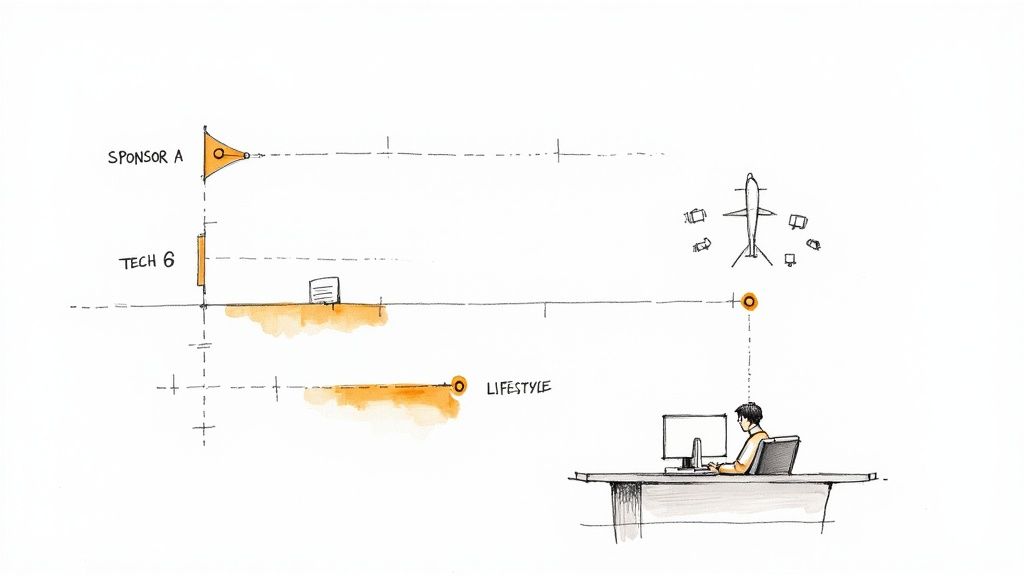
Think of it as the air traffic control tower for your ad inventory. Instead of juggling requests, tracking payments, and manually slotting in ad copy, this software automates the entire workflow. It gives you a centralized hub to book, manage, and place every single ad that runs in your emails.
What Is Newsletter Ad Scheduling Software?
Let’s be real: that messy spreadsheet you are using to track sponsors is a disaster waiting to happen. Who paid? When is their ad supposed to run? Do you even have the right creative assets? One wrong entry and you have double-booked a slot, missed a placement, and angered a sponsor.
Newsletter ad scheduling software is designed to fix this exact problem. It swaps the chaos for a single, easy-to-use command center for your entire advertising operation.
Instead of a confusing grid of cells, you get a clean, visual calendar showing every available ad slot. Sponsors can often browse open dates and book their spots directly, cutting out the endless back-and-forth emails and manual invoicing. It’s a simple shift that takes your workflow from a constant headache to a smooth, professional system.
From Manual Mess to Automated Success
The main job of this software is to bring order to your ad sales. Selling ads is a fantastic sign that your newsletter is growing, but managing them can quickly become a full-time job.
Just ask Mark Talkington of the Palm Springs Post. He mentioned that about half his publication’s revenue comes from advertising, on track to hit a $255,000 gross in 2024. Trying to handle that volume of sponsorships manually is not just difficult, it is practically impossible.
This is exactly why automation is no longer a “nice-to-have.” The right platform handles all the tedious, repetitive tasks that eat up your day, freeing you up to focus on what you do best: creating great content.
Here’s a quick look at what that means for you:
- Centralized Ad Calendar: Get a bird’s-eye view of all booked and available ad slots, even if you run multiple newsletters.
- Automated Sponsor Booking: Let sponsors see your availability and reserve their dates without a single email from you.
- Simplified Invoicing and Payments: The system handles the money, automatically creating invoices and tracking payments so you get paid on time.
- Error Prevention: Finally, you can stop worrying about double-booking a slot or completely forgetting to run a paid ad.
Why This Matters For Growth
Bringing in a dedicated scheduling tool is about more than just saving a few hours a week. It is a strategic move that sets you up for serious growth. The market reflects this shift, too. The email marketing software market was valued at USD 1.69 billion and is projected to climb to USD 1.94 billion this year. By 2029, it is expected to be a USD 3.25 billion industry.
A disorganized ad system does not just waste your time. It makes you look unprofessional and puts a ceiling on how much you can earn. Automation builds trust with sponsors, which leads to repeat business and valuable long-term partnerships.
The table below breaks down the day-to-day difference between struggling with manual methods and switching to a dedicated software solution.
Manual Ad Management vs Automated Software
| Challenge with Manual Process | How Scheduling Software Solves It |
|---|---|
| Endless Email Chains: Going back and forth to confirm dates, pricing, and creative. | Self-Serve Booking: Sponsors see available slots and book directly through a portal. |
| Risk of Human Error: Double-booking slots or forgetting to run a paid ad. | Real-Time Calendar: The ad calendar updates instantly, preventing conflicts. |
| Chasing Payments: Manually creating invoices and following up on late payments. | Automated Invoicing: Invoices are generated and sent automatically, with payment tracking. |
| No Central Record: Information is scattered across emails, spreadsheets, and notes. | Centralized Dashboard: All sponsor details, assets, and schedules are in one place. |
| Looks Unprofessional: A clunky, manual process can deter premium sponsors. | Professional Experience: A smooth, automated system builds confidence and attracts better partners. |
Ultimately, this is a core piece of a larger puzzle. Newsletter ad scheduling software is a key part of modern small business marketing automation. These platforms often come with other powerful tools, like the ability to insert ads into your content automatically. If you are curious, you can learn more about how https://adslots.co/automated-newsletter-ad-insertion/ works and why it’s such a game-changer for creators.
What To Look For In A Great Ad Scheduling Tool
When you start shopping for a newsletter ad scheduling tool, it’s easy to get lost in feature lists and marketing jargon. But the best platforms are not just glorified calendars. They are the operational backbone for your entire ad sales process. Knowing which features actually move the needle is key to making the right choice.
Think of it like buying a car. Sure, they all have an engine and wheels. But it is the features like adaptive cruise control, a seamless infotainment system, and good fuel economy that define the actual driving experience. The same goes for this software. A basic tool lets you book an ad. A great one automates the entire journey, from a sponsor’s first click to the final payment hitting your account.
Must-Have Features Checklist for Ad Scheduling Software
To help cut through the noise, I have put together a checklist of the core features that truly matter. This table breaks down what each feature does and, more importantly, why it is a non-negotiable for anyone serious about growing their newsletter ad revenue.
| Feature | What It Does | Why You Need It (Business Impact) |
|---|---|---|
| Visual Ad Calendar | Provides a single, at-a-glance view of all booked and available ad slots across your newsletters. | Instantly eliminates double-booking, creates a single source of truth for your team, and provides transparency for potential advertisers. |
| Self-Service Booking Portal | Lets sponsors view availability, select dates, upload ad creative, and pay for their slot on their own. | Drastically reduces back-and-forth emails, captures sponsor intent immediately, and frees up your time to focus on growth. |
| Automated Invoicing & Payments | Automatically generates invoices and processes payments upon booking. | Secures revenue upfront, gets you paid on time, and removes the headache of chasing down payments manually. |
| Dynamic Placement Rules | Allows you to tag ad inventory by topic or section and set rules for where certain ads can appear. | Ensures ads are contextually relevant, leading to better sponsor results and a better reader experience. |
| Native ESP Integrations | Connects directly with your email service provider (ESP) to automatically insert ad content into your newsletter. | Removes the manual, error-prone step of copy-pasting ad creative, saving you from last-minute stress before sending. |
| Performance Reporting | Tracks key metrics like clicks, impressions, and CTR for each ad campaign. | Proves ROI to your sponsors with hard data, helps you price your ad slots effectively, and encourages repeat business. |
These are not just “nice-to-haves.” Each one solves a specific, time-consuming problem that comes with managing sponsorships manually. Let’s dig a little deeper into a few of the most critical ones.
The Visual Ad Calendar
The absolute heart of any good ad scheduling tool is a clear, interactive calendar. This is your command center. Instead of trying to decipher a chaotic spreadsheet, a visual calendar lays out every single booked and available ad slot across all your newsletters.
This simple view immediately solves the single biggest headache of manual management: double-booking. It becomes your single source of truth, so your team always knows what inventory is available. This transparency is a huge win for sponsors, too. Many tools let you share a public version of your calendar so advertisers can see open dates and plan their campaigns without even sending an email. To get a real sense of this, check out this example of a calendar view for newsletter ads and imagine how much time it would save you.
Automated Booking and Self-Service Portals
The biggest time-saver you will find is a system that empowers sponsors to book ads themselves. A self-service portal is a complete game-changer. It lets a potential advertiser see your open slots, pick their dates, upload their ad copy and images, and pay, all without you lifting a finger.
This flips your sales process from reactive to proactive. You are no longer the bottleneck in your own revenue stream.
- No More Back-and-Forth Emails: It completely eliminates the tedious email chains negotiating availability and pricing.
- Capture Immediate Interest: Sponsors can book the moment they are ready, which dramatically increases your conversion rate.
- A Professional First Impression: A smooth, automated experience signals to sponsors that you run a professional, well-organized operation.
Here is what a clean, modern ad booking dashboard often looks like. It gives both you and your sponsors a clear overview of every campaign.
This kind of dashboard puts all the vital information, from campaign status to performance, in one easy-to-access place.
Dynamic Placement and Targeting Rules
Let’s be honest: not all ad slots are created equal. An ad from a B2B software company will perform way better in your “Tech Tuesday” issue than in your “Weekend Lifestyle” edition. This is where dynamic placement rules come in. The best tools let you categorize your inventory and create rules that ensure the right ads land in the right spots.
This makes ads more relevant, which boosts their performance for the sponsor and feels less intrusive to your readers. It’s a classic win-win that leads to happier advertisers and more repeat business. This kind of smart functionality is a big reason why the global marketing calendar software market is expected to hit USD 32.4 billion by 2035.
Seamless Integrations
Your ad scheduling software should not operate in a silo. It has to talk to the other tools you use every day, especially your Email Service Provider (ESP). When you are evaluating a platform, make sure it offers crucial integrations with popular newsletter platforms like Substack, Mailchimp, ConvertKit, or Beehiiv.
The goal is to build an automated workflow. When an ad is booked and approved, it should be inserted directly into the correct newsletter template without anyone having to copy and paste a thing. That integration is what truly automates the final step, saving you from that last-minute scramble before hitting publish.
How to Choose the Right Software for Your Newsletter
Picking the right software to manage your newsletter ads can feel like a make-or-break decision. You are flooded with options, and every single one claims to be the perfect solution. The trick is to tune out the marketing noise and zero in on what truly matters for your workflow and, ultimately, your bottom line.
Think about where you are right now. Are you a one-person show managing a handful of sponsors? Or are you a larger media company juggling dozens of advertisers across a whole portfolio of publications? The scale of your operation is the single biggest factor that will determine which features you can’t live without.
Assess Your Current Needs and Future Growth
Before you even start browsing platforms, do a quick audit of your own business. How many newsletters are you running? How many advertisers do you work with on a monthly basis? Getting these numbers down on paper gives you a clear baseline for what you need today.
But do not stop there. Think about where you want to be a year from now. If you are planning to double your ad revenue, you need a tool that can keep up. The software that works perfectly for five advertisers might start to creak and groan under the weight of twenty.
Let’s imagine a publisher we’ll call them ‘The Daily Byte.’ They run three newsletters and currently work with ten advertisers. Their big goal is to scale up to thirty advertisers in the next 12 months. For them, a platform’s ability to handle that growth is non-negotiable.
Key Factors in Your Decision
Once you have a handle on your current and future scale, you can start comparing the nuts and bolts of different platforms. This is where you will find the real differences that matter to your day-to-day.
- Integrations: How well does the software play with your Email Service Provider (ESP)? Whether you use Mailchimp, ConvertKit, or Beehiiv, a seamless connection is crucial. Manually copying and pasting ad code is a recipe for mistakes and wasted time.
- Pricing Models: Most platforms fall into two camps: a flat monthly fee or a revenue-sharing model. A flat fee gives you predictable costs, which is great for budgeting. Revenue sharing can be easier on the wallet when you are just starting out, as the cost scales with your income.
- User Experience: Is the platform easy and intuitive to use, not just for you, but for your sponsors, too? A clunky, confusing interface can create more headaches than it solves. A great bonus feature to look for is an AI ad copy generator, which can be a huge help for sponsors trying to write effective creative.
This flowchart lays out a simple way to think through what you need from an ad tool.
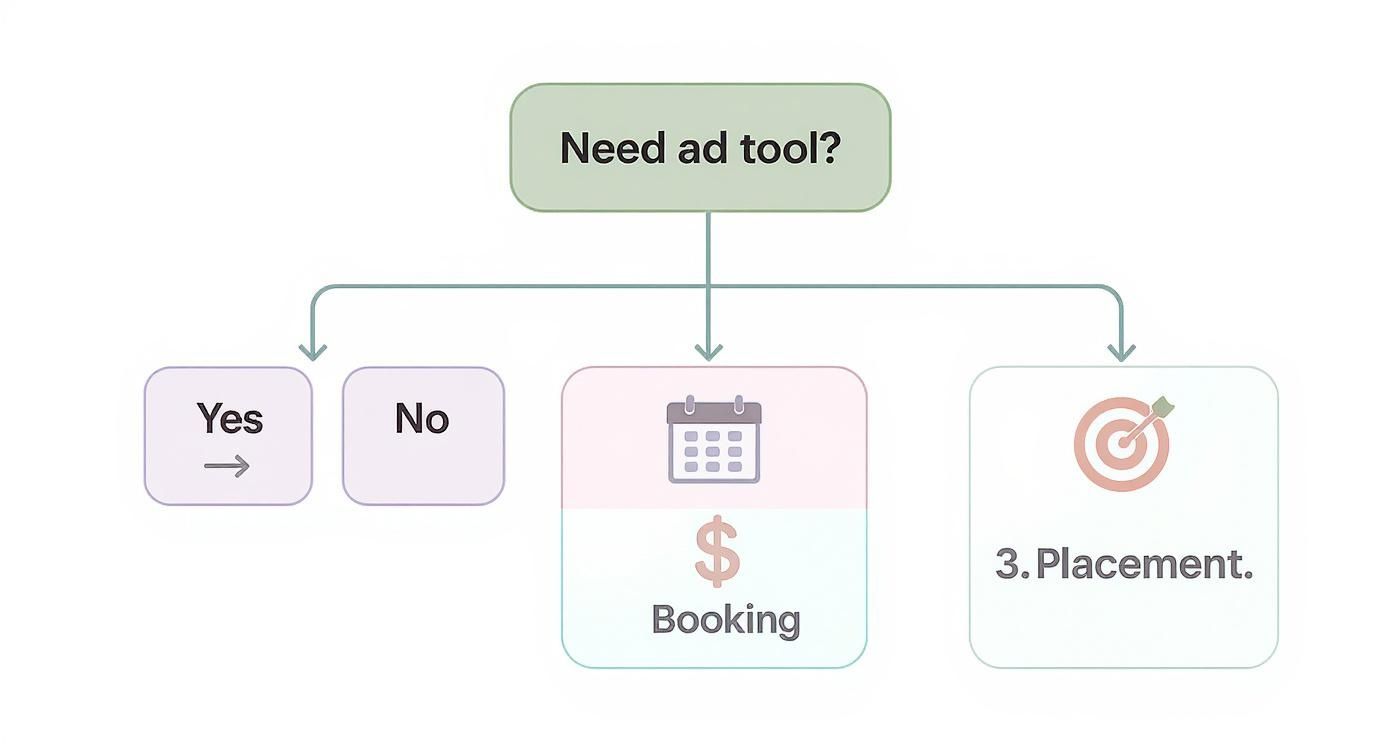
As you can see, it really boils down to how you want to manage your calendar, automate bookings, and control ad placements.
Putting It All Together: A Practical Example
Let’s circle back to ‘The Daily Byte.’ After doing their research, they have narrowed it down to two final contenders.
Tool A has a flat fee of $150 per month. It has a beautiful visual calendar and integrates perfectly with their ESP. The booking portal, however, is a bit basic and requires them to manually confirm each new order.
Tool B operates on a 5% revenue-share model. It boasts a fully automated, self-serve portal for advertisers and comes with much more detailed performance analytics.
Right now, ‘The Daily Byte’ brings in $3,000 per month from ads. With Tool A, their cost is a fixed $150. With Tool B, their cost is also $150 (5% of $3,000). On the surface, the costs are identical.
But here’s the important part: ‘The Daily Byte’ is planning for serious growth. When they hit their future goal of $9,000 in monthly ad revenue, Tool A will still cost just $150. Tool B, however, will cost them $450.
Because they have ambitious growth targets, the predictable flat fee of Tool A makes more sense for them in the long run. Even though Tool B’s booking portal is slicker, the significant long-term savings from Tool A win out. This is exactly the kind of simple math you need to do to make the smartest choice for your own newsletter business.
Calculating the ROI of Your Ad Scheduling Software

Any new tool has to pull its weight and make financial sense. Forget vague promises of “efficiency.” Let’s talk about the actual return you can expect from newsletter ad scheduling software. This is not just about feeling more organized. It is about real, measurable gains in both time and money.
The heart of your ROI calculation is putting a dollar value on all those administrative hours you get back. Think about it: the endless email chains with sponsors, the constant spreadsheet updates, the invoicing, the payment chasing. Automation takes that off your plate, freeing up hours you can pour back into creating great content or, even better, selling more ads.
Quantifying Your Time Savings
First things first, you need to figure out your team’s hourly rate. If you are a one-person show, what’s your time worth? If you have a small team, what’s the average hourly cost for the person wrangling your ad ops?
Once you have that number, you can calculate the true cost of your manual process. Let’s say the person managing your ads spends 15 hours a month on these tasks, and their time is valued at $50 per hour. That’s $750 in labor costs every single month, just to keep the ad system afloat.
That monthly cost is the direct expense of not automating. When you pit that $750 against the monthly fee for a scheduling tool, the financial win becomes crystal clear.
This is why automation is a huge deal in the digital marketing world. The global digital marketing software market was recently valued at USD 117.58 billion and is expected to grow like a weed. That kind of growth shows just how much businesses are leaning on software to handle tasks like newsletter ad scheduling.
Unlocking New Revenue Opportunities
Beyond just saving time, the right software actually helps you make more money. A solid, organized system prevents expensive mistakes and opens up revenue streams that are practically impossible to manage with a spreadsheet.
Here are a few ways scheduling software directly pads your bottom line:
- No More Double-Bookings: A real-time calendar means you never accidentally sell the same ad slot twice. That’s a mistake that can really hurt your reputation and lead to messy refunds.
- Filling Last-Minute Slots: When a sponsor backs out or you have an unexpected opening, you can instantly offer that slot to other advertisers. No more lost revenue from empty space.
- Looking Like a Pro: A slick, self-serve booking process makes you look more professional. This attracts higher-quality sponsors who are happy to pay premium rates for a hassle-free experience.
A Real-World Example
Let’s walk through a practical scenario. Picture a newsletter with 50,000 subscribers that used to manage its ad sales by hand.
Their ad manager was spending about 15 hours a month on tedious administrative work. After they switched to a scheduling tool, that time plummeted to just 3 hours a month, a saving of 12 hours. At an hourly rate of $50, that’s an instant $600 back in their pocket each month.
But that’s not all. With a clear view of their inventory and an easy booking system, they were able to sell 20% more ad slots, mostly by filling last-minute openings that used to go to waste. This brought in an extra $2,000 in monthly revenue.
The Total Monthly Gain:
- Time Savings: $600
- Increased Revenue: $2,000
- Total ROI: $2,600 per month
This example shows the return is not just a fantasy on a spreadsheet. It’s a powerful mix of direct cost savings and brand-new revenue. To see what these numbers could look like for your own newsletter, go ahead and plug your details into our free newsletter ad ROI calculator.
Common Mistakes to Avoid During Implementation
Bringing new software into your workflow can be a game-changer for your newsletter, but that initial transition period is tricky. A smooth rollout is all about spotting the common hurdles before they turn into full-blown headaches. If you get it right from the start, you’ll start seeing a return on your investment much, much faster.
The single biggest mistake we see publishers make is not fully committing. Trying to run your old, trusty spreadsheet alongside your new newsletter ad scheduling software just creates chaos. You end up with two sources of truth, which leads to confusion, double bookings, and, ironically, a lot more work.
Messy Data Migration
One of the most frequent stumbles is trying to import a messy or incomplete advertiser list. If your current ad booking spreadsheet is a jumble of inconsistent formatting, missing details, or old campaigns, you’re just creating problems for your future self. It’s the classic “garbage in, garbage out” scenario.
A clean import is the bedrock of a reliable system. Without it, your ad calendar will be off from day one, and you will not be able to trust the availability it shows you.
How to get it right: Before you move a single piece of data, take the time to clean house.
- Standardize your file: Export your current bookings into a fresh CSV or spreadsheet. Make sure you have consistent columns for essentials like Advertiser Name, Ad Run Date, Ad Type, and Payment Status.
- Verify everything: Go through every current and future booking with a fine-tooth comb. Is the run date correct? Has the advertiser actually paid? Confirming these details now will save you from frantic emails later.
- Archive old campaigns: You really do not need to import ad bookings from two years ago. Focus only on active and upcoming campaigns to keep your new system lean and relevant.
Lack of Team Training
Another common misstep is just dropping a new tool on your team and expecting them to figure it out. Even the most intuitive platform has a learning curve. If your team does not get how to use the software properly, they’ll naturally drift back to their old, inefficient habits.
Without solid training, you are not just slowing down adoption. You are opening the door to expensive errors. Think about it: a team member who does not know how to correctly mark an ad slot as “booked” could easily sell the exact same space to two different sponsors.
A tool is only as good as the person using it. Investing a few hours in training upfront prevents weeks of frustration and mistakes down the road. It gets everyone on the same page and ensures you’re actually getting the most out of your new software.
Poor Workflow Integration
Finally, many publishers do not fully weave the new software into their day-to-day operations. They treat it like a separate, add-on tool instead of making it the central command for their ad sales. This mistake completely undermines the software’s main purpose: saving you time and effort.
The whole point is to make the software a natural, indispensable part of your routine. It should be the first place you look to check availability and the only place you update when a new ad is sold.
How to get it right: Actively build the tool into your standard operating procedures from the very beginning.
- Map out your new process: Clearly define the step-by-step journey for selling and scheduling an ad using the software. Who does what? When?
- Update your documentation: If you have internal guides or checklists for ad sales, rewrite them to reflect the new workflow.
- Burn the boats: Once everyone is trained and the data is successfully moved over, officially retire that old spreadsheet. Make it crystal clear that the new software is now the one and only system for managing newsletter ads.
How AdSlots Puts This All Into Practice
It’s one thing to talk about the theory of managing newsletter ads, but it’s another thing entirely to see it in action. All the features, ROI potential, and migration steps we have covered come together in a tool designed to solve these exact problems. AdSlots was built to help you ditch the chaotic spreadsheet and turn your newsletter into a smooth, automated revenue machine.
Instead of a sales pitch, let’s walk through what this looks like for a real publisher. Imagine ‘Creator Weekly’, a newsletter that’s taking off but struggling to handle its growing list of sponsors. Their small team was burning nearly a full day every week just juggling bookings, chasing down payments, and manually dropping ad creative into their template. The fear of accidentally double-booking a premium ad slot was a constant headache.
From Chaos to Clarity
AdSlots immediately gets to the heart of what slows creators down. The first thing you will notice is the clean, visual calendar. This becomes your single source of truth for all ad inventory, which gets rid of the guesswork and prevents those costly mistakes. For ‘Creator Weekly’, this meant they could finally see their entire ad schedule at a glance, from what’s available to what’s confirmed.
This diagram shows just how a tool like AdSlots can take a messy, manual process and turn it into a straightforward, automated workflow.
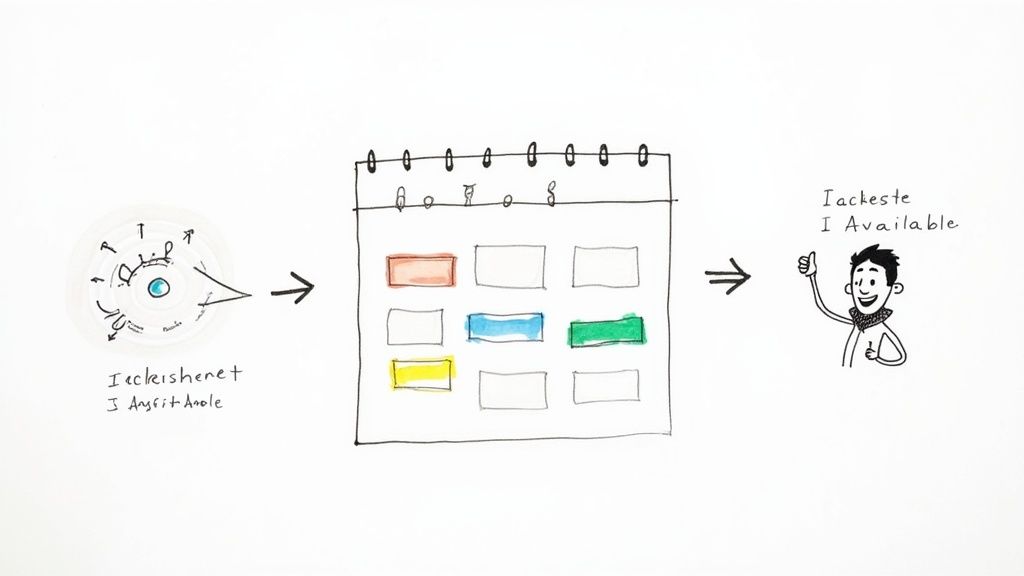
The system flows from checking availability to booking and confirming ads in just a few clicks, cutting out all the back-and-forth emails.
The next game-changer for them was setting up the self-serve booking portal. Sponsors could now see open dates, pick the spots they wanted, and upload their payment and creative assets whenever it suited them. This wasn’t just a time-saver. It gave sponsors a much better experience and helped capture new business that might have fallen through the cracks of a slow email chain.
By making the switch to AdSlots, ‘Creator Weekly’ slashed their ad administration time by over 75%. They took those hours and put them back into creating great content and building better relationships with their top sponsors, which directly improved their retention rate.
It’s More Than Just a Calendar
AdSlots also handles the money and the final ad delivery. With automated invoicing and payment processing through Stripe, ‘Creator Weekly’ started getting paid faster, without any of those awkward “just following up” emails.
- Seamless Integrations: Direct connections to major email platforms like Beehiiv and Mailchimp meant ads were inserted automatically. This removed that last manual step before the newsletter went out.
- Error-Free Fulfillment: Since the system was placing the ads, the team stopped worrying about running the wrong creative or, even worse, forgetting to include an ad altogether.
The outcome? A professional, scalable system that not only freed up their time but also built more trust with advertisers. By investing in a dedicated newsletter ad scheduling software, ‘Creator Weekly’ turned their ad operations from a major bottleneck into a real driver of growth.
Frequently Asked Questions
Got a few more questions? You are not alone. Here are the answers to the most common things people ask when they are thinking about newsletter ad scheduling software.
How Much Does This Software Typically Cost?
You will find that pricing is all over the map, which is pretty typical for this kind of tool. Most platforms stick to a flat monthly subscription, which can run you anywhere from $50 to $500. The final price usually depends on how many subscribers you have and which features you need. This is a great model if you like predictable costs for budgeting.
On the other hand, some tools use a revenue-sharing model. Instead of paying a set fee, they will take a small cut of the ad revenue you bring in. This can be a fantastic option if your ad income fluctuates, but it is worth running the numbers to see which model makes the most sense for your business.
Can It Integrate With Mailchimp Or Other Email Platforms?
Absolutely, and if it does not, you should probably keep looking. Any good ad scheduling platform is built to play nicely with the big email service providers (ESPs) like Mailchimp, Beehiiv, and ConvertKit.
This is not just a “nice-to-have” feature. It is the core of how the whole system works. The integration is what lets the software drop the right ad creative directly into your email template automatically. It completely gets rid of the manual copy-and-paste routine, saving a ton of time and stopping those “oops, wrong ad” mistakes. Before you sign up, always check their integrations page to make sure your ESP is on the list.
Is This Software Only For Large Publishers?
Not in the slightest. It’s easy to see how a massive publisher would benefit, but these tools are just as useful for smaller, growing newsletters. Even if you are only juggling a handful of sponsors each month, the time savings add up fast.
Think of it this way: getting a professional system in place early on sets you up for growth. It lets you focus on creating amazing content and finding sponsors, which is exactly how you grow your newsletter in the first place.
What Is The Biggest Mistake To Avoid?
The single biggest mistake we see is people not committing to the new system from day one. They will buy the software but keep their old spreadsheet running “just in case.” This creates two competing sources of truth, which leads to confusion, double-bookings, and headaches. It completely defeats the purpose of buying the tool.
The fix is simple: commit to the migration. Take the time to get all of your existing and upcoming ad bookings loaded into the new software right from the start. This ensures your ad calendar is accurate and reliable from the get-go, making for a much smoother transition.
Ready to stop wrestling with spreadsheets and start automating your ad sales? AdSlots turns your ad operations into a streamlined system so you can focus on what you do best, writing. See how it works by visiting our website.