
What exactly is “automated payment tracking for newsletters”? It’s the use of software to manage the financial side of your newsletter. This includes everything from subscriptions to sponsorships, all without manual data entry. You can think of it as swapping a clunky spreadsheet for a smart, connected system that creates invoices, watches payment statuses, and follows up on failed transactions for you.
For many creators, making this switch frees up dozens of hours every month.
Why Manual Payment Tracking Costs You More Than Time
It can be tempting to manage your newsletter payments in a spreadsheet. I understand the appeal. It feels simple and it’s free. But this manual method has hidden costs that slowly chip away at your revenue and stunt your growth. Before we get into building a better system, it’s important to understand how damaging these old-school methods can be.
The Hidden Financial Leaks
Manual tracking is more than just a hassle; it’s a real threat to your bottom line. For example, the popular newsletter Lenny’s Newsletter discovered early on that a significant portion of churn wasn’t from subscribers intentionally canceling. Instead, it was from involuntary churn due to payment failures. Their manual tracking couldn’t catch these issues in real time, leading to lost revenue.
Their story is not unique. Financial leaks from manual tracking often come from a few common areas:
- Unnoticed Failed Payments: A subscriber’s card expires, but your spreadsheet cannot send you an alert. You might unknowingly continue sending them premium content, losing money each week.
- Delayed Sponsor Invoicing: You are focused on writing a great issue and forget to send a sponsor’s invoice on the first of the month. This not only delays your cash flow but can also make your operation look disorganized.
- Simple Human Error: A small typo in a cell can lead you to under-bill a major sponsor or, worse, chase a client for an invoice they have already paid. These mistakes create awkward conversations that can damage valuable relationships.
The real cost of manual tracking is not the software you avoid paying for. It is the revenue you fail to collect, the subscriber trust you lose, and the time you can never get back.
The True Cost of Your Time
Beyond the money that slips away, your time is your most valuable asset. Every hour you spend matching spreadsheet rows to bank statements is an hour you are not writing, creating new products, or engaging with your readers.
As your newsletter grows, this administrative headache does not just grow with it; it grows exponentially.
Soon, the manual work becomes a serious bottleneck. It prevents you from taking on more sponsors or launching that paid community you have been dreaming of. You end up as a full-time bookkeeper instead of a creator. Moving to automated payment tracking for newsletters is not just about efficiency. It is a strategic decision to protect your income, reclaim your time, and build a truly sustainable business.
Assembling Your Automated Payment Toolkit
You do not need an expensive, sprawling tech stack to accomplish this. Building a solid automation system is about choosing a few core tools that work well together. Think of it less like building a rocket ship and more like putting together a simple, reliable toolkit that just works.
The Tools of the Trade
Let’s start with the core of the operation: your payment gateway. This tool handles the money, securely processing payments from your sponsors or paid subscribers. It is your digital cash register.
For most creators I know, Stripe is the clear leader. It is reliable, flexible, and has become the industry standard for good reason. That said, services like PayPal or Paddle are also excellent options, particularly for handling recurring subscriptions.
Next is your newsletter platform, where you create and send your emails. Many newer platforms are built with monetization in mind from the start, which can make your life much easier.
Platforms like Ghost and beehiiv have native, built-in features that connect directly to Stripe. This is the simplest path. If you are on a platform like Substack, which handles paid subscriptions for you, you will still need a system to automate your sponsorship payments. We have a complete guide on the best Substack sponsor tracking tools if this applies to you.
The best toolkit is not the one with the most features. It is the one where everything connects seamlessly. Your goal should be simplicity and reliability, because that means fewer things can break.
Finally, we have the magic ingredient: the automation tool. This is the “glue” that connects your payment processor, newsletter platform, and any other apps you use. These no-code platforms allow you to build powerful automated workflows without writing a single line of code.
Here is a quick overview of the core components you will need.
Core Tools for Your Automation Stack
| Tool Category | Example Tools | Primary Function | Best For |
|---|---|---|---|
| Payment Gateway | Stripe, PayPal, Paddle | Securely processes online payments from sponsors or subscribers. | Stripe is the preferred choice for most creators due to its flexibility and wide integration support. |
| Newsletter Platform | Ghost, beehiiv, ConvertKit | Manages your audience, content creation, and email sends. | Platforms with native payment integrations (like Ghost or beehiiv) simplify the setup. |
| Automation Tool | Zapier, Make | Connects your apps and automates tasks between them. | Zapier is excellent for beginners, while Make offers more advanced, visual control over workflows. |
These “no-code” tools are what make a hands-off system possible.
- Zapier: Known for its simple, user-friendly interface and a massive library of connected apps. You can create “Zaps” in minutes. For example, a new Stripe sale could automatically tag a subscriber in ConvertKit. It is the perfect starting point.
- Make (formerly Integromat): If you are a visual thinker or need to build more complex workflows, Make is a powerhouse. It gives you a great deal of control over your automation logic.
Putting these pieces together has completely changed the game for newsletter operators. We have moved beyond just tracking opens and clicks. Now, you can see real-time revenue from sponsorships and subscriptions in one place. A 2023 study by MailerLite showed that publishers using automation see open rates up to 2.5 times higher than those who do not. A smooth backend operation contributes to a healthy, engaged audience, and your toolkit is the foundation for that efficiency.
How to Build Your First Payment Workflow
Theory is great, but let’s get practical. The best way to understand automated payment tracking for newsletters is to build a real workflow. We will use a common scenario: a paid newsletter that also sells standalone digital products like guides or templates.
This process typically follows a clear path from payment collection to subscriber management.
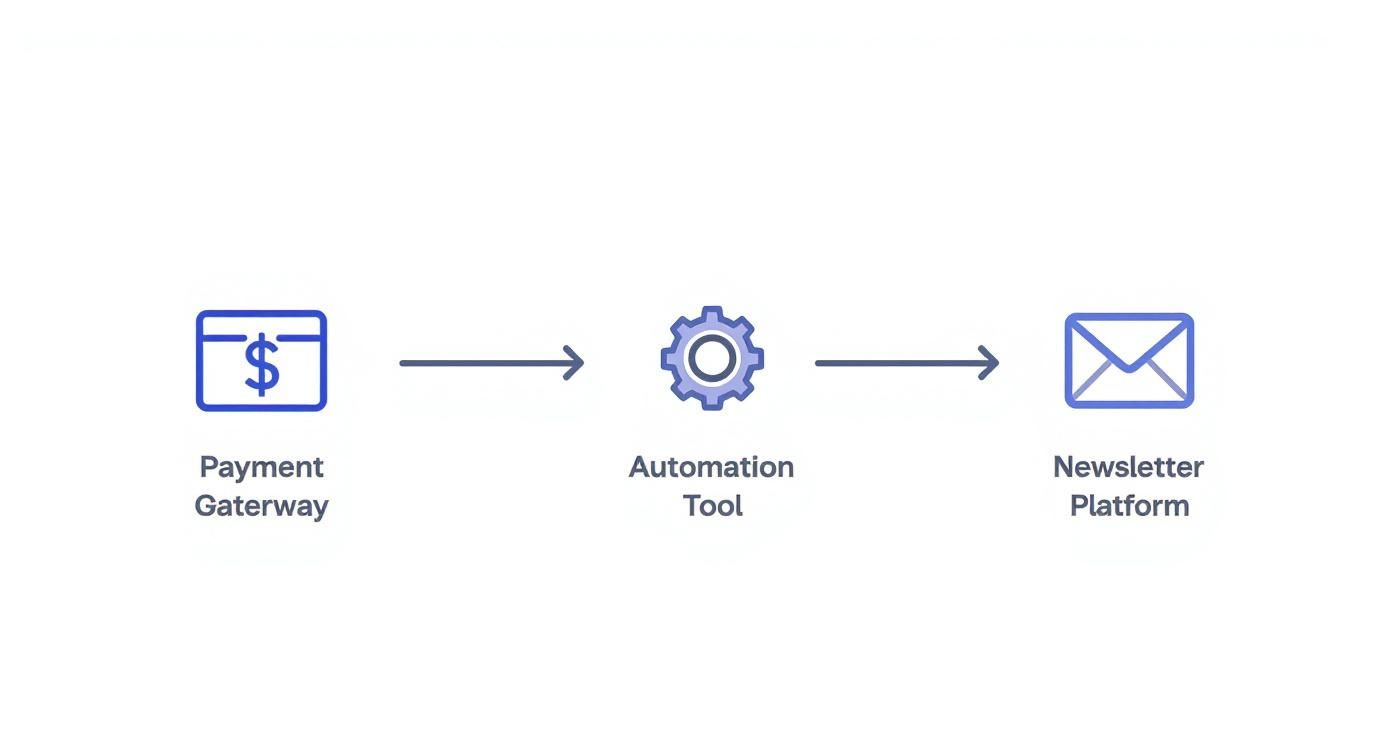
This visual shows how the core components of your automation stack connect to pass information back and forth without any manual work.
Connecting Your Payment Gateway
The first step is often the easiest. Most modern newsletter platforms like beehiiv or Ghost have native integrations with Stripe. This means you can connect your accounts with just a few clicks inside your platform’s settings.
Once connected, any new paid subscriber who signs up through your website is automatically processed by Stripe. Your newsletter platform then grants them access to premium content. This single connection handles your most common transaction perfectly.
But what happens when things go wrong? This is where a dedicated automation tool becomes essential.
Handling Failed Payments with Automation
Failed subscription payments are silent revenue killers. Here, we will use a tool like Zapier to act as the bridge between your payment gateway and your email platform. We will create a simple “Zap” that watches for trouble and acts on your behalf.
Our workflow will have two parts: a trigger (the event that starts the automation) and an action (what the automation does in response).
This screenshot from Zapier shows some of the available triggers you can use with Stripe to start a workflow.
As you can see, you can trigger automations based on new customers, failed payments, new subscriptions, and much more, giving you fine-grained control.
The goal is to catch payment issues the moment they happen. Without automation, a subscriber’s card could expire, and you might continue sending them paid content for weeks without noticing.
The single most impactful automation for any paid newsletter is the one that recovers failed payments. It directly protects your recurring revenue and prevents accidental subscriber churn.
Setting this up allows you to recover revenue that would otherwise be lost. For a deeper look at connecting these tools, you can learn more about a solid Stripe integration for newsletter ads and subscriptions in our detailed guide.
A Practical Workflow Recipe
Let’s build the workflow for handling a failed recurring payment. Using Zapier, the setup would look like this.
Trigger Event: Select the “New Failed Payment” trigger in the Stripe app. This tells Zapier to watch Stripe and run this workflow every time a recurring charge is declined.
First Action: Choose the “Add/Update Subscriber” action in your newsletter platform’s app (like ConvertKit or Mailchimp). Use the email address from the failed Stripe payment to find the right subscriber.
Second Action: As part of that same step, tell Zapier to add a specific tag to the subscriber, something like “Payment Failed.” This tag immediately segments them from your healthy, paying subscribers.
Third Action: Add another step that enrolls the newly tagged subscriber into a specific automation or email sequence inside your newsletter platform. This sequence is your “dunning” campaign, which automatically sends a series of emails asking them to update their payment information.
This simple, three-part automation runs 24/7. It identifies the problem, segments the user, and starts the recovery process without you ever having to open a spreadsheet or manually send an awkward email. It transforms your payment management from a reactive chore into a proactive system.
Talking to Your Subscribers When Payments Go Wrong
Let’s be honest, failed payments are a normal part of running a subscription newsletter. A credit card expires, or a bank account is a little low. It happens.
What should not happen is losing a loyal reader over a simple payment issue. This is where an automated dunning process becomes your secret weapon, turning a potential loss into a retained subscriber.
The goal is not to chase people for money. It is about being genuinely helpful and making it incredibly simple for them to fix the problem. A smart, automated email sequence can recover a large portion of that lost revenue without you lifting a finger.
The Gentle Art of the “Oops” Email
Your approach to failed payments should be all about making things easy. You would be surprised how much difference small changes in your tone and timing can make. For instance, data from customer.io shows that a single friendly email with a direct link to update payment information can recover over 30% of failed payments on the first attempt. The key is to be helpful, not demanding.
Think of your dunning emails as a helpful heads-up from customer service, not a demand letter from a bill collector. You want to frame it as a minor issue you can solve together, which maintains the positive vibe you have worked so hard to build.
A good dunning sequence usually follows a simple path.
- Email 1 (Right after the payment fails): Send a gentle, helpful note. Keep the tone light, assuming it is just a technical glitch. A subject line like, “Action Required: There’s an issue with your subscription payment,” works well.
- Email 2 (3-5 days later): This is a friendly reminder. It is still helpful but adds a little more urgency, perhaps mentioning that their access to premium content is at risk.
- Email 3 (7-10 days later): The final notice. This is your last attempt, making it clear their subscription will be canceled if they do not update their payment details.
This kind of targeted automation is incredibly powerful. Today, automated messages like these make up just 2% of all emails sent but generate a massive 37% of all sales from email. That statistic from Omnisend demonstrates how much a timely, relevant message can accomplish.
Making a Great First Impression (After They’ve Paid)
Automation is not just for when things go wrong. It is also your best tool for welcoming new paid subscribers and reminding them why they made a great choice. The moment someone pays, an automated welcome email should arrive in their inbox.
This welcome sequence is your chance to start the relationship on the right foot and encourage them to stick around.
- Give them immediate access to the amazing content they just paid for.
- Show them the good stuff by pointing them toward your most popular members-only articles or resources.
- Let them know what to expect, like when your next issue will land in their inbox.
This proactive communication prevents buyer’s remorse and boosts your long-term retention. It is a core part of keeping your subscriber base healthy. A solid welcome sequence makes new subscribers feel smart for signing up, and that feeling keeps them coming back.
Tracking the Health of Your Automated System
So, you have built your automated payment system. That is a huge win, but the work is not quite finished. This is not a “set it and forget it” situation. You need a way to know if your new workflows are actually doing their job, protecting your revenue and helping you grow.
The key is to look beyond just the top-line revenue number. You need to examine the metrics that tell the true story of your newsletter’s financial health. These numbers provide actionable insights, helping you catch small issues before they become major problems. A well-oiled system does not just collect cash; it gives you the data to make smarter business decisions.
Key Metrics to Monitor
Do not get overwhelmed by a sea of data. You only need to focus on a few core metrics to get a solid pulse on your business. Most of what you need is right there inside your payment processor’s dashboard, such as Stripe Analytics.
Here is what to keep an eye on:
Monthly Recurring Revenue (MRR): This is your predictable monthly income from paid subscribers. Watching MRR is the quickest way to see if your subscription business is growing, stagnant, or shrinking.
Churn Rate: This is the percentage of subscribers who cancel their subscription each month. It is critical to break this down further into voluntary churn (customers actively choosing to cancel) and involuntary churn (cancellations due to failed payments). If your involuntary churn is high, it is a red flag that something is wrong with your payment recovery process.
Tracking these core metrics is non-negotiable. An automated system that reduces involuntary churn by just a few percentage points can add up to thousands of dollars in recovered revenue over the year.
- Subscriber Lifetime Value (LTV): This metric gives you an estimate of how much total revenue you can expect from a single subscriber over their entire relationship with you. When your LTV is climbing, it is a great sign that you are getting better at keeping subscribers around and increasing their value over time.
Creating a Simple Monitoring Dashboard
You do not need fancy, expensive software for this. You can start by building a simple dashboard, either right inside a tool like Stripe or even with a basic spreadsheet you commit to updating weekly.
The goal is to get a quick, at-a-glance view of these financial vital signs. For instance, if you notice your involuntary churn rate creeping up one month, you will know immediately that it is time to revisit your dunning email copy or maybe adjust the timing of your payment reminders.
This kind of proactive monitoring often separates a thriving newsletter from one that is slowly leaking revenue without anyone noticing. It helps you see the direct financial impact of your automation and shows you exactly where to focus your energy for growth.
To get an even clearer picture, you can use a specialized tool like our free newsletter ad ROI calculator to better understand the return on all your monetization efforts.
Got Questions About Automating Your Payments? We’ve Got Answers.
Jumping into a new system always comes with a few “what ifs.” Setting up automated payment tracking for your newsletter is no different. Let’s address some of the most common questions and hurdles creators face so you can build your own system with confidence.
“What If I’m Not Very Technical?”
You can absolutely do this. Seriously.
Modern no-code tools like Zapier and Make were built for people who do not write code. They use visual, drag-and-drop interfaces where you are essentially connecting apps using simple dropdown menus. It feels more like connecting LEGO blocks than trying to engineer something from scratch.
Plus, many newsletter platforms and payment processors already have direct, one-click integrations built-in. This guide sticks to those user-friendly methods, so you will not need any programming skills to get this up and running.
“How Much Is This Going to Cost Me?”
The great news is that the cost is scalable, and you can get started for very little. Most of the expense is tied to your transaction volume, not a large, scary upfront investment.
Here is a quick look at the typical costs:
- Payment Processors: Stripe is the industry standard and charges a per-transaction fee, usually around 2.9% + 30¢. This is perfect because you only pay when you actually make money.
- Automation Tools: Services like Zapier and Make have quite generous free plans. For a new or growing newsletter, that is often all you will need. If you outgrow the free plan, you are usually looking at something starting around $20-$30 per month.
You should view this as an investment. The cost is easily covered by the revenue you will recover from failed payments and the countless hours of tedious admin work you will save.
Think of it this way: if your new system recovers just one failed $50 subscription per month, it has already paid for itself. The time you get back is pure bonus.
“Which Payment Failures Should I Tackle First?”
Start with the biggest revenue leak: failed recurring subscription payments. This is the low-hanging fruit and where most creators are unknowingly losing money every single month.
The first thing you should build is a simple dunning sequence. This is just an automated series of emails that goes out to subscribers when their credit card is declined. It gently reminds them to update their payment info.
This one workflow will have the biggest and most immediate impact on your bottom line. Once you see it running smoothly, you can get fancier and add other automations, like welcoming new subscribers or managing one-off product sales.
“Can This System Handle Different Subscription Tiers?”
Yes, and this is where an automated system truly shines. Handling complexity like multiple subscription levels is exactly what these tools are designed for.
For example, inside Stripe, you can set up different “products” for each of your tiers. Then, in a tool like Zapier, you can create rules that look at which product was purchased and trigger a specific action.
So, a “Premium Tier” sign-up could automatically trigger a welcome email that includes links to exclusive content, while a “Standard Tier” sign-up gets a different, more basic welcome. This ensures every subscriber gets the right experience, all without you lifting a finger.
Stop drowning in spreadsheets and start focusing on what you do best: writing. Ad Slots automates your entire ad management workflow, from scheduling and invoicing to payment tracking. It’s the streamlined system you need to monetize your newsletter without the administrative headache. Turn your sponsorship chaos into a smooth, automated process with Ad Slots.