
The fundamental difference between Mailchimp and ConvertKit really comes down to this: Mailchimp is a big, all-in-one marketing platform built for all kinds of businesses, and it shines with beautiful design templates and a massive feature set. ConvertKit, on the other hand, is a laser-focused email tool built from the ground up for creators who want to grow an audience and sell digital products.
So, are you looking for a marketing swiss-army knife or a specialized toolkit designed for a creator's workflow? That’s the core question.
Mailchimp vs. ConvertKit: The Verdict for Creators
Picking an email service provider is a huge decision. It shapes your workflow, your growth potential, and how you make money. This is not just about sending emails; it is about choosing a partner that genuinely fits your business model.
To make this choice easier, I’ve boiled down the Mailchimp vs. ConvertKit debate to the differences that actually matter for newsletter creators and publishers. Forget the endless feature lists, we are focusing on the practical stuff that affects your day-to-day and your ability to grow.
Core Differences at a Glance
Before we get into the weeds, this quick table sums up the most important distinctions. It’s designed to give you an immediate feel for which platform might be the right fit for your goals.
| Factor | Mailchimp | ConvertKit |
|---|---|---|
| Primary Audience | Small to large businesses needing a broad marketing suite. | Bloggers, podcasters, YouTubers, and online creators. |
| Audience System | List-based (subscribers can exist on multiple lists). | Subscriber-centric (one profile per subscriber, organized with tags). |
| Templates | Large library of polished, visual, drag-and-drop templates. | Minimalist, text-focused templates for a personal feel. |
| Monetization | E-commerce integrations and shoppable landing pages. | Built-in tools for selling digital products and paid newsletters. |
| Ease of Use | Generally user-friendly but can get complex with advanced features. | Extremely intuitive and streamlined for a creator's workflow. |
This table lays out the philosophical divide. Mailchimp is built for businesses to market products, while ConvertKit is built for creators to build a community.
One look at features like ConvertKit's Creator Network tells you everything you need to know. It’s a tool designed to help creators grow together through partnerships. This signals a completely different mindset from Mailchimp's more traditional, business-centric approach to marketing.
How Their Market Position Shapes Your Experience
To really get to the bottom of the Mailchimp vs ConvertKit debate, you have to look at where they came from. Their histories and who they were built for have a massive impact on their features, how they feel to use, and ultimately, which one is going to be the right fit for you.
Mailchimp is the 800-pound gorilla of email marketing. For over two decades, it’s been the default choice for practically everyone, from your local coffee shop to massive online stores. This long run has given it the time and resources to build an all-in-one marketing machine that does way more than just send emails.
You can see this just by looking at their homepage, which talks about reaching "all your people."
The message is clear: email is just one part of their much bigger marketing toolkit. That broad focus is a direct result of being the biggest player in the game.
The Power and Pitfalls of Being the Biggest
It's hard to overstate just how huge Mailchimp is. It has dominated the email world for years. As of May 2024, Mailchimp's market share was a staggering 67.54%. That number tells you just how many different kinds of businesses rely on it every day. You can dig into more data on Mailchimp's market share to see how it stacks up.
So, what does this mean for you?
- Stability and Resources: A platform this big is not going anywhere. It is well-funded and has a massive team behind it, which means a wide array of features.
- A Jack-of-All-Trades: To keep millions of different customers happy, Mailchimp has to do a little bit of everything. It offers tools for building websites, running social media ads, and deep e-commerce analytics.
- Slower to Serve a Niche: The flip side is that their development roadmap is spread thin. Features that only a small group of users need, like newsletter creators, often take a backseat.
Mailchimp's generalist approach makes it a solid, safe bet for a traditional business that wants one tool to handle a bunch of different marketing tasks.
The Advantage of a Laser Focus
ConvertKit, on the other hand, went in the complete opposite direction. It was founded in 2013 by a creator, for creators. Instead of trying to be everything to everyone, ConvertKit carved out a very specific niche: bloggers, authors, podcasters, and anyone building an audience online.
This creator-first philosophy is not just a catchy tagline; it’s baked into the platform's DNA. Every feature feels like it was designed to solve a problem that modern creators actually face.
Because of this intense focus, ConvertKit does not waste time on features a newsletter writer would never touch. You won’t find tools for printing postcards or scheduling appointments. What you will find are best-in-class features for things like:
- Selling digital products and subscriptions.
- Running a paid newsletter with built-in payment processing.
- Finding growth partners through its Creator Network.
- Building simple, powerful automations for your sales funnels.
This strategy means ConvertKit is incredibly good at the specific things a creator does day in and day out. Its market share is smaller, but its expertise in the creator world is unmatched. This is the core difference between the two: one is for the masses, the other is for the makers.
Audience Management: A Tale of Two Systems
How an email platform handles your subscribers is its most important job. This is, without a doubt, the single biggest difference in the Mailchimp vs. ConvertKit debate, and it impacts everything from your monthly bill to how easily you can send targeted emails. The two platforms have fundamentally different philosophies here.
Mailchimp is built on a traditional list-based system. Think of lists as completely separate buckets. If someone signs up for your weekly newsletter and also downloads a free guide, they exist as two separate contacts in two different buckets.
ConvertKit, on the other hand, uses a subscriber-centric model. In this world, there’s just one big database. Each person has a single profile, and you use tags to understand who they are and what they’re interested in.
This might sound like a minor technical detail, but its impact is massive, especially as your newsletter grows.
Mailchimp: The Cost of Duplicate Subscribers
With Mailchimp's list model, if one person (sally@email.com) is on three of your lists, you pay for three subscribers. This structure can quickly inflate your costs and create a messy, siloed view of your audience.
Let's walk through a real-world example for a newsletter creator.
- List 1: Main Newsletter (5,000 subscribers)
- List 2: Webinar Attendees (1,000 subscribers)
- List 3: Ebook Buyers (500 subscribers)
Now, imagine 800 of your webinar attendees and all 500 ebook buyers are also on your main newsletter list. In Mailchimp's system, you are not paying for 5,000 subscribers. You're actually paying for 6,300 (5,000 + 1,000 + 500), because the duplicates are counted every single time. This billing model can make running a multi-faceted creative business unnecessarily expensive.
The core problem with Mailchimp's list system is how it complicates segmentation. To send an email to only main newsletter subscribers who did not attend the webinar, you have to build complex rules to compare different lists. It is clunky and far from intuitive.
ConvertKit: One Subscriber, One Profile
ConvertKit flips this model completely. That same subscriber, sally@email.com, exists only once in your account, no matter how many times they interact with you. Instead of juggling separate lists, you simply apply tags to their profile.
Using the same scenario, here’s how it looks in ConvertKit.
A single subscriber profile might have these tags:
Main NewsletterWebinar Attendee - Q3 2024Purchased - Ebook V1
In this system, you have 5,000 total subscribers, and that is exactly what you pay for. The tags give you a complete, unified picture of each person. This approach is not just more cost-effective; it makes powerful segmentation incredibly simple.
Want to email everyone who attended the webinar but has not bought the ebook? You just create a segment with a simple rule: include subscribers with the Webinar Attendee tag and exclude those with the Purchased - Ebook tag. It takes seconds.
This subscriber-centric approach is tailor-made for how modern creators and publishers operate. It’s flexible, it scales, and it keeps your focus on the individual relationship, not just which bucket they happen to be in. If you plan to build sophisticated funnels without the headache, this system is a clear winner.
You can explore more strategies on how to manage an email list effectively to see how this plays out in practice. For many creators, this difference alone is enough to make the choice between Mailchimp and ConvertKit.
Automation and Creator Monetization Tools
This is where your email platform stops being a simple broadcast tool and starts becoming a real business engine. Automation and monetization are how you save time, build relationships on autopilot, and, most importantly, generate revenue. The difference between Mailchimp and ConvertKit here really gets to the heart of what each platform is about. One is a marketing machine for all, while the other is a purpose-built toolkit for creators.
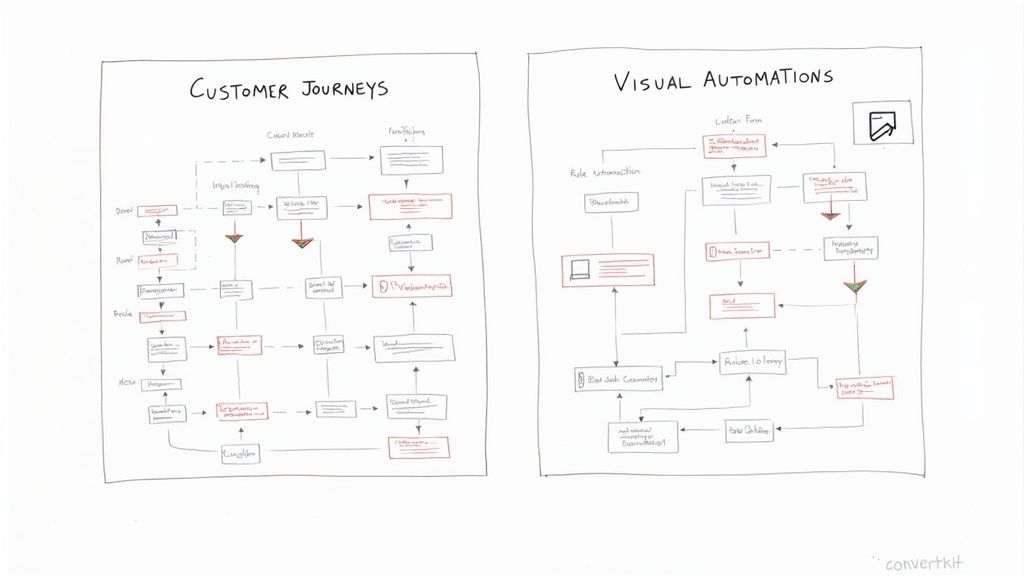
Mailchimp's automation builder is called Customer Journeys. It’s a powerful, flowchart-style system that’s clearly designed for complex marketing funnels. If you're running an e-commerce store and need to track website activity, abandoned carts, and all sorts of purchase behaviors, it's incredibly robust.
ConvertKit, on the other hand, calls its system Visual Automations. The name says it all. The interface is clean and built around simple "if this, then that" logic. This makes it ridiculously intuitive for setting up the things creators actually do, like welcome sequences, webinar funnels, or delivering content upgrades, without needing a marketing degree to figure it out.
Putting the Automation Builders to the Test
Let's walk through a classic creator task: setting up a simple welcome sequence for new subscribers who just downloaded a free guide.
With Mailchimp, you'd head into the Customer Journey builder.
- First, you set the Starting Point to "Signs up to Audience."
- Next, you add a Rule to check if they came from the specific landing page for your guide.
- Then, you add an Action to send your first welcome email.
- After that, you add a Delay (say, one day).
- Finally, you add another Action to send the next email in your sequence.
It works, but it feels a bit like using a sledgehammer to crack a nut. For creators who just want to send a few emails in a row, the sheer number of options can feel like overkill.
Now, let's do the exact same thing in ConvertKit.
- Your Entry Point is "Subscribes to a form." You just pick the form for your guide.
- Then, you add an Action and select the pre-written welcome sequence you already created.
That's it. Two steps. ConvertKit absolutely nails this kind of straightforward, rule-based automation, which is honestly what most creators need 90% of the time.
Monetization: The Creator’s Edge
When it comes to making money directly from your audience, ConvertKit pulls way ahead. Mailchimp's strategy leans heavily on connecting to third-party e-commerce platforms like Shopify or WooCommerce. ConvertKit, however, built monetization tools right into its platform.
ConvertKit gets that most creators are not selling t-shirts. They are selling digital products and access, think ebooks, courses, and paid newsletters. Its native tools are designed specifically for that world.
Right out of the box, ConvertKit gives you:
- ConvertKit Commerce: Sell digital files like ebooks, templates, or presets with zero fuss. You can create a product page and get a shareable link in just a few minutes.
- Paid Newsletters: Launch a premium version of your newsletter without duct-taping different services together. ConvertKit handles the payments and makes sure only paying subscribers get the content.
- Tip Jar: A super simple way to let your readers show their appreciation. Just add a button to your emails, and people can send you a small payment to say thanks.
For a creator using Mailchimp, the path to monetization is much more roundabout. You can connect your online store to see sales data, but you can’t actually sell a digital download without bringing in another tool. That just adds another layer of complexity and another monthly bill.
This focus is why so many creators choose ConvertKit. It's also why managing sponsorships can become a headache as you grow, making a dedicated newsletter sponsor CRM a smart move for anyone serious about ad revenue.
While a smaller player overall, ConvertKit supports a dedicated base of around 250,000 creators, which proves how well it understands its niche. This creator-centric focus is a common theme in the publishing world; the classic Ghost vs Substack debate often boils down to a similar choice between specialized tools and broader platforms.
Bottom line: if you want to sell directly to your audience with as little friction as possible, ConvertKit's all-in-one approach is the clear winner.
Templates and Analytics: Style vs. Substance
How your emails look and the data you get back are two sides of the same coin when you're trying to grow a newsletter. One platform gives you a painter's palette of design options, while the other believes less is more. This is one of the biggest philosophical divides between Mailchimp and ConvertKit, and it says a lot about who they're trying to serve.
Mailchimp is legendary for its massive library of polished, drag-and-drop templates. If you want your emails to feel like a high-end magazine layout, Mailchimp has all the tools you need to build it, no coding required.
These visual-heavy templates are great for certain businesses. An e-commerce brand, for instance, can drop in gorgeous product photos with big, bold "buy now" buttons. A corporate newsletter can lock in its branding with a slick, professional design.
The Power of Simplicity
ConvertKit goes in the complete opposite direction. It’s built around a core belief in simple, text-based emails. The goal is to make your newsletter feel like a personal note from a friend, not a marketing blast from a faceless company. This is not a limitation; it is a deliberate strategy.
There is solid reasoning behind it. Emails packed with heavy images and complex code are more likely to get flagged by spam filters or automatically sorted into the Promotions tab. A simpler, cleaner email has a much better shot at landing directly in the primary inbox, which naturally leads to more opens.
ConvertKit’s whole philosophy is that a personal, text-first email forges a stronger, more direct connection with your readers. It’s about prioritizing the message, not the packaging. That’s an idea that really clicks with creators who are building a community around their voice and ideas.
Many successful creators have found this minimalist style not only boosts deliverability but also feels more genuine. If you're curious to learn more about this, we've gone deep on the differences between plain text vs HTML emails and how they affect the way your readers connect with your content.
Data Deep Dive: Mailchimp Analytics
The gap between the two platforms widens even more when we get to analytics. Mailchimp is an absolute powerhouse here, giving you an incredibly detailed view of how your campaigns are performing.
For marketers who live and breathe data, Mailchimp’s reporting dashboard is a dream. You can track all the standard metrics, plus a whole lot more.
- Click Maps: Get a visual heat map of where people are clicking inside your email, helping you perfect your layouts for maximum impact.
- E-commerce Tracking: If you run a Shopify store, you can see exactly how much revenue each email campaign brings in.
- Location Data: See where your subscribers are in the world, which is incredibly useful for segmenting by time zone or running regional promotions.
Focused Reporting in ConvertKit
ConvertKit’s reporting is, true to its brand, much more focused. It strips away the noise and centers on the core metrics that actually matter for a creator's growth, preventing you from getting lost in a sea of data.
You’ll find clean, straightforward dashboards showing:
- Open Rates
- Click Rates
- Subscriber Growth Over Time
- Unsubscribe Numbers
This "just the essentials" approach keeps things simple. You will not find click maps or advanced e-commerce reports, but you will always have a crystal-clear picture of your newsletter's health at a quick glance.
The difference in analytics is stark. As noted in other comparisons like this one on websiteplanet.com, Mailchimp offers a far more comprehensive suite of tools for deep analysis. For a writer who just wants to write, ConvertKit’s simplicity is a relief. But for a business trying to optimize every last detail of its sales funnel, Mailchimp's rich data is indispensable.
Breaking Down the True Cost and Value
The sticker price on an email platform rarely tells the full story. To really get a handle on the financial side of the Mailchimp vs. ConvertKit debate, you have to look past the monthly fee and see how each platform’s structure actually affects your wallet as you grow.
Mailchimp is famous for its generous free plan, which lets you have up to 500 subscribers without paying a dime. This makes it a super tempting starting line for a lot of new creators. The catch, however, is its list-based system, which hides a pretty significant long-term cost.
Because Mailchimp charges for subscribers on each list, your bill can balloon in ways you did not expect. If the same person is on your main newsletter list and also on a waitlist for a new product, you pay for them twice. This model can get expensive, fast, especially for creators who are running multiple funnels or segmenting their audience heavily.
The Hidden Costs of Mailchimp
For a creator with more than one thing going on, this duplicate billing is not a minor detail. Imagine you have a newsletter with 5,000 subscribers. You might also have 1,000 people on a separate list for a webinar. If those groups overlap, you’re paying for more subscribers than you actually have, which can easily push you into a higher, more expensive pricing tier.
ConvertKit’s pricing, on the other hand, is built on a much simpler foundation, even if it seems a bit higher at the start. It uses a subscriber-centric model, meaning you pay for each person just once, no matter how many tags or segments you put them in. This makes your costs totally predictable as you scale, a huge relief when you're trying to manage a budget.
The real value is not just about the monthly price tag; it’s about having predictable costs. ConvertKit’s model ensures your bill grows right alongside your audience, so you’re never hit with the kind of expensive surprises that are common with list-based systems.
This flowchart helps simplify the decision based on where you are in your growth journey.
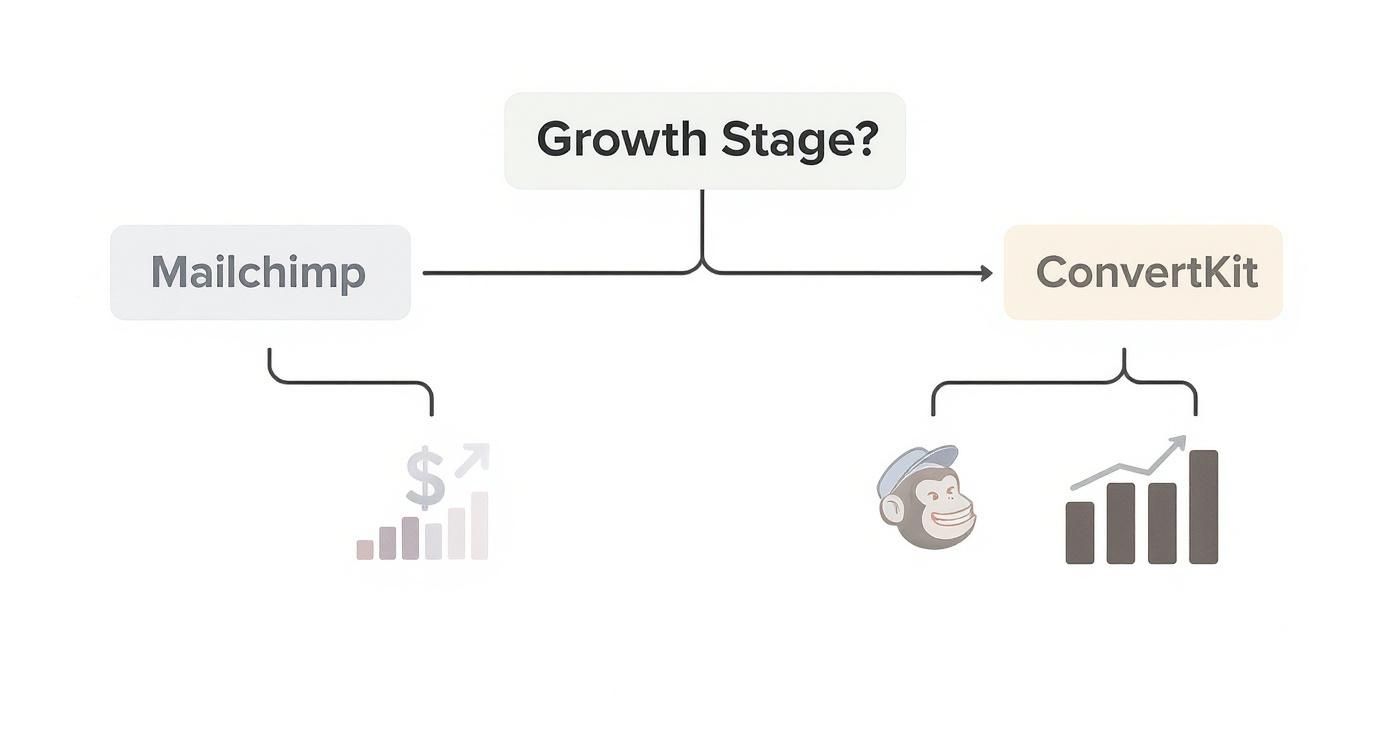
As you can see, while Mailchimp looks like the budget-friendly choice at first, its billing model can become a real financial headache as your marketing gets more sophisticated.
Comparing Long-Term Value
To figure out which platform really offers better value over time, let’s look at some projected costs for their paid plans. We’ll compare Mailchimp's popular "Standard" plan against ConvertKit's "Creator" plan, since they offer a similar set of core features like automation.
As you start to monetize your newsletter, getting a grip on these costs is critical. For a bit more context, you can learn about typical email advertising costs to see how your expenses might stack up against your potential revenue.
Here’s a quick look at how the monthly bills compare as your list gets bigger.
Projected Monthly Cost Comparison
Let's break down the estimated monthly costs for Mailchimp's Standard plan versus ConvertKit's Creator plan at different subscriber counts. This gives a clearer picture of the financial commitment over the long term.
| Subscribers | Mailchimp (Standard Plan) | ConvertKit (Creator Plan) |
|---|---|---|
| 1,000 | $24 | $29 |
| 5,000 | $87 | $79 |
| 10,000 | $145 | $119 |
| 25,000 | $290 | $229 |
Note: Prices are estimates based on publicly available data and are subject to change. This table assumes no subscriber duplication in Mailchimp for a direct comparison.
The numbers clearly show a tipping point. Mailchimp is a bit cheaper for tiny lists, but ConvertKit becomes the more cost-effective choice once you scale past a few thousand subscribers. Remember, that is before you even factor in the potential for duplicate subscriber costs on Mailchimp, which would only make that price gap wider.
At the end of the day, Mailchimp gives you a lot of features for a low entry fee, but its value starts to fade as a creator's segmentation needs grow. ConvertKit asks for a slightly higher initial investment but delivers far better long-term value with its fair, predictable, and creator-focused pricing.
The Final Verdict: Who Should Use Which Platform?
Deciding between Mailchimp and ConvertKit is not really about crowning a "better" platform. It is about picking the right tool for your specific business. After digging into everything from audience management to automation and monetization, the answer comes down to one simple question: are you running a broad marketing operation or building a focused creator business?
Mailchimp has long been the go-to for small businesses that need a true all-in-one marketing machine. Its biggest strength is its sheer versatility. You are not just getting email; you are getting a website builder, social media ad tools, and some of the most robust analytics and A/B testing features out there.
Choose Mailchimp If…
Mailchimp is the clear winner if your business relies on traditional marketing funnels and visually stunning campaigns.
- You run an e-commerce store: Mailchimp's deep integrations with platforms like Shopify are fantastic. The e-commerce analytics, like click maps and revenue tracking for each campaign, give you hard data to boost sales.
- You need polished, visual templates: If your brand’s aesthetic is a top priority, think retail, restaurants, or corporate newsletters, Mailchimp's huge library of drag-and-drop templates gives you a serious edge.
- You need a free plan to get started: Mailchimp’s free plan for up to 500 subscribers is a generous starting point. It offers more than enough features for anyone just dipping their toes in the water.
Choose ConvertKit If…
ConvertKit is built from the ground up for people whose primary goal is to build a direct, personal connection with an audience and sell content or digital products. It cuts through the noise to focus on what creators really need.
ConvertKit gets it: for a creator, the subscriber relationship is everything. Every feature, from its simple text-based emails to its built-in monetization tools, is designed to make that connection stronger.
This is the platform for you in these scenarios:
- You are a creator (blogger, podcaster, author): Its subscriber-centric approach, powerful tagging, and easy-to-use visual automations are designed specifically for a creator’s workflow. You can sell an ebook or launch a paid newsletter in just a few clicks.
- Your top priority is monetization: ConvertKit Commerce, paid subscriptions, and the Tip Jar are all baked right into the platform. This means you do not have to duct-tape a bunch of third-party tools together, which saves you a ton of time and headaches.
- You value simplicity over endless options: If you look at a complex marketing dashboard and your eyes glaze over, you’ll love ConvertKit’s clean interface. It gives you the essential metrics you need, without all the clutter.
At the end of the day, the Mailchimp vs. ConvertKit choice is all about focus. Mailchimp gives you a broad toolkit for general business marketing. ConvertKit offers a specialized set of tools, sharpened specifically for the creator economy. Before you pull the trigger, exploring alternatives and reviews on software comparison sites can offer even more clarity. Pick the platform that does not just solve today's problems but also grows with your vision.
At Ad Slots, we're obsessed with helping newsletter creators turn their passion into a profitable business. Our platform automates the tedious parts of managing sponsorships, like tracking, invoicing, and scheduling, so you can focus on writing great content. Stop drowning in spreadsheets and start scaling your ad revenue. Learn how Ad Slots can streamline your newsletter advertising.