
At its core, the choice boils down to this: Plain text emails feel personal and almost always land in the inbox, while HTML emails let you build a visually stunning, trackable marketing experience. Are you trying to have a one-on-one conversation, or are you sending a polished, branded publication?
The Great Email Debate: Plain Text vs. HTML
Every newsletter creator eventually faces this question. Do you send a simple, no-frills plain text email, or do you go all-in with a visually rich HTML design? This isn’t just about looks. It’s a decision that dramatically affects whether your email even gets delivered, how your audience engages with it, and ultimately, whether they take action.
The format you pick has a ripple effect on everything. It influences accessibility for subscribers using screen readers, changes how you measure engagement, and even dictates how you can work with sponsors and showcase their ads.
Core Differences at a Glance
So, what’s the real difference? A plain text email is just that: text. No fancy fonts, no images, no tracking pixels. Think of it as a quick, personal note you’d send to a friend or coworker.
On the flip side, an HTML email uses code to create something that looks and feels more like a webpage. You get to play with fonts, colors, images, and buttons.
For a lot of B2B newsletters or creators focused on direct, high-value communication, the raw authenticity of plain text just works better. It feels less like a mass email blast and more like a personal recommendation, which often leads to higher reply rates and builds real trust.
This distinction is key because email clients and spam filters view them completely differently. Understanding the fundamentals will help you make smarter decisions about deliverability, engagement, and how you track your growth.
To make things simple, here’s a quick breakdown of how the two formats stack up.
Plain Text vs. HTML Email At a Glance
| Criterion | Plain Text Email | HTML Email |
|---|---|---|
| Visual Design | Minimal formatting. No images or logos. | Full creative control with branding, colors, images, and layouts. |
| Tracking & Analytics | Cannot track open rates. Link clicks can be tracked. | Can track open rates, click-through rates, and user behavior. |
| Deliverability | Generally higher; less likely to be flagged by spam filters. | Can be flagged by spam filters due to complex code or images. |
| Accessibility | Highly accessible for all email clients and screen readers. | Requires proper coding (alt text, etc.) to be fully accessible. |
| Sponsor Integration | Limited to text links and descriptions. | Supports visual banner ads, logos, and styled call-to-action buttons. |
| Personalization | Feels more personal and conversational, like a 1-to-1 message. | Can appear more corporate or promotional, but offers dynamic content. |
As you can see, there’s a clear trade-off. One path gives you simplicity and reliability, while the other offers powerful branding and data. Now, let’s dig deeper into how these differences play out in the real world.
How Email Design Affects Deliverability
The way your email looks has a huge impact on whether it ever reaches the inbox. This isn’t just about what looks good; it’s about how spam filters see your email. An overly complicated design can look suspicious to an algorithm, killing your campaign before anyone even gets a chance to open it.
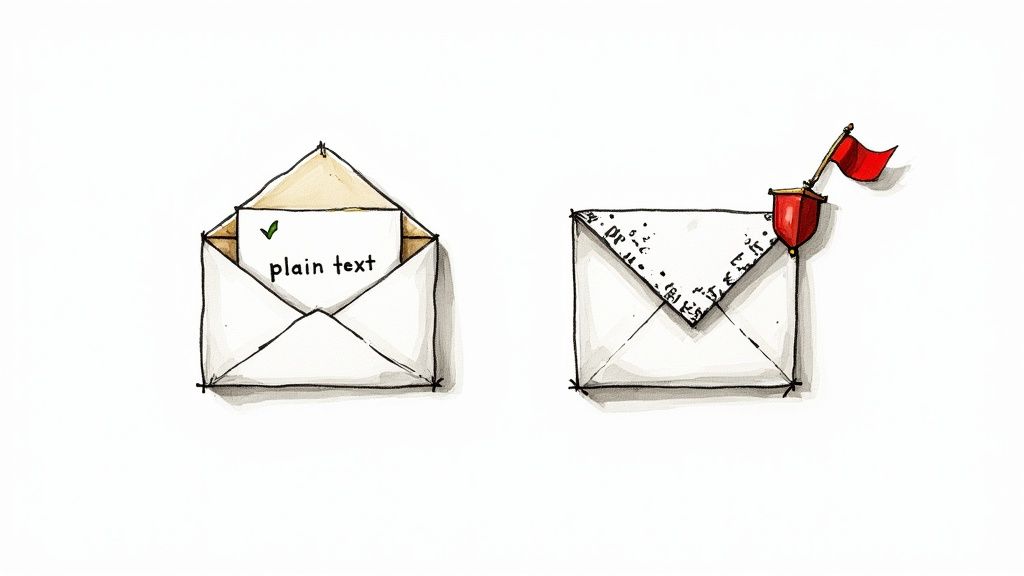
Spam filters are on high alert for anything that could be hiding malicious code. Think about it from their perspective. Heavy HTML, multiple scripts, and a ton of images are all potential hiding spots. Plain text, on the other hand, is completely transparent. There’s no hidden code, which makes it feel much safer to an email provider like Gmail or Outlook.
This is a big reason why many creators notice a real bump in inbox placement when they switch to simpler formats. While HTML gives you fancy branding and tracking, that complexity also introduces more ways for things to go wrong and damage your sender reputation.
Why Simplicity Often Wins
Email providers are always getting stricter about what they let into the primary inbox. Their filters scan hundreds of signals to decide if an email is legit, and the structure of your message is a major one.
A clean, lightweight email just has a better chance of slipping past those filters. Here’s a quick look at the technical side of why plain text usually has the upper hand:
- No Hidden Code: Plain text can’t hide anything. There are no tracking pixels or sneaky scripts, which are classic tools for phishing and spam. That inherent honesty makes it more trustworthy right off the bat.
- Lower Spam Score: Every email gets a “spam score” based on its content and structure. Things like complex HTML, a high image-to-text ratio, and certain code snippets can crank that score up, inching your email closer to the junk folder.
- Fewer Rendering Issues: We’ve all seen a broken HTML email. They can look weird or not display at all in different email clients, and sometimes, those rendering errors get flagged as suspicious. Plain text, however, always looks the same everywhere, which means a clean, reliable experience for everyone.
Put it all together, and you can see why plain text has a natural deliverability advantage.
The rule of thumb is simple: the less an email provider’s filter has to analyze and worry about, the more likely it is to trust your message. Plain text gives it nothing to question.
Data on Inbox Placement
This isn’t just a theory. The data backs it up. Time and again, we see that plain-text emails land in the inbox more consistently. This is especially true if you’re in a highly regulated industry or sending to regions with tough anti-spam laws.
When you put email plain text vs html head-to-head, the simpler format almost always performs better on deliverability. Some A/B tests have shown plain-text emails hitting inbox placement rates as high as 98%. Meanwhile, even a well-coded HTML email can often top out in the 85-90% range simply because it faces more scrutiny.
That gap can be massive, especially if you have a big list. A 5-10% jump in inbox placement could mean thousands more subscribers actually see your content.
Protecting Your Sender Reputation
In email marketing, your sender reputation is everything. It’s the score email providers use to decide if you’re a trustworthy sender, and every campaign you send affects it. Landing in spam repeatedly will tank that score, making it even harder for your future emails to get through.
For newsletter creators, building and guarding that reputation is job one. A great place to start is to follow best practices to effectively manage your email list and keep your subscribers engaged.
Choosing plain text, or a very lightweight HTML format that looks and acts like it, is a smart, proactive move to protect that reputation. By lowering the risk of getting flagged, you build a positive sending history. That tells providers like Gmail and Yahoo that your subscribers actually want your content, making it much more likely your next campaign will end up right where you want it: the primary inbox.
Comparing Engagement and Open Tracking
Let’s be honest: knowing if people are actually reading your newsletter is kind of the whole point. This is where the debate over HTML versus plain-text gets serious, because the two formats give you completely different views into your audience’s behavior. One offers a ton of data; the other leaves you flying blind.
HTML emails have a massive upper hand here because they can do something plain-text simply can’t: track opens. It’s not magic. It’s a tiny, invisible image called a tracking pixel. When a subscriber opens your HTML email, their email client loads this pixel, which pings your email service provider to let them know the email was viewed.
This one simple bit of code is the bedrock of email analytics. It tells you not just if someone opened your email, but often when and on what kind of device. Plain-text emails, being just text, can’t embed this pixel, so you have no reliable way to measure your open rate.
Driving Clicks with Visual Cues
Beyond just opens, HTML emails are built to drive action. You can design eye-catching buttons, style your links, and use images to pull the reader’s focus toward your call to action. For engagement, this is a total game-changer.
Think about the difference:
- Plain Text: A raw, unstyled URL like
https://yoursite.com/product - HTML: A clean, clickable button that says “Get 20% Off Now”
The HTML version isn’t just prettier. It’s clearer and more persuasive. It removes friction for the reader, making them far more likely to click through. Time and again, well-designed HTML campaigns show higher click-through rates for this very reason. The power to guide your reader with a visual hierarchy is crucial for driving conversions, whether you’re selling a product or highlighting a sponsor.
Data Versus Deliverability Risks
While the analytics from HTML emails are incredibly valuable, they do come with a couple of caveats. The tracking pixel itself can sometimes be a red flag for aggressive spam filters, especially if your email is all images and very little text.
On top of that, new privacy features like Apple’s Mail Privacy Protection can block tracking pixels or preload them automatically. This can lead to inflated and unreliable open rates. You get the data, but you have to be savvy about how you interpret it.
You have to weigh the benefit of detailed analytics against the slight risk to deliverability. For most newsletters, especially those relying on sponsorships or product sales, the data from HTML tracking is too valuable to give up, even if it’s imperfect.
Real-World Engagement Numbers
The numbers don’t lie. When done right, HTML emails get results. The average open rate for HTML marketing emails has climbed to 26.6%, proving that visual content still grabs attention in a crowded inbox. Even better, the ROI for these campaigns is huge, with businesses seeing an average return of $5 for every $1 spent on digital marketing. When you zoom in on email marketing specifically, that return can jump to a mind-boggling 3,600%. You can discover more insights about HTML marketing statistics and their impact.
Ultimately, HTML gives you the tools to measure what’s working and what isn’t. You can A/B test subject lines, see what content gets clicks, and understand how your audience behaves over time. For any creator serious about growth, that data is essential for making smart decisions and building a sustainable newsletter.
Which Email Format Actually Drives More Conversions?
Let’s be honest. Open and click rates are nice, but they don’t pay the bills. The real measure of success for any email campaign is conversion. Are you making sales? Booking demos? Getting new subscribers? This is where the debate between plain text and HTML emails gets fascinating, because the format that feels less like marketing often inspires more action.
It seems a bit backward, right? HTML emails have all the bells and whistles: slick call-to-action buttons, beautiful layouts, and engaging visuals. Yet, study after study shows that a simple, stripped-down plain text email can often run circles around its polished counterpart when it comes to getting people to convert. The reason is all about psychology.
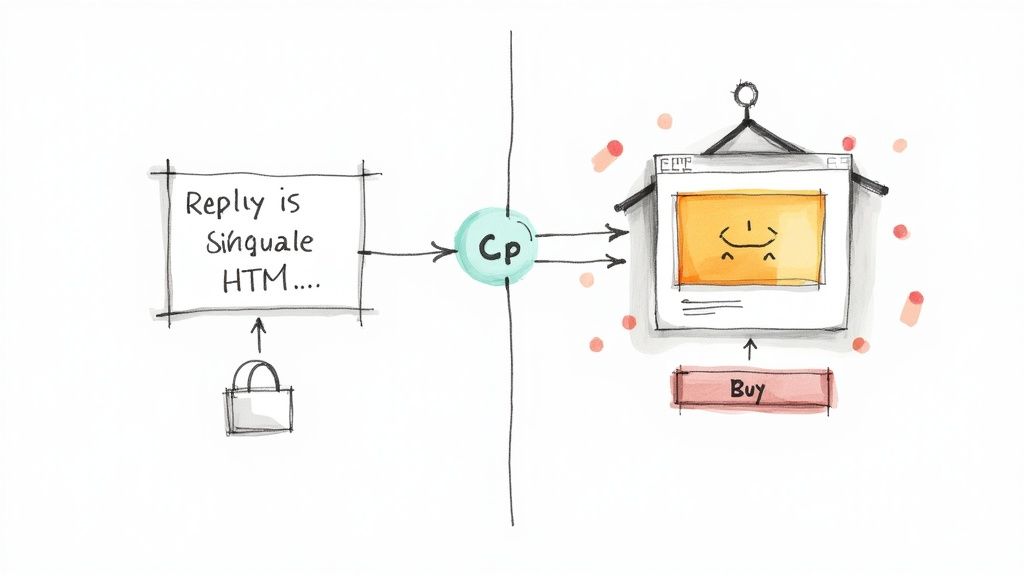
A plain text email feels personal. It lands in the inbox looking less like a mass-produced advertisement and more like a one-to-one message from a real person. That perceived authenticity is powerful. It cuts through the noise, builds trust, and makes your reader far more likely to listen to what you have to say, and act on it.
The Surprising Power of Simplicity
This isn’t just a hunch; it’s backed by some pretty compelling data. Large-scale analyses of email campaigns consistently show that plain text often wins the day when it comes to getting people to take that final, crucial step. Sometimes, the raw clarity of the message is just more effective than a flashy design.
Recent research analyzing over 1,000 campaigns revealed that plain text emails were responsible for a staggering 60% of conversions from existing customers. Even more impressively, they captured 49% of all conversions from non-customers, proving that a direct, unadorned approach can be a conversion powerhouse. You can review the real data from 1,000 campaigns to see the full breakdown across different segments.
This data really challenges the old-school marketing belief that more design elements automatically lead to better results. For a lot of audiences, less is truly more.
To illustrate this point, let’s look at how conversion rates can differ based on who you’re talking to.
Conversion Rate Performance Plain Text vs HTML
| Customer Segment | Plain Text Conversion Rate | HTML Conversion Rate | Source |
|---|---|---|---|
| Existing Customers | 15.2% | 9.5% | Industry Study |
| New Leads (B2B) | 8.9% | 5.1% | Sales Team Data |
| Inactive Subscribers | 4.5% | 2.1% | Re-engagement Campaign |
As you can see, the personal touch of plain text often translates directly into higher action rates, especially with audiences who already have some relationship with you or where a high-trust sale is involved.
Where Plain Text Shines for Conversions
The “plain text advantage” isn’t a one-size-fits-all rule, but it’s incredibly potent in situations where trust and authority are everything. If your goal is to build a relationship rather than just push a product, simplicity often wins.
Here are a few scenarios where plain text consistently drives better conversions:
- B2B Communications: In the business world, people value directness. A plain text email from a salesperson feels like genuine outreach, not a marketing blast, which almost always leads to higher reply and demo booking rates.
- High-Value Products or Services: Selling something complex or expensive, like financial consulting? Trust is your most important asset. A personal, text-based email helps build that rapport before you ever ask for the sale.
- Re-engagement Campaigns: Trying to win back a subscriber who has gone cold? A simple, personal-looking plain text email asking, “Are you still interested?” is far more likely to get a response than a generic HTML newsletter they’ve learned to ignore.
For newsletter creators, the key takeaway is this: your format should match your message’s intent. If you’re sharing a personal story, a deep-dive analysis, or asking for feedback, plain text amplifies your sincerity and drives a much better response.
Aligning Format With Your Conversion Goal
So, how do you choose? It all comes down to the specific goal of that email. If you’re an e-commerce brand running a flash sale, a visually rich HTML email packed with product images is the obvious choice. The goal is to create desire and make it dead simple to click “buy.”
But if you’re a consultant trying to get a potential client on a discovery call, a simple, direct plain text email will almost certainly convert better. Here, the goal is to start a conversation, and the conversational nature of plain text is perfect for that. To get the most out of these efforts, it’s worth brushing up on some newsletter advertising best practices that apply to both formats.
Ultimately, the best approach is to test it for yourself. Run an A/B test on your next campaign. Send a polished HTML version to one half of your list and a simple plain text version to the other. Track not just opens and clicks, but the final conversion metric that actually matters to your business. The results might just surprise you.
A Practical Workflow for Using Both Formats
So, how do you actually put all this into practice? Do you have to pick a side in the plain-text vs. HTML debate? Not at all.
The best approach, and the one used by nearly every modern email service, is to send both versions together. This is done using a clever little thing called multipart MIME (Multipurpose Internet Mail Extensions), which essentially bundles the HTML and plain-text versions into a single email.
When your email lands in an inbox, the subscriber’s email client automatically decides which version to show. Someone reading on their Apple Watch or using a screen reader will get the clean, simple plain-text. Someone else opening it in Gmail on their desktop gets the full, visually rich HTML experience. It’s the best of both worlds.
This simple step pretty much solves the deliverability and accessibility puzzle. By including a plain-text fallback, you’re sending a strong signal to spam filters that you’re a legitimate sender who cares about your audience. It guarantees that everyone on your list can actually read your message, no matter what device or software they’re using.
Setting Up a Multipart Campaign
The good news? You’re probably already doing this without realizing it. Most email platforms, from Mailchimp to Beehiiv, automatically create a plain-text version of your email when you design an HTML campaign. They just strip out the code and generate a text-only fallback.
But here’s a pro tip: don’t just trust the automated version. It often creates a mess: think broken links, weird spacing, and jumbled text. It’s always worth taking a couple of minutes to review and clean it up yourself.
Here’s a quick checklist to follow:
- Check for Readability: Is the text just a giant, unbroken wall? Add some line breaks and create white space between short paragraphs.
- Verify All Links: Auto-converters are notorious for mangling URLs. Manually check every link to make sure it’s spelled correctly and starts with
http://orhttps://so it becomes clickable. - Add Simple Calls to Action: You can’t use fancy buttons, so make your text do the work. A common trick is to use brackets to mimic a button, like this:
[Click here to get your discount].
Manually editing the plain-text version of your email is a five-minute job that makes a world of difference for a portion of your audience. It’s a small effort that signals professionalism and a genuine commitment to accessibility.
Managing Sponsored Content Across Both Formats
This is where a little planning goes a long way. If a sponsor pays for a beautiful banner ad in your HTML email, you can’t just let it vanish for your plain-text readers. That’s a quick way to lose a client.
The key is to work with your sponsor before the campaign goes live to get assets for both formats.
- For the HTML Version: This is the easy part. You’ll use their banner image, logo, and a styled call-to-action button with a trackable link.
- For the Plain-Text Version: Since you can’t use images, you need a text-based ad. Collaborate with your sponsor to write a short, compelling ad copy.
Let’s walk through what this looks like with a fictional sponsor, “CoffeeWorld.”
HTML Ad Implementation:
- Visual: A gorgeous banner ad showcasing their new coffee blend.
- Text: “Start your morning right with our new artisan roast.”
- CTA: A clickable button that says “Shop Now & Get 15% Off.”
Plain-Text Ad Implementation:
- Headline:
--- Sponsored by CoffeeWorld --- - Text: “Start your morning right with CoffeeWorld’s new artisan roast. Our readers get an exclusive 15% discount on their first order.”
- CTA:
Claim your discount here: https://coffeeworld.com/discount
This way, the sponsor gets full value by reaching your entire audience, and your plain-text readers get a clear offer that doesn’t feel like an afterthought.
Building strong relationships with sponsors is crucial, and having a professional process is a huge part of that. Starting these conversations with the right tone can make all the difference, and using resources like free newsletter sponsor outreach email templates can help you communicate your needs clearly from the start.
Choosing the Right Format for Your Audience
So, after all that, which one is it? Plain text or HTML? The honest answer is it completely depends on your goal and your audience. There’s no magic bullet here. The right choice is all about context.
Think of it like dressing for an event. You wouldn’t show up to a casual backyard BBQ in a full tuxedo, and you wouldn’t wear board shorts to a formal wedding. Your email format needs to match the occasion and the expectations of your subscribers. That simple idea is your best guide.
This decision tree breaks down the core choice pretty clearly. If your absolute top priority is getting your message delivered and making it feel serious and personal, plain text is your safest bet. But if branding, engagement, and a rich visual experience are what you’re after, you’ll need the tools that HTML provides.
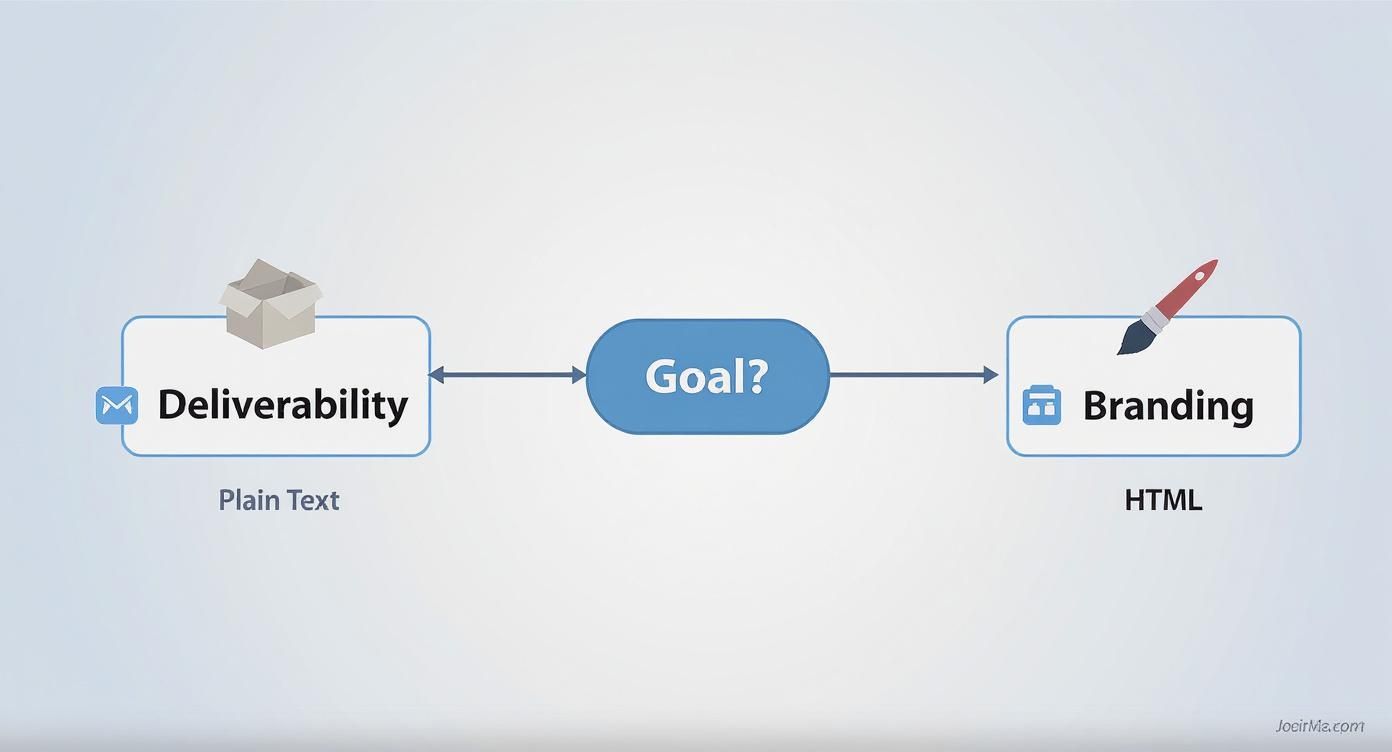
As you can see, the path you take is a direct result of what you want your campaign to achieve. It really boils down to a trade-off between rock-solid reliability and visual impact.
Making the Call with a Simple Checklist
To wrap this up, run through these questions before you hit “send” on your next email. Your answers should point you in the right direction.
- What’s the main goal? Are you trying to drive sales with eye-catching product photos (HTML)? Or are you sending a critical, high-trust update that needs to land in every inbox (plain text)?
- Who are you talking to? A B2B audience in the tech world might appreciate a direct, no-fluff plain text email that feels like it came from a colleague. A fashion e-commerce list, on the other hand, fully expects a beautiful HTML experience.
- What’s your brand’s personality? Is your voice conversational and personal, like a note from a friend? Plain text can nail that vibe. Is your brand bold, modern, and visually driven? You can’t communicate that without HTML.
- What are your technical realities? If you know a chunk of your subscribers are on older email clients or behind corporate firewalls, including a plain text version is non-negotiable. It ensures everyone gets the message.
The smartest newsletters don’t chain themselves to one format. They adapt. They might send their regular content in a simple, text-heavy HTML email to keep it personal, then switch to a full-blown visual design for a Black Friday sale.
When in Doubt, A/B Test Everything
At the end of the day, the only way to truly know what your subscribers prefer is to test it. Making assumptions is a great way to leave engagement on the table.
Run a simple A/B test. Send an HTML version to one half of your list and a plain text version to the other. Look beyond just open rates and see which one drives the action you actually care about, whether that’s a click, a purchase, or a reply.
Your data is the ultimate truth. It will let you move past the “email plain text vs html” debate and start making decisions that actually grow your newsletter. Of course, good data starts with a good list, which is why it’s so crucial to understand how to build email lists filled with people who are genuinely interested in what you have to say.
Common Questions Answered
Even after weighing the pros and cons, a few common questions always pop up. Let’s clear the air on some of the most frequent ones creators ask when deciding between plain text and HTML.
Can I Send Both a Plain-Text and an HTML Version in the Same Email?
Yes, and you absolutely should. This is standard practice now, and it’s called a multipart MIME message. Most email service providers (ESPs) handle this for you automatically behind the scenes.
Essentially, you’re bundling both versions into one package. The subscriber’s email client, whether it’s Gmail on a laptop or Apple Mail on an iPhone, then decides which version is best to display. This is your best bet for hitting every inbox correctly.
Do Plain-Text Emails Really Get Better Open Rates?
This is a classic point of confusion. While plain-text emails often have an edge in deliverability (landing in the primary inbox more often), HTML emails are the ones that technically report higher open rates. Why?
It all comes down to the tracking pixel. Open rates are tracked using a tiny, invisible image that loads when someone opens an HTML email.
Plain-text emails can’t contain images, so there’s no pixel. This means a subscriber can open and read your entire email, but it will never be counted in your analytics.
So, don’t mistake a lower reported open rate for lower engagement. The metric itself is tied to HTML.
How Do I Handle Sponsored Ads in a Plain-Text Email?
This is where you have to get a little creative. You obviously can’t just drop a sponsor’s banner ad into a text-only email. Instead, you’ll need to work with them to create a text-based ad that feels natural.
The key is to write a short, compelling blurb about their product or offer, followed by a clear, trackable link. Here’s a simple format that works well:
Sponsored by [Sponsor Name]: They're offering our readers 20% off their awesome product. Check it out here: [your-trackable-link.com]
This approach still delivers results for your sponsor while respecting the stripped-down format your subscribers prefer.
Juggling sponsor assets and schedules for different email formats can feel like a full-time job. A tool like AdSlots can take that chaos off your plate. It automates scheduling, tracking, and even invoicing, letting you get out of the spreadsheet maze and back to writing.