
Let’s get one thing straight: your email open rate is probably lying to you. For years, it was the North Star for newsletter creators, but now it’s more like a funhouse mirror. It reflects a distorted, inflated picture of who’s actually reading your stuff.
Why Your Email Open Rate Is So Misleading
We all learned the classic formula: (Unique Opens / Emails Delivered). Send 1,000 emails, get 300 opens, and you have a tidy 30% open rate. It was simple, clean, and felt like a reliable pulse check on your audience’s interest.
But that was then. A massive change rocked the email world, turning this once-dependable metric on its head. Understanding what happened is the first step toward getting a real grip on your newsletter’s health.
The Elephant in the Room: Apple’s Mail Privacy Protection
The game-changer was Apple’s Mail Privacy Protection (MPP), which rolled out in 2021. It’s on by default for anyone using the Apple Mail app on an iPhone, iPad, or Mac, and it completely messes with how “opens” are counted.
Here’s how it used to work. Your email service provider tucked a tiny, invisible tracking pixel into every email. When a subscriber opened your message, that pixel would load, and bingo an open was recorded.
Now, Apple Mail just downloads all that content in the background automatically, including the tracking pixel. This happens the moment the email hits the inbox, whether your subscriber ever sees it, let alone opens it. The result is a flood of what we call “ghost opens.” Your dashboard lights up with activity, but it’s just the machine talking to itself.
For example, a newsletter creator might see their open rate jump from a consistent 35% to 50% in the month after MPP launched. They didn’t change their subject lines or content. The increase came purely from Apple’s automatic pixel loading, not from a sudden surge of engaged readers. This can lead to a false sense of security, masking potential issues with content or audience interest.
The Data Proves the Inflation
The impact was not subtle. Industry-wide studies saw a dramatic, almost overnight jump in open rates right after MPP launched. A Litmus analysis of billions of email opens found that Apple Mail’s market share jumped to over 50% shortly after the feature was released, artificially boosting global open rate figures.
This forced everyone to rethink their strategy. As Genesys Growth points out, the artificial inflation from MPP has pushed smart marketers to focus more on what people do like clicking links and converting rather than just passively “opening.”
So, that impressive open rate on your dashboard might be a vanity metric. It could be masking a real engagement problem, leading you to make bad decisions about your content and subject lines. It’s time to stop chasing ghosts and start measuring actions.
Before we dive into better ways to measure success, let’s quickly review the key metrics you’ll encounter.
Key Email Engagement Metrics Explained
This table breaks down the most common metrics, what they mean, and what they really tell you about your audience’s behavior.
| Metric | How It’s Calculated | What It Really Measures |
|---|---|---|
| Open Rate | (Unique Opens / Emails Delivered) x 100 | Awareness (with a big asterisk). It shows your subject line and sender name caught some attention, but it’s heavily inflated by MPP. |
| Click-Through Rate (CTR) | (Unique Clicks / Emails Delivered) x 100 | Interest. This is a strong signal that your content was compelling enough for someone to take the next step and click a link. |
| Click-to-Open Rate (CTOR) | (Unique Clicks / Unique Opens) x 100 | Content Quality. Of the people who supposedly opened your email, this shows the percentage who found the content engaging enough to click. |
| Conversion Rate | (Completed Actions / Emails Delivered) x 100 | Effectiveness. Did your email achieve its goal? This tracks specific actions like a sale, a download, or a sign-up. |
| Unsubscribe Rate | (Unsubscribes / Emails Delivered) x 100 | Audience Mismatch. A high rate can signal that your content isn’t meeting expectations or you’re emailing too frequently. |
Think of these metrics as a toolkit. The open rate is just one tool, and a flawed one at that. True insight comes from looking at them all together to get a complete picture of your newsletter’s performance.
Email Open Rate Benchmarks By Industry
So, what’s a “good” open rate, really? The honest answer is it completely depends.
A number that looks fantastic for an e-commerce brand might spell trouble for a nonprofit. Context is everything. Chasing some generic, one-size-fits-all average is a surefire way to get frustrated. Instead, measuring your newsletter against benchmarks for your specific industry gives you a much more realistic yardstick.
The real challenge today is figuring out who’s actually opening your emails. Many “opens” are not from people at all.
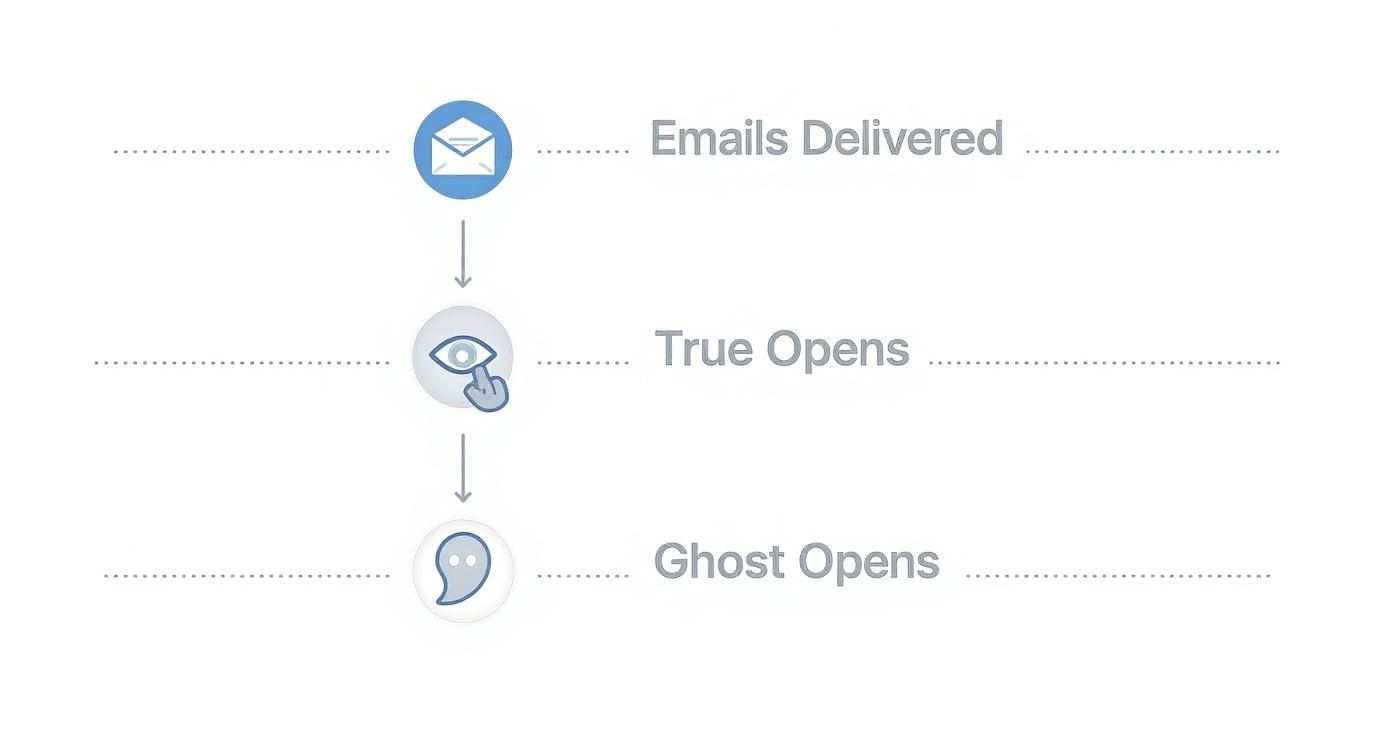
As you can see, a big chunk of your reported opens might be automated “ghost” opens, not genuine readers. This is why you cannot take your open rate at face value.
Understanding The Numbers
You have to remember that Apple’s Mail Privacy Protection inflates virtually all open rate data now. So while a 40% open rate might feel great, it does not automatically mean 40% of your list is eagerly reading your content. Think of these benchmarks as a starting point, not the finish line.
A healthy, engaged list is the bedrock of any great newsletter. If you’re building from scratch, quality beats quantity every single time. For a deeper look, check out our guide on how to build email lists that are engaged from day one.
A small, fired-up list will almost always outperform a massive one full of lukewarm subscribers. Keeping your list clean is just as crucial as writing a killer subject line because it leads to better delivery and more trustworthy metrics.
Average Email Open Rates By Industry
The table below gives you a snapshot of what “average” looks like across different fields, based on recent industry data. Use these to get a general sense of where you stand, but always look at them alongside your click-through rates. That’s where you will find the real story.
| Industry | Average Open Rate (%) |
|---|---|
| Nonprofit | 46.49% |
| Hospitality & Travel | 45.21% |
| B2B Services | 39.48% |
| Retail | 38.58% |
| SaaS | 38.14% |
The differences can be pretty stark. Nonprofits, for example, often have the highest open rates. This makes sense since their subscribers are usually invested in the mission and eager to see updates.
On the other end, retail and SaaS newsletters face a ton of competition in the inbox, so their averages are naturally a bit lower. An open rate of 38% in the SaaS world could actually be a fantastic signal, especially if it’s paired with strong clicks.
The key is to understand your own corner of the world and focus on improving from there, not comparing your niche publication to a completely different industry.
9 Ways to Genuinely Boost Email Engagement
While we’ve established that open rates can be a fuzzy metric, the habits that improve them are still the bedrock of a healthy, growing newsletter. The only real path to success is focusing on genuine engagement.
These nine strategies go beyond the usual tired advice. They’re actionable ways to earn and keep your subscribers’ attention.
1. Nail the Subject Line
Think of your subject line as the cover of a book on a crowded shelf. It’s your first and often only chance to make an impression. A great one sparks curiosity and promises value without ever feeling like cheap clickbait.
For instance, Backlinko often uses data-driven subject lines like “New SEO Strategy: The ‘Skyscraper Technique 2.0’”. This works because it promises a specific, valuable, and updated piece of content. It’s far more compelling than a generic “This Week’s SEO Tips.” For a deeper dive, check out our guide packed with effective newsletter headline examples.
2. Master the Preview Text
Right next to the subject line in most inboxes is a little snippet of text. That’s your preview text, and it’s your second hook. So many creators just leave it blank, letting email clients pull in random text like “View this email in your browser.” What a wasted opportunity!
Your preview text should build on the subject line, not just repeat it. If the subject line asks a question, the preview can hint at the answer. If the subject line is a bold statement, the preview text can add a layer of intrigue.
It’s like a movie trailer for your email. It gives just enough away to make people want the full story. For instance:
- Subject Line: Is your productivity system holding you back?
- Preview Text: Here are three signs it might be time for a change…
3. Optimize Your From Name
Who is this email from? Your “From” name is the answer, and it needs to be instantly recognizable and trustworthy. A confusing or generic sender name is a one-way ticket to the trash folder or, even worse, the spam filter.
For independent creators, a personal touch often wins. “James from The Weekly Build” feels far more human than just “The Weekly Build.” It helps you build a real relationship, making readers more likely to open your emails week after week. It’s a small detail that builds brand recognition in a crowded inbox.
4. Segment Your List for Relevance
Blasting the exact same email to every single person on your list is a classic rookie mistake. The real magic happens with segmentation. This is the practice of splitting your audience into smaller, targeted groups based on what you know about them.
You can create segments based on things like:
- Interests: Which links have they clicked on in the past?
- Engagement Level: Group your die-hard fans separately from the folks who have not opened an email in 90 days.
- Subscriber Status: New readers could get a welcome series, while your veterans get exclusive perks.
For example, a marketing newsletter could segment users who clicked on “SEO” links versus those who clicked on “social media” links. The next email could then deliver more targeted content to each group. This level of relevance is what boosts engagement and builds loyalty.
5. Find the Best Time to Send
Sorry, there’s no single “best” time to send a newsletter that works for everyone. The sweet spot depends entirely on your audience and their daily rhythm. A B2B newsletter might kill it at 9 AM on a Tuesday, while a newsletter about weekend getaways would probably do much better on a Thursday evening.
Dig into your email platform’s analytics. See when your subscribers are actually opening and clicking. A/B testing can be your best friend here. Send the same email to two small groups at different times, like 8 AM and 11 AM, and see which performs better. Once you find what works, stick with it. Consistency builds anticipation.
6. Personalize Beyond the First Name
True personalization goes way beyond Hello, {first_name}. It’s about using the data you have to make the entire email feel like it was crafted just for them.
This could mean recommending articles based on their click history or highlighting a section of your newsletter you know they will love. For example, if you know a subscriber is into AI tools, you could use dynamic content to make sure they see that part first. It’s a small detail that shows you’re paying attention.
7. Ask for Replies
Want to send a powerful signal to inboxes like Gmail and Outlook? Get people to reply to you. A reply tells the algorithm that your email is part of a real conversation, not just another marketing blast. This can do wonders for your sender reputation and future deliverability.
It’s easy to do. Just end your emails with a simple, open-ended question. “What was your biggest takeaway from this issue? Hit reply and let me know.” The newsletter Morning Brew does this exceptionally well by posing a question at the end of each issue, sparking thousands of reader responses and fostering a strong sense of community.
8. Use a Double Opt-In
A double opt-in requires new subscribers to click a link in a confirmation email to prove they’re real. Yes, it adds one extra step, but it’s worth its weight in gold. It guarantees your list is filled only with people who genuinely want to be there.
This simple practice results in a higher-quality list, which means better engagement, fewer bounces, and a healthier sender reputation for the long haul.
9. Keep Your List Healthy
You have to prune your garden to help it grow. Regularly cleaning your email list is just as crucial. This means identifying and removing subscribers who have not opened or clicked on an email in the last three to six months.
Sending to unengaged contacts only hurts your metrics and deliverability. You can always try a final re-engagement campaign to win them back, but if that does not work, it’s time to say goodbye. A smaller, engaged list is always more valuable than a massive, silent one.
After all, email is a huge part of our lives. With nearly 93% of people checking their email daily, you want to make sure you’re reaching the ones who truly want to hear from you. You can discover more insights about the daily habits of email users on dyspatch.io.
How Deliverability Shapes Your Success
You can write the most compelling email in the world, but if it never makes it to the inbox, it’s like it never existed. That’s the simple, brutal truth of email deliverability. Think of it like this: a beautifully written letter is useless if the post office delivers it to the wrong house or, worse, just throws it away.
Believe it or not, a high open rate does not start with a clever subject line. It starts way before that, with your sender reputation. This is basically an invisible credit score that email providers like Gmail and Outlook give you. A good score tells them you’re legit. A bad one? That’s a one-way ticket to the spam folder.
Building a Bulletproof Sender Reputation
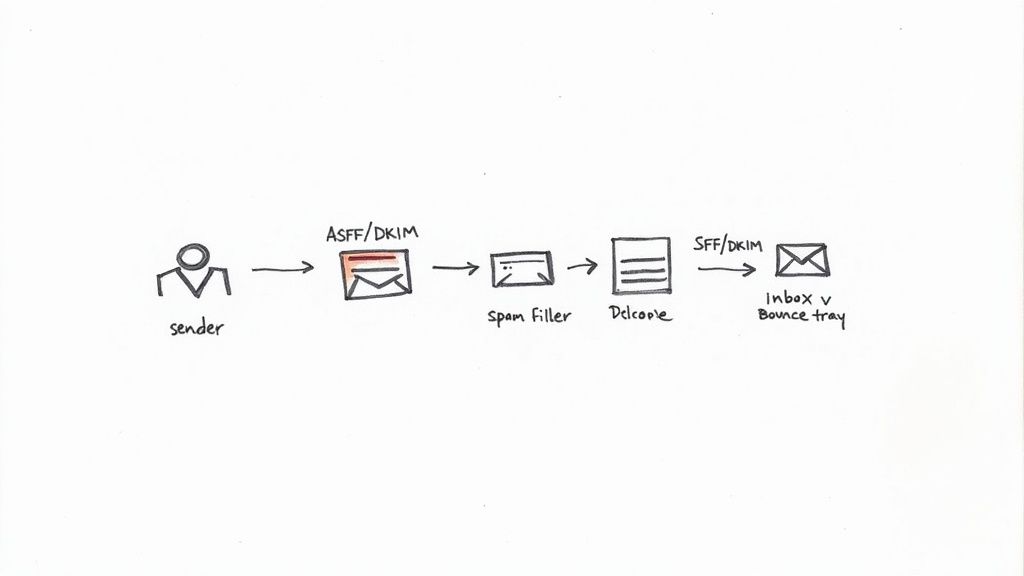
Your sender reputation is not just one thing. It’s a mix of different signals that prove you are who you say you are. Two of the most important technical pieces of the puzzle are SPF and DKIM.
- SPF (Sender Policy Framework): This acts like a public guest list for your domain, telling email providers which servers are allowed to send emails on your behalf. It’s a great way to stop scammers from spoofing your address.
- DKIM (DomainKeys Identified Mail): This adds a digital signature to your emails. When the email arrives, the receiving server checks the signature to make sure the message was not messed with in transit.
Getting these two set up is absolutely non-negotiable. They’re foundational for telling inbox providers your emails are the real deal, which is a huge step in staying out of the spam filter.
The Danger of a Dirty List
Beyond the technical stuff, your everyday habits have the biggest impact on your reputation. The fastest way to tank it is by sending emails to a messy, unengaged list. High bounce rates and spam complaints are massive red flags for email providers.
A bounce rate that’s consistently over 2% is a serious warning sign. It tells providers your list is old or full of typos. Spam complaints are even worse. Even just a handful tells them your readers do not want your content, which can quickly get you blocked from reaching anyone.
Think of your email list as a garden, not a warehouse. It needs regular tending and pruning. A small, healthy list of people who actually want to hear from you is infinitely more valuable than a massive, neglected one.
Running a regular health check on your list is essential. By cleaning it every few months, you’re making sure you only email people who are genuinely interested. This one habit will directly boost your sender score and, in turn, your entire email performance.
A Simple List Health Audit Checklist
Keeping your list clean does not have to be complicated. Here’s a quick checklist to run through every three to six months to keep your deliverability in top shape.
- Find the Inactive Subscribers: First, create a segment of everyone who has not opened or clicked one of your emails in the last 90 days. Their silence is actively hurting your sender reputation.
- Run a Re-Engagement Campaign: Send this inactive group a targeted email asking if they still want to be on the list. A simple subject line like, “Is this goodbye?” often works wonders.
- Prune Fearlessly: If someone does not respond to your re-engagement campaign, it’s time to let them go. I know, shrinking your list feels wrong, but it’s one of the best things you can do for its long-term health.
- Monitor Your Bounce Rate: After every email you send, take a look at your bounce report. Immediately remove any “hard bounces” (which are permanent delivery failures) and look into what might be causing “soft bounces” (which are temporary).
A clean list means your emails actually reach engaged readers, your metrics are more accurate, and your reputation with email providers stays solid. The format of your email can also play a role, as you can learn in our guide comparing email plain text vs HTML for deliverability. At the end of the day, a healthy foundation is what lets your great content actually get seen.
Measuring What Truly Matters Beyond Opens
So, we’ve established that the good old open rate is a bit broken. It’s a fuzzy number at best, and downright misleading at worst. It’s time to shift our focus. The smartest newsletter creators have already moved past this vanity metric. They’re building dashboards that measure what actually drives growth and revenue: real reader action.
This means we need to put the spotlight on metrics that prove your content is landing not just in the inbox, but in the minds of your audience. Think of it like this: you can count the people who walk past your restaurant, or you can count the people who actually come inside, sit down, and order a meal. One is just passive awareness; the other is genuine engagement.
Click-Through Rate: The Gold Standard
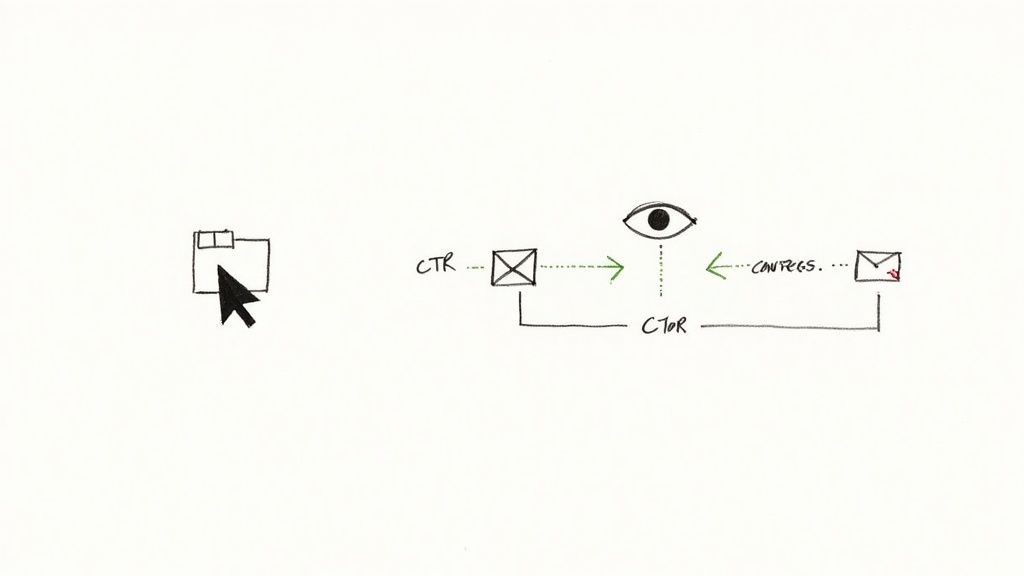
If you only track one metric, make it this one. Your click-through rate (CTR) is the single most important sign of active engagement. It tells you what percentage of your total recipients clicked on at least one link in your email. A click is a deliberate choice. It’s an undeniable action that cannot be faked by a privacy feature.
A healthy CTR tells you the whole package worked. The subject line grabbed them, the preview text intrigued them, and the content inside was compelling enough to make them stop, read, and take the next step. It’s the clearest signal that your message truly connected.
CTR Calculation: (Unique Clicks / Total Emails Delivered) x 100
A low CTR, even with a supposedly high open rate, is a huge red flag. It often means your subject lines are writing checks that your content can’t cash, which is a fast way to disappoint your readers.
Click-to-Open Rate: Gauging Content Quality
While CTR looks at your entire list, the click-to-open rate (CTOR) gives you a more focused view of your content’s performance. It measures the percentage of people who clicked a link out of the group that actually opened your email.
This metric helps you answer a crucial question: “Of the people who saw my email, was the content good enough to make them act?” A strong CTOR is a great sign that your copy, your calls-to-action, and your overall message are hitting the mark.
Just to give you a ballpark, the average email click-through rate is hovering around 2.3%. The average click-to-open rate? That’s at 10.5%. These figures, which you can explore more in these email marketing statistics on dyspatch.io, show that getting someone to open is one thing, but earning their click takes much more.
Other Powerful Engagement Signals
Beyond clicks, a few other metrics can paint a much richer picture of your newsletter’s health.
- Reply Rate: This is a fantastic signal. When a subscriber actually hits “reply,” it tells inbox providers like Gmail that a real conversation is happening. It’s a huge boost for your long-term deliverability.
- Conversion Rate: This is where your email ties directly to a business goal. A conversion could be anything like a product purchase, a webinar sign-up, or a download. It’s the ultimate proof that your email is doing its job.
- Unsubscribe Rate: It might feel bad, but a low and steady unsubscribe rate is actually a sign of a healthy list. It means you’re consistently meeting the expectations of the people you’ve attracted. If you see a sudden spike, it’s an early warning that something is off with your content or sending frequency.
By tracking these action-based metrics, you’re moving from guessing to knowing. You get a real, tangible sense of what your audience actually values, which lets you create more of what works. Of course, the foundation for all of this is a solid system to manage your email list so you can track these deeper engagement signals effectively.
Common Questions About Email Open Rates
Even after you get the hang of email metrics, a few practical questions always seem to pop up. Let’s tackle some of the most common hurdles newsletter creators face with their open rates.
Why Did My Email Open Rate Suddenly Drop?
It’s always a bit of a shock to see your open rate suddenly tank, but it usually points to one of a few culprits. First off, check your deliverability. Did you change something in your content? A sudden dip in your sender reputation could be quietly landing your emails in the spam folder.
Next, be honest with yourself about your recent subject lines. If you’ve fallen into a rut and they’ve become predictable or bland, your subscribers are probably just scrolling right on by. Lastly, think about the health of your list. A growing number of dormant or disengaged subscribers will inevitably pull your average down. It’s rarely just one thing, so you will have to do a little detective work in all these areas to pinpoint the real issue.
A healthy bounce rate should always be under 2%. If you see it creeping higher, that’s a major red flag that you either need to clean your list or you have a deliverability problem that needs fixing, fast.
Is a 50 Percent Open Rate Good for a Newsletter?
On the surface, a 50% open rate sounds incredible, and for some newsletters, it truly is. If you have a small, tight-knit list built on genuine connections, hitting 50% is a fantastic sign that your audience is loyal and engaged.
But context is everything. For most newsletters with a larger subscriber base, a number that high is almost definitely being inflated by Apple’s Mail Privacy Protection. The real test is your click-through rate (CTR). If that 50% open rate is paired with a solid 5% to 10% CTR, then congratulations you have a seriously active audience. If your CTR is hovering below 2%, that impressive open rate is probably just a vanity metric.
How Often Should I Clean My Email List?
For most newsletters, cleaning your list every three to six months is a great habit to get into. The process is simple: identify subscribers who have not opened or clicked on a single email in that timeframe.
Once you have that group segmented, you can try to win them back with a targeted re-engagement campaign. A simple “Are you still interested?” email can work wonders. If they do not respond, it’s time to let them go.
It can feel counterintuitive to shrink your audience, but it’s one of the best things you can do for your newsletter’s health. Pruning your list regularly improves deliverability, can lower your sending costs, and gives you a much more honest picture of who is actually listening.
Managing sponsorships shouldn’t feel like a second job. AdSlots turns your spreadsheet chaos into a smooth, automated system for tracking sponsors, scheduling ads, and getting paid on time. Stop chasing invoices and start focusing on your content. Streamline your newsletter ads with AdSlots.