
Automating your newsletter sponsorship invoicing is not a complex puzzle. It boils down to a simple philosophy: choose the right tools, build a repeatable workflow, create templates that look professional, and know how to troubleshoot when things go wrong.
Getting this right saves you countless hours and gets you paid faster. It is the difference between administrative chaos and scalable growth.
Why Manual Sponsorship Invoicing Is Silently Killing Your Business
Let’s be honest, you got into the newsletter game to write, not to chase down payments. But somehow, manual invoicing has a way of becoming a second full-time job. All those hours spent creating PDFs, sending awkward follow-up emails, and trying to match payments to bank statements feel productive. In reality, this is just a massive bottleneck.
This constant administrative grind is not just annoying. It directly leads to delayed payments and invoices that slip through the cracks. It's a real barrier to growing your newsletter.

The Hidden Costs of Your "Simple" Spreadsheet
We’ve all been there. You start with the classic "spreadsheet method." A new row for each sponsor, columns for their contact info, the ad run date, and a big, bold "PAID" column. It works great for your first five sponsors. But as you land more deals, that simple system quickly spirals into a time-sucking nightmare.
For a newsletter getting real traction, this kind of admin work can easily eat up 10-15 hours a week. That is time you should be spending on creating amazing content or landing your next big sponsor, not playing accountant. For example, the writer of the "Failory" newsletter reported spending almost a full day each week on sponsor admin before automating the process.
The real cost isn't just the hours you lose. It's the opportunity cost of what you could have been doing instead: writing, networking, or developing new products.
And let’s not forget human error. A single typo in an email address can push a payment back by weeks. Forgetting to send a reminder for an overdue invoice means you might not get paid at all. Every manual step is a potential point of failure. If your spreadsheet is already starting to feel unwieldy, check out our guide on using a newsletter sponsor CRM to see why centralizing this data is the crucial first move.
The Scale of the Problem in a Growing Market
The newsletter world is exploding. A platform like beehiiv reported its Ad Network alone pulled in over $3.7 million in sponsorship revenue. That is a staggering amount of money, and it means creators are juggling more deals than ever before. Another creator, Justin Welsh, publicly shared that he generated over $1.3 million in a single year, much of that from sponsorships that require invoicing.
Trying to track all those sponsorships, issue invoices, and chase payments by hand simply does not work at scale. A solid automation system can slash that administrative time by as much as 80%. Imagine an invoice being triggered the moment a deal is closed and getting paid in under seven days instead of the typical 30.
This is not about adding a fancy new tool; it is about survival and growth. For any creator serious about monetizing, treating automation as a core part of your business is non-negotiable. It flips your entire operation from being reactive and chaotic to proactive and professional, which builds trust with sponsors and frees you up to focus on what you do best.
Choosing Your Automated Invoicing Tools
You do not need a massive, enterprise-level system to automate your sponsorship invoicing. A truly hands-off setup comes down to just three core tools working in harmony. Think of it like building with Lego bricks. Each piece has a job, and they all snap together to create a system that does the heavy lifting for you.
The whole point is to build a tech stack that handles everything from the moment a sponsor books a slot to the final "payment received" notification. Get this right, and you can say goodbye to manual data entry and those awkward "just following up on this invoice" emails forever.
The Three Pillars of Your Automation Stack
Your invoicing machine really only needs three key parts to run smoothly. Each one is essential for creating a seamless experience for both you and your sponsors.
- Sponsorship Management: This is your command center. Instead of juggling a chaotic spreadsheet, a platform like AdSlots or Paved manages your ad inventory, availability, and bookings. It’s the front door where sponsors come to book.
- Payment Processing: This is your digital cash register. A rock-solid processor like Stripe securely handles the transaction, processes credit cards, and keeps a clean record of every payment.
- Automation Connector: This is the magic glue holding it all together. A tool like Zapier acts as a translator, letting your other apps talk to each other without you needing to write a single line of code.
These three pieces are the foundation. When a sponsor books a slot through your management tool, the connector instantly tells your payment processor to generate and send the invoice. It is as simple as that.
Putting Your No-Code Tech Stack Together
Let's walk through a real-world example of how these tools connect. Imagine a sponsor for a tech newsletter lands on your booking page, which you've set up with AdSlots. They pick an open date for their ad promoting a new SaaS product and enter their company details.
That simple action is the trigger. The moment they click "Book," Zapier gets to work.
The workflow, or "Zap" as they call it, you build could look something like this:
- Trigger: A "New Booking" is confirmed in AdSlots.
- Action 1: Zapier grabs the sponsor's details and automatically creates a new customer profile in Stripe.
- Action 2: It then generates a draft invoice in Stripe, pulling the sponsorship cost and ad date straight from the booking information.
- Action 3: Finally, it can trigger a personalized email to the sponsor with a direct link to pay their new invoice.
This entire sequence unfolds in seconds, with zero manual input from you. For a closer look at the software that makes this possible, you can learn more about automated newsletter invoice software and see how these integrations are built.
If you're just starting out and watching your budget, you do not have to break the bank. Exploring options like the 12 best free invoicing software is a great first step. Many of these have free tiers that are surprisingly powerful and can plug right into your automation tools, giving you a professional system that can grow with your newsletter.
Comparing Core Tools for Your Automation Stack
Choosing the right tools can feel overwhelming, but it is really about finding the right fit for where your newsletter is today. This table breaks down some popular options for each part of the workflow to help you decide.
| Tool Category | Popular Options | Primary Function | Best For |
|---|---|---|---|
| Sponsorship Management | AdSlots, Paved, Omedym | Manages ad inventory, booking, and sponsor communication. | Newsletter creators who want a self-serve booking portal. |
| Payment Processing | Stripe, PayPal, Square | Securely handles credit card payments and bank transfers. | Anyone needing a reliable way to accept online payments. |
| Automation Connector | Zapier, Make (Integromat), n8n | Connects different apps to create automated workflows. | Creators who want to link their tools without writing code. |
| Invoicing & Accounting | QuickBooks, Xero, Wave | Creates invoices, tracks expenses, and handles accounting. | Those needing a full accounting suite beyond basic invoicing. |
Ultimately, the "best" stack is the one that works for you. Start simple with a sponsorship manager, a payment processor, and an automation tool. You can always add more sophisticated accounting software down the road as your revenue grows.
Building Your First Automated Invoicing Workflow
Alright, let's get our hands dirty and actually build this thing. This is where we connect all the pieces and create an automated workflow that handles your invoicing from start to finish. If you use Zapier, you'll know this as a "Zap." The goal is to move from theory to a hands-off system that gets you paid faster and with a lot less hassle.
Here’s a real-world example of how this plays out. A new sponsor discovers your newsletter and loves what they see. They head over to your booking page, powered by AdSlots, and book a primary sponsorship slot for an upcoming issue.
The moment they hit "confirm," your automation springs to life.
Zapier grabs their info and instantly creates a new customer record in Stripe. A split second later, it generates a draft invoice for the correct amount, complete with a clear description like "Primary Sponsorship – July 22nd Issue."
This whole process is a simple, powerful flow. A sponsor books, and the payment and invoice happen automatically.
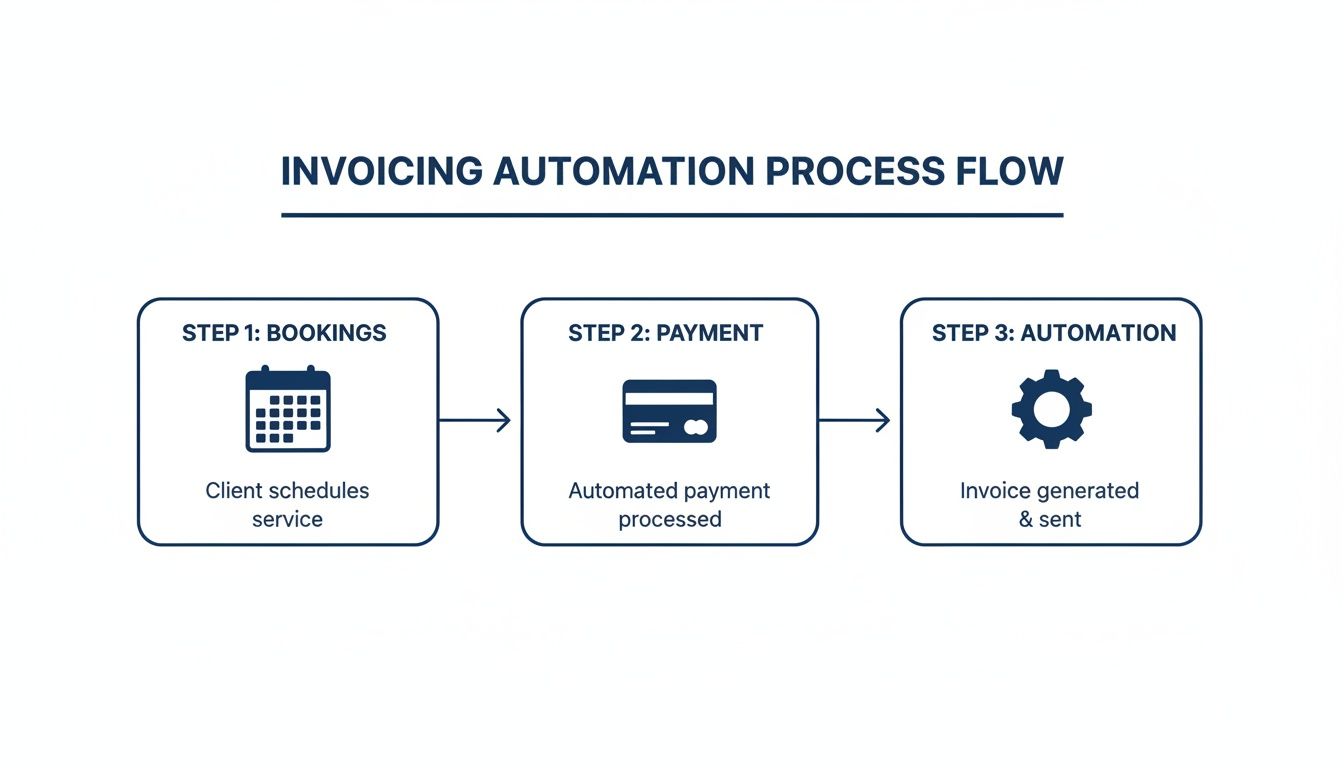
The real magic here is how each step perfectly triggers the next, creating a domino effect that just about eliminates any manual work on your end.
Setting Up the Trigger and Initial Actions
Every workflow needs a starting pistol. For us, that's the "New Booking Confirmed" event in AdSlots. This is the signal that tells the rest of your system it is time to go to work.
Once you’ve set that trigger in Zapier, the first actions fall right into place.
- Create Customer in Stripe: The first thing to do is create a new customer in Stripe. You’ll map the data fields directly from the AdSlots booking, such as name, email, and company, over to the corresponding fields in Stripe. This ensures a perfect transfer of information every single time.
- Generate Draft Invoice: Next, you'll create the invoice itself. You can map the sponsorship price from AdSlots straight to the line item amount in Stripe and pull the ad run date into the invoice description. No more typos or manual data entry.
This direct mapping is the absolute core of automating your invoicing. For a closer look at how these two platforms talk to each other, you can dig into the specifics of the Stripe integration for newsletter ads.
Building in Reminders and Confirmations
A truly great workflow does not just send an invoice and call it a day. It manages the entire payment cycle so you do not have to chase people down.
Setting up automated reminders is a simple step that can dramatically reduce your accounts receivable. It turns an awkward manual follow-up into a professional, systematic process.
After creating the invoice, think about adding a few more steps to round out the experience.
- Send the Invoice: The moment the draft invoice is ready, have an action that sends it from your business email. It's a good idea to personalize the subject and body with the sponsor's name and the issue date.
- Schedule Payment Reminders: You can use Stripe’s built-in features for this or a simple delay step in Zapier. A common rule is to automatically send a polite reminder email three days before the due date if the invoice is still sitting unpaid.
- Automate the "Thank You": The final touch is an action that triggers when an invoice is marked as paid in Stripe. This can send a confirmation email and a receipt, which closes the loop professionally and gives the sponsor a great experience.
Believe it or not, this kind of triggered system can deliver 320% more revenue than slogging through it all manually. For newsletter creators, an automated email with an invoice link, followed by a post-campaign email with performance metrics, is a powerful way to boost your earnings.
Creating Invoices That Sponsors Actually Pay on Time
You can have the most sophisticated automation on the planet, but if the invoice it sends is a confusing mess, you've just automated the process of getting paid late. A professional, crystal-clear invoice is absolutely essential for getting cash in the door quickly. The little details really do matter here. They shape how a sponsor sees your entire operation.
Think about it from their perspective. An invoice that just says "Sponsorship Ad" is a recipe for questions and delays. Get specific.
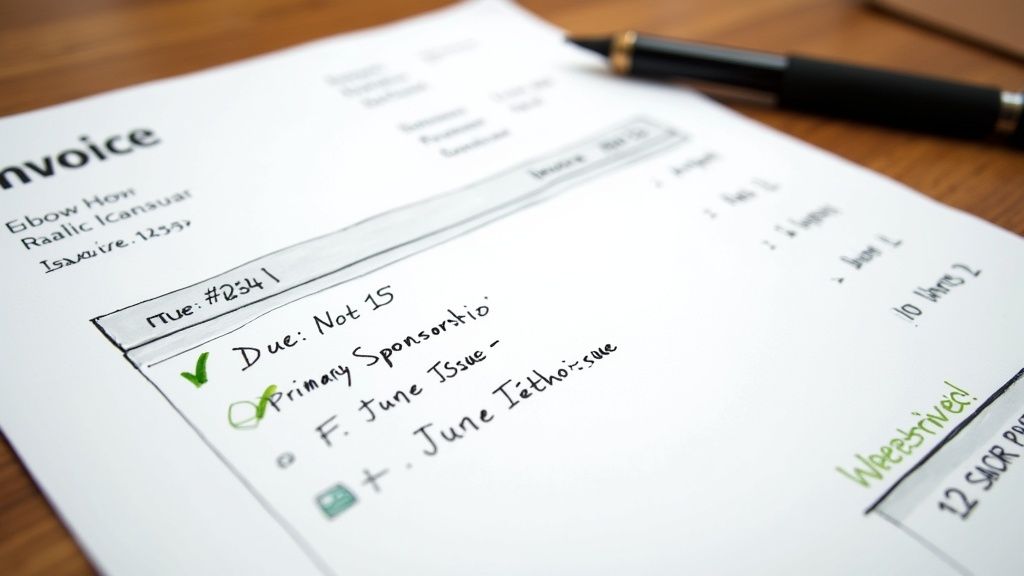
- Unique Invoice Number: Always use a simple, sequential system like INV-001, INV-002. This is non-negotiable for keeping your records straight.
- Clear Line Items: Instead of something vague, describe exactly what they bought. Think "Primary Sponsorship – June 15th Issue" or "Classified Ad Placement – July 2024."
- A Firm Due Date: Do not be shy. A clear "Due Date: July 1, 2024" tells them exactly when you expect payment.
Getting these elements right removes friction and answers the sponsor's questions before they even think to ask.
Setting Payment Terms That Don't Hurt Your Cash Flow
Your payment terms are the single biggest lever you can pull to control how fast you get paid. You’ll see "Net 30" all the time because it is a corporate standard, but for a growing newsletter, that means you're acting as a bank for a month. That can be a serious drag on your finances.
A better approach is to start with Net 15 or even Due Upon Receipt, especially for new sponsors. It establishes the expectation right away that you run a tight ship. You can always offer more lenient Net 30 terms later on as a perk for your best long-term partners. Many top newsletters, like "The Hustle," require payment upfront to secure a sponsorship slot, eliminating cash flow problems entirely.
A simple change from Net 30 to Net 15 can cut your average payment time in half, significantly improving your cash flow and reducing the need for follow-up emails.
The Automated Follow-Up That Gets You Rebooked
Here is a simple tactic that works wonders for sponsor retention. Automatically send them their performance stats after they pay.
Think about this workflow. Once Stripe marks an invoice as paid, it triggers an automated "Thank You" email. But instead of just a generic receipt, this email pulls the open rate and click-through rate for their specific sponsored issue directly from your email platform.
This turns a boring transactional email into a high-value report. It instantly justifies their investment and gives them the hard numbers they need to show their boss.
Sponsorships are what make so many great newsletters possible. Publications like Morning Brew have seen interest in their model skyrocket 420% in the last ten years. In a crowded market, giving sponsors data is a massive advantage. You can read more about email marketing trends to see just how vital this has become. This one automated step changes your invoicing from a chore into a relationship-builder, making sponsors eager to work with you again.
How to Troubleshoot Your Automation System
Even the best-laid plans hit a snag now and then. Your automated invoicing system is no different. But planning for those little hiccups is what separates a good workflow from a great one. It is how you build a system that’s truly professional and resilient.
This is not about setting up a system that never fails. It is about building one that’s smart enough to handle the inevitable messiness of real-world business.
So, what happens when a sponsor’s card is declined? Or when someone books the wrong date and needs a refund? These are the "what-if" scenarios that can easily break a brittle automation. A solid system expects them.
Handling Failed Payments Gracefully
A failed payment is probably the most common issue you will run into. Instead of letting it derail everything, you can build in a simple, automated safety net. This way, you get notified immediately, and the sponsor has an easy way to fix the problem without you having to do a thing.
Here’s a practical workflow that works wonders:
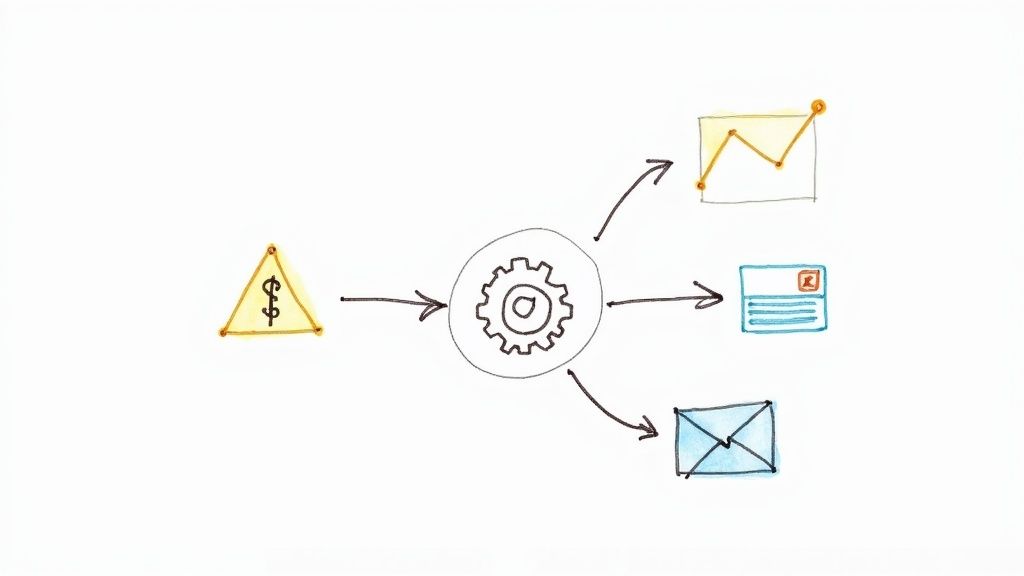
- The Trigger: A payment fails in Stripe.
- First Action: An instant notification gets sent to an internal Slack channel. This gives you a real-time heads-up.
- Second Action: A polite, automated email goes out to the sponsor explaining the issue, with a direct link to update their payment info.
- Third Action: If the payment still has not been made 48 hours later, a gentle follow-up email is automatically sent.
This setup keeps you in the loop while handling the problem professionally. No more awkward manual chase-ups, and your cash flow keeps moving.
Building in Manual Checkpoints for High-Value Deals
Full automation is perfect for smaller, everyday sponsorships. But for a big, five-figure deal? You’ll probably want to lay eyes on that invoice before it goes out the door. This is where you can build a manual approval step right into your workflow.
For example, you could set up a rule in your automation tool. If a new booking from a tool like AdSlots is over, say, $2,500, the automation pauses. Instead of firing off the invoice, it creates a draft in Stripe and pings you an email with a simple "approve" or "reject" link.
This hybrid approach gives you the best of both worlds. It automates 90% of your invoicing while giving you the final say where it matters most, ensuring accuracy for your most important clients.
Managing Refunds and Special Tax Cases
Things like refunds, international tax requirements, and custom purchase orders are just part of doing business. Your system needs to be flexible enough to handle these one-offs without completely falling apart.
You cannot fully automate every unique situation, but you can definitely make the process smoother. For refunds, you can process them directly in Stripe, which automatically updates the invoice status. For custom requests, the key is having a system that lets you easily pause the automation, edit a draft invoice, and then manually send it. You still save all the time on the initial setup.
Having a solid system for automated payment tracking for newsletters makes spotting these exceptions much easier, as everything is logged in one central place.
Common Questions About Invoice Automation
Diving into automation for the first time usually brings up a handful of questions. Getting these sorted out from the start helps you build a system that actually works for you, not against you. Here are some of the most common things creators ask when they first set up automated invoicing for their newsletter sponsorships.
What’s the Best Tool Stack for a Beginner?
If you are just starting out, keep it simple but powerful. A great combination to start with is AdSlots for your ad inventory, Stripe for payments, and Zapier to connect everything.
This stack has a gentle learning curve, most of the tools have free plans to get you started, and they can all grow with you. The very first thing you will want to do is connect AdSlots to Stripe. That is what will kick off the invoice creation automatically.
How Much Is This Going to Cost Me?
Your costs can be anywhere from practically free to around a hundred dollars a month. It really just depends on how many sponsorships you're handling.
Stripe and Zapier have free tiers that are usually more than enough for newsletters managing just a few sponsors each month. As your business grows, you will naturally graduate to paid plans. A robust system for a newsletter with consistent deal flow will probably run you $50 to $100 per month. That is an easy cost to justify when you think about the hours you will save and the late payments you will finally collect.
Can I Automate Invoicing for Different Kinds of Sponsorships?
Absolutely. This is where the magic happens. Your ad management platform, like AdSlots, lets you define different ad products. Think dedicated emails, classifieds, or main feature sponsorships.
Then, in Zapier, you can use a feature called "Paths" to set up unique rules for each type. For instance, a dedicated email booking could trigger a completely different invoice template than a small classified ad. It could also add a more detailed checklist to your project management tool to make sure you get the fulfillment right.
What if a Sponsor Needs a Custom Invoice?
Great question, and it happens all the time. Your automated workflow should handle 90% of your invoicing without a hiccup, but you never lose the ability to jump in and make manual changes.
When a sponsor has a special request, you can just pop into Stripe, find the invoice that was automatically created, and edit it before it gets sent. You can easily add a PO number, tweak the payment terms, or apply a special discount. The automation handles the grunt work, but you are always in the driver's seat.
It's also super important to stay on top of regional invoicing rules, which can change. For example, if you have international clients, you need to be aware of things like Portugal's mandate for qualified digital signatures on invoices to stay compliant.
Stop drowning in spreadsheets and start scaling your sponsorships. Ad Slots automates your entire ad management process, from booking and invoicing to fulfillment and payment tracking. Get started with AdSlots today.