

Getting paid for your newsletter ads shouldn't be a hassle. Setting up a Stripe integration for newsletter ads is a game-changer. It automates the whole payment dance, gives advertisers a professional checkout experience they trust, and helps you get paid much faster. This is how you leave clunky manual invoicing behind and build an ad operation that can actually grow.
Why Stripe Is the Smart Choice for Ad Payments
How you handle payments says a lot about your newsletter business. A manual, clunky process creates friction and can make sponsors second-guess their decision. A smooth, automated one builds instant confidence. This is where Stripe shines. It isn't just a way to take money, it's a tool for building better advertiser relationships from day one.
Stripe's own homepage suggests it’s about having one unified platform for payments, revenue, and finance. For a newsletter creator, that means you can manage your entire ad sales process, from the initial booking right through to the payout, all in one place.
Build Advertiser Trust and Confidence
First impressions are everything. When an advertiser is ready to book a slot, sending them to a secure, familiar Stripe checkout page immediately shows them you’re running a professional operation.
Sponsors feel much more comfortable entering their payment details on a platform they already know and trust. This simple step removes hesitation, speeds up the sale, and makes them far more likely to come back as a repeat advertiser.
Get Paid Faster and More Reliably
Manual invoicing is a drag. You create the invoice, email it, wait, and then send polite follow-up emails. Stripe completely automates this. You can generate payment links or invoices that sponsors can pay instantly with a credit card, Apple Pay, or other modern methods.
- Instant Payments: Forget waiting on Net 30 terms. Advertisers can pay the second they decide to book.
- Automated Reminders: Stripe can be set up to automatically nudge advertisers about unpaid invoices, so you don't have to chase them down yourself.
- Recurring Subscriptions: If you land a long-term sponsorship deal, you can set up recurring billing to charge them automatically each month. Easy.
Automate the Manual Work
Integrating Stripe has become a standard move for digital publishers who are serious about monetizing their audience. A staggering 1.35 million live websites currently use Stripe to handle their payments. We've seen publishers on platforms like Beehiiv boost their ad revenue by up to 35% after integrating Stripe, simply by making the payment process frictionless. You can dig into more of the numbers in these statistics about Stripe's global usage.
To see just how much of an upgrade this is, take a look at this quick comparison.
Manual Invoicing vs. Stripe Integration
| Feature | Manual Invoicing | Stripe Integration |
|---|---|---|
| Payment Speed | Slow; dependent on Net 30/60 terms and follow-ups. | Instant; credit card payments clear in minutes. |
| Advertiser Experience | Clunky; requires back-and-forth emails and bank transfers. | Professional; a secure, branded checkout page. |
| Admin Work | High; requires manual creation, tracking, and reminders. | Minimal; payments and receipts are fully automated. |
| Security | Low; handling payment info directly is risky. | High; PCI-compliant and trusted by millions. |
| Error Rate | Prone to human error (wrong amounts, lost invoices). | Low; system-generated and tracked automatically. |
The difference is clear. Moving to an automated system like Stripe just makes sense if you want to scale.
By letting Stripe handle the entire payment and confirmation loop, you free yourself up to focus on what actually grows your business: creating great content and selling more ads.
Adopting a tool like Stripe is a foundational part of building a real ad business. For more strategies on leveling up your operations, check out these newsletter advertising best practices.
Preparing Your Stripe Account for Ad Sales
Before a single dollar from a newsletter ad hits your account, you need to get your Stripe house in order. Too many creators get excited about their first ad sale only to hit a wall because their account wasn't properly set up. It’s a classic rookie mistake that can lead to frustrating payout delays or security headaches.
Think of it this way: you wouldn't open a physical shop without a working cash register and a business license. The same logic applies here. Taking a few minutes to nail these fundamentals now will save you a world of pain later.
Get Your Business and Bank Details Verified
First things first, Stripe needs to know who you are. This isn't just red tape. It's a crucial step for compliance and security that protects both you and your advertisers. Be ready to provide the details that confirm you're a legitimate business and tell Stripe where to send the cash.
To get your account fully active, you’ll need a few pieces of documentation. This is standard procedure for any payment processor and it’s what keeps the financial side of things secure.
- Business Info: Have your legal business name, address, and tax ID number (like an EIN for a business or your SSN if you're a sole proprietor) on hand.
- Bank Account: You’ll need to link a valid bank account. This is how you get paid, so triple-check that the account and routing numbers are correct. A simple typo here can send your money into limbo.
- Personal ID: To comply with "Know Your Customer" regulations, Stripe will need to verify the identity of the account owner. This typically means uploading a clear photo of your driver's license or another government-issued ID.
Key Takeaway: Your account must be fully activated. Stripe won't process live payments or send you a dime until these verification steps are done. My advice? Knock this out the moment you sign up.
Find and Understand Your API Keys
Once your account is verified, it's time to find your API keys. These keys are the magic strings of text that connect your ad sales system to Stripe, letting them talk to each other to process payments automatically.
Head over to your Stripe Dashboard and look for the Developers section. You'll spot an "API keys" tab. That's where the goods are. You'll find two different kinds of keys, and knowing the difference is non-negotiable.
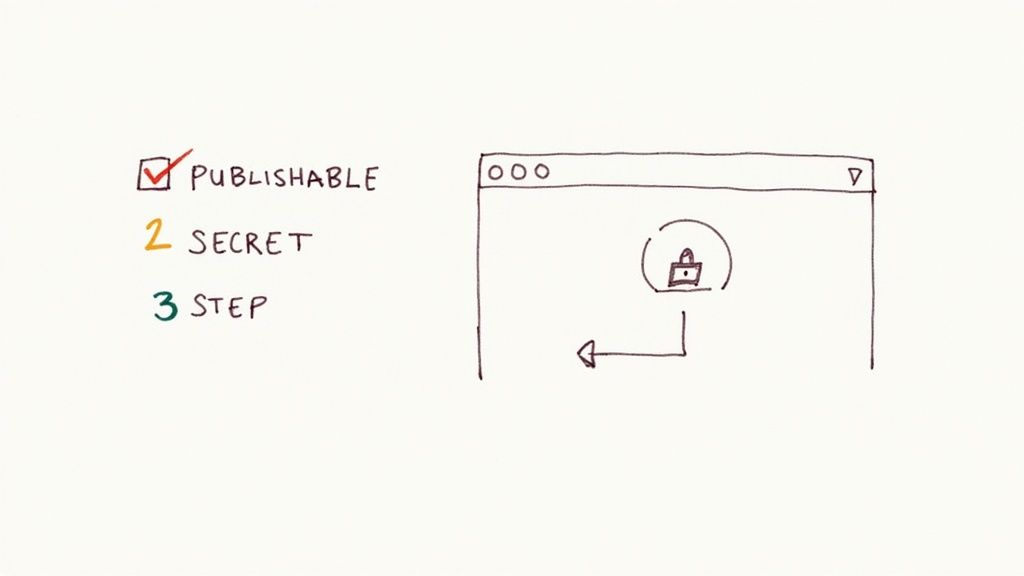
- Publishable Key: This one is safe to use on the "front-end" of your website. This is the part your visitors see. It’s used to identify your account with Stripe, but it can’t do anything sensitive. Think of it as your public business address.
- Secret Key: The name says it all. This key is top-secret and must be kept strictly confidential. It lives on your server and should never, ever be exposed in your website’s code. This key is the equivalent of a password that grants full access to your Stripe account.
Treat your secret key like the keys to your bank vault. If it ever leaks, go straight to your Stripe dashboard and "roll" the key. This action instantly generates a new one and deactivates the compromised one, preventing any unauthorized funny business.
With your payment system ready to go, you can start thinking about pricing. A good newsletter ad pricing calculator can give you a solid baseline for what to charge for your ad slots.
Putting Stripe to Work: Your Payment Flow
Your Stripe account is up and running. Now for the important part: actually getting paid. Building a solid payment flow is how you turn advertiser interest into actual revenue, and it doesn't have to be complicated.
We’re going to look at two straightforward methods that cover about 99% of newsletter ad sales. The key is to have a flexible system. You need something quick for the easy, one-off sales, but also a more buttoned-up process for those larger, custom campaigns. Nailing both means you're ready for whatever an advertiser throws at you, making it that much easier for them to sign on the dotted line.
Payment Links: The Go-To for Simple Ad Slots
For your standard, off-the-shelf ad placements, Stripe Payment Links are an absolute game-changer. Think of it as a direct, shareable link that sends an advertiser straight to a checkout page. There's zero coding involved, and you can spin one up in just a few minutes.
For a practical example, let's say you sell a "Featured Sponsor" slot for $500. Instead of the usual back-and-forth of sending bank details and waiting for a transfer, you just create a Payment Link for that specific product.
Here’s what that looks like in practice:
- Define the Product: Head over to the "Products" section in your Stripe Dashboard and add a new one. Call it "Featured Sponsor Slot" and set the price to $500.
- Generate the Link: With the product saved, just click the "Create payment link" button. Stripe will instantly give you a unique URL tied to that $500 product.
- Share and Collect: Now you can drop that link anywhere. Put it in an email, a Slack message, or even on your "Advertise With Us" page. When a brand clicks it, they land on a clean, professional checkout page, pop in their card details, and you get paid. Simple as that.
This method is perfect for your standardized ad offerings. It slashes the administrative friction and can turn a casual inquiry into a confirmed sale in a single click.
Payment Links are your best friend for speed and simplicity. They remove hesitation and make the buying process feel as easy as any other online purchase, which is exactly what modern advertisers expect.
Making it easy to pay has a real impact. Some reports show that including digital wallet options like Apple Pay through Stripe can boost ad purchase conversion rates by over 20%. At the same time, Stripe's built-in fraud prevention blocked an estimated $2.3 billion in phony transactions, which builds the kind of trust that makes advertisers feel secure paying you on the spot. You can dig into more of these Stripe payment statistics on sqmagazine.co.uk.
Invoices: For Custom Packages and Recurring Deals
Payment Links are great for the simple stuff, but what happens when you land a bigger fish? Maybe an advertiser wants a custom three-month package with a mix of different ad placements. This is where you need something more formal, and that's where Stripe Invoicing shines.
An invoice gives you a professional, itemized breakdown of exactly what they're paying for. It also lets you set clear payment terms and creates a clean paper trail that both you and your client's accounting department will appreciate.
Let’s walk through a common scenario. A tech startup wants to book a three-month campaign for $3,000. The package includes:
- One main sponsorship per month ($700/month)
- Two classified ads per month ($150/month each)
Here’s how you’d handle that with a Stripe Invoice:
- Start a New Invoice: In your Stripe Dashboard, go to "Invoicing" and click to create a new one.
- Add Your Customer: Plug in the advertiser's business name and contact email.
- Itemize Everything: Instead of just putting "$1,000," break it down. Transparency is huge for bigger clients.
- Line 1: Main Sponsorship – Month 1 ($700)
- Line 2: Classified Ad 1 – Month 1 ($150)
- Line 3: Classified Ad 2 – Month 1 ($150)
- Set the Terms: You can request payment right away or set a due date, like Net 15 or Net 30.
- Hit Send: Stripe will email the advertiser a polished invoice with a link to pay online. They can use a credit card, ACH transfer, or whatever other methods you have enabled.
For the next two months, you can just duplicate the invoice and send it again. Better yet, you can set up a recurring subscription that automatically creates and sends the invoice each month. This hands-off approach ensures you get paid on time without having to chase anyone down. Your Stripe integration for newsletter ads feels less like work and more like a well-oiled machine.
Put Your Workflow on Autopilot with Webhooks
Manually checking your Stripe account to see if an advertiser has paid is a drag. It’s the kind of busywork that keeps you from focusing on what matters. Your content. This is exactly where webhooks come in. They’re the key to building a hands-off system that handles all the post-payment grunt work, making your Stripe integration truly work for you.
Simply put, a webhook is an automated message. When an event happens in your Stripe account, like an advertiser’s payment clearing, Stripe pings another system you’ve set up. This little notification can kick off an entire sequence of events, meaning you don't have to lift a finger.
So, What Are Webhooks and Why Should You Care?
Think of a webhook like a digital doorbell for your business. When an advertiser pays, they ring the bell. Instead of you having to run to the door every single time, your automated system hears the chime and knows exactly what to do next.
This one concept can completely change how you run your ad operations. Automation isn't just a buzzword. It delivers real results. Broader marketing stats show that 76% of companies see a positive ROI from automation within the first year. Automating your payment confirmations is the perfect place to start.
Here's a look at how smooth this process feels for your advertisers when it's all connected properly.
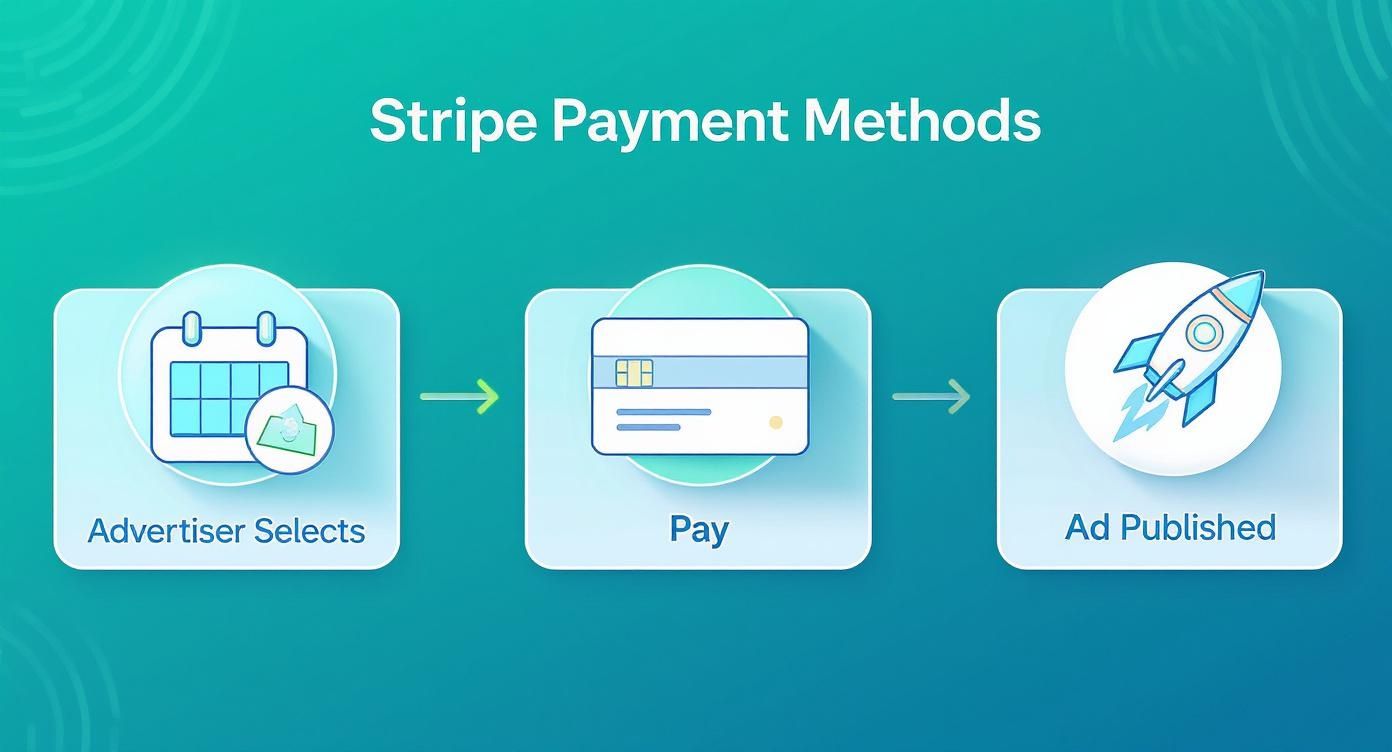
The goal is to make the journey from booking an ad to seeing it published feel effortless for the sponsor. A solid Stripe integration is what makes that seamless experience possible.
A Real-World Webhook Example
Let’s imagine an advertiser just booked and paid for your "Main Sponsor" slot. The second their payment goes through, Stripe fires off a payment_intent.succeeded event to your webhook endpoint.
Your system, which is listening for this specific event, can then spring into action.
- Send a Confirmation Email: It can instantly shoot a personalized "Thank You" email to the advertiser, confirming their payment and telling them exactly how to submit their ad creative.
- Update Your Calendar: The system can automatically mark the ad slot as "booked" on your content calendar. This could be in Notion, Asana, or even just a Google Sheet.
- Alert Your Team: It can send a quick notification to your Slack channel, letting you know a new ad is booked and paid for.
This isn't just about saving a few minutes. It's about building a professional, reliable system that impresses advertisers and eliminates human error, like forgetting to log a payment or double-booking a premium ad slot.
An automated workflow like this ensures nothing falls through the cracks. If you're juggling multiple sponsors, keeping track of who has paid for which slot is absolutely critical. For a closer look at managing this, you might want to check out some of the best Substack sponsor tracking tools that work hand-in-hand with this kind of setup.
Setting up webhooks from scratch does require a bit of technical know-how, since you need a server endpoint to catch the notifications from Stripe. But don't let that scare you. No-code tools like Zapier or Make can act as the go-between, letting you connect Stripe to your other apps without writing a line of code. This makes powerful automation accessible to just about any creator.
How to Test and Secure Your Integration
Going live with payments without testing first? That’s like launching a rocket without a pre-flight check. It’s a gamble that can easily lead to failed transactions, unhappy advertisers, and a serious dent in your credibility.
This is exactly why Stripe gives you a full-featured sandbox environment. Think of it as a perfect replica of the real thing where you can safely simulate every part of your payment process without a single real dollar changing hands. It’s your chance to find and fix any little bugs before an advertiser ever trusts you with their payment details.
Using the Sandbox to Simulate Transactions
Stripe makes testing incredibly simple. Inside your dashboard, you’ll find a "Test mode" toggle. Flip that switch, and your account enters a simulated world with its own set of test API keys. These are the keys you'll want to use during your development phase.
Once you're in test mode, you can play the part of an advertiser using Stripe's provided dummy credit card numbers. This lets you see exactly what they'll experience, from successful payments to frustrating declines.
- Successful Payments: To test a happy-path scenario, use the card number
4242 4242 4242 4242with any valid future expiration date and a random 3-digit CVC. - Failed Payments: Stripe also provides specific card numbers to trigger different failure types, like insufficient funds or a generic bank decline.
- Webhook Triggers: This is your best opportunity to confirm your webhooks fire correctly. You can watch for events like
payment_intent.succeededorinvoice.payment_failedto make sure your backend logic is working as expected.
Running through these scenarios gives you the confidence that your automated workflows are triggering exactly when they should. A common example is sending a confirmation email or marking an ad slot as "sold" in your system.
Securing Your Stripe Integration
Security isn't a feature you add later. It has to be baked in from the start. A secure setup protects your business, your revenue, and the sensitive data your advertisers entrust to you.
The number one rule is simple but critical: never expose your secret API key.
This key grants full administrative access to your Stripe account. If you accidentally embed it in your website's front-end code (like in your HTML or JavaScript), it's visible to anyone with a web browser. From there, a bad actor could make fraudulent charges or steal customer information. Always keep your secret key on your server, completely out of public view.
Stripe's role in the creator economy is massive. Its global market share in payment processing reached nearly 20% recently, solidifying its position as a top choice for publishers. The platform processes over 500 million API requests every single day, giving creators the power to automate sales and reporting securely. You can find more details about Stripe's massive scale on helplama.com.
Protecting your secret key is your most important security responsibility. Treat it like the password to your bank account. That's essentially what it is. If you ever think it's been exposed, go to your Stripe dashboard immediately and "roll" the key to generate a new one and deactivate the old one.
How AdSlots Can Handle All This For You
Going the DIY route with a custom Stripe integration is definitely an option. But it means getting your hands dirty with API keys, webhooks, and sandbox testing. For a lot of newsletter creators, that's a major distraction from what you actually do best.
The good news is, you don't have to become a part-time developer just to get paid. There's a much more direct path.
Instead of building everything from the ground up, you can plug into a platform that already has a secure, battle-tested Stripe integration built right in. This lets you sidestep the entire technical setup we just walked through. No fumbling with secret keys or trying to figure out webhook endpoints.
Connect Your Stripe Account in Seconds
The beauty of a dedicated tool is just how fast it is. With a platform like AdSlots, you can link your Stripe account from your dashboard with a couple of clicks.
The system walks you through a quick, secure authorization flow. Once you're connected, AdSlots leverages that link to automate the entire ad sales and payment process for you.
Here’s a look at the clean, no-nonsense AdSlots interface.
This dashboard becomes your command center, pulling you out of messy spreadsheets and giving you a single, reliable hub for your entire ad operation.
What AdSlots Automates On Your Behalf
Hooking up Stripe is just the beginning. The real power comes from what the platform does with that connection to run your ad business on autopilot.
With your Stripe account linked, the system immediately gets to work:
- Creates a Live Media Kit: It spins up a professional, public-facing booking page where advertisers can view your available inventory, see your pricing, and book directly from a calendar.
- Handles Payments Securely: The moment an advertiser books a slot, their payment is processed instantly through your own Stripe account.
- Manages Invoicing and Payouts: Every invoice is automatically generated and tracked. The money shows up in your Stripe account, ready to be transferred to your bank.
Think of it this way: instead of spending your weekend trying to build a car engine from a box of parts, you're just being handed the keys to a car that's gassed up and ready to go.
For creators who want to grow their ad revenue without getting tangled up in the technical weeds, this is the way to go. It frees you up to focus on writing great content and building sponsor relationships. Not debugging code. A solid toolset is the foundation for growth, which is exactly what good newsletter ad management software provides. It's a system designed from day one to solve the specific problems that come with selling newsletter ads.
Answering Your Top Questions About Stripe and Newsletter Ads
Jumping into a new payment system always brings up a few questions. From fees to security, it’s smart to get clear answers before you fully commit to a Stripe integration for newsletter ads. Let's walk through some of the most common things creators ask.
What Are the Fees for Using Stripe?
This is usually the first question on everyone's mind, and for good reason. One of the best things about Stripe is its transparent pricing. For most online card transactions, you’re looking at a standard fee of 2.9% + $0.30 per successful charge.
It's important to understand this is purely a processing fee. So, if you sell a $500 ad slot, Stripe’s cut would be about $14.80. This is very different from platforms like Substack, which might take an additional 10% slice of your total revenue on paid subscriptions. With Stripe, the cost is predictable and easy to factor directly into your ad pricing.
Is Stripe Secure Enough for My Advertisers?
Absolutely. Security is where Stripe really shines and is a huge reason why it’s trusted by everyone from tiny creators to Fortune 500 companies. Every single transaction is encrypted, and Stripe is a certified PCI Level 1 Service Provider. This is the highest level of security certification in the payments industry.
The real peace of mind comes from knowing Stripe handles all the sensitive card data on its own secure servers. This takes a massive security burden off your shoulders. You never have to store, or even see, an advertiser's credit card number, which protects both you and your sponsors.
This professional-grade security is a great way to build immediate trust with your advertisers.
Can I Sell Different Types of Ads?
Yes, and this is where you'll really appreciate Stripe's flexibility. It doesn't matter if you're selling a single ad spot or a complex, multi-month sponsorship package. Stripe has the tools to handle it.
-
One-Time Ads: For simple, standardized ad slots, Stripe Payment Links are fantastic. You just create a link for a specific price and send it straight to your advertiser. It's quick and easy.
-
Custom Packages: When you're dealing with larger or recurring deals, Stripe Invoicing is your best bet. It lets you itemize different services, set specific due dates, and even automate monthly charges for those long-term sponsors.
This kind of versatility means your payment system can actually grow with your newsletter. As you start offering more sophisticated advertising options, Stripe can adapt right alongside you.
Ready to stop juggling spreadsheets and start automating your ad sales? Ad Slots handles the entire process, from a live booking calendar to automated invoicing, all powered by a seamless Stripe integration. Get started with AdSlots today and get your time back.