
Running a newsletter is one thing; running a newsletter business is another. A huge part of that is managing your ad inventory. Daily newsletter ad fulfillment tracking is the system you use to make sure the right ads run on the right days, and that you get paid for them. It’s the behind the scenes work that keeps the lights on.
Without a solid process, you are not just creating headaches for yourself, you are actively losing money. This guide will walk you through setting up a reliable system to stop the leaks.
Why Your Ad Fulfillment Process Is Leaking Revenue
If your "system" for tracking ads involves a messy spreadsheet, a bunch of flagged emails, and your own memory, you are almost certainly leaving money on the table. It’s a story I have heard a hundred times. The chaos of missed ad runs, sending out the wrong invoice, or chasing down payments is not just an administrative chore; it is a direct threat to your bottom line.
A sloppy process makes you look unreliable, which can sour an advertiser relationship for good. The stakes are getting higher, too. Just look at the beehiiv Ad Network. It brought in a staggering $3,726,453.84 for publishers in a single year. The opportunity is massive, especially when newsletters see average open rates holding steady around 37.67%. Advertisers want to be in this channel, but they need to work with operators who have their act together.
The Real Cost of Manual Tracking
That manual spreadsheet? It costs you more than you think. It is not just about the hours you waste. Every ad you forget to run is revenue you can never get back. Every invoice you send with the wrong details creates friction and delays your cash flow.
Worst of all, it eats up your time. Time you could be spending creating amazing content or, better yet, selling more ad slots.
The real problem with manual tracking is that it does not scale. The system that kinda sorta worked when you had two sponsors a month completely falls apart when you have ten. You end up putting out fires all day instead of actually growing your business.
To stop the bleeding, you need a system that gives you clarity and control. It is about shifting from being reactive to proactive. This is where dedicated tools can make a huge difference. Looking into automated payment tracking for newsletters is one of the smartest moves you can make.
Pinpointing the Revenue Leaks
So, where is the money actually disappearing? Understanding where your process breaks down is the first step to fixing it. This is also where concepts like attribution modeling become incredibly valuable, helping you see which channels and sponsors are truly driving results.
Here are the most common failure points I see in manual ad fulfillment systems:
- Scheduling Errors: This is a classic. You either double book a premium slot (and have to apologize to an advertiser) or, even worse, completely forget to run an ad that was already paid for.
- Incorrect Invoicing: Sending an invoice for the wrong amount or to the wrong person makes you look unprofessional and can delay payment by weeks.
- Missed Renewals: An advertiser had a great campaign, and you… forgot to follow up. This is just leaving easy, recurring revenue sitting on the table.
Manual vs Automated Ad Fulfillment Tracking
Here’s a quick look at the real world differences between a manual process and a structured, automated system for tracking daily newsletter ads.
| Tracking Aspect | Manual Process (The Problem) | Automated System (The Solution) |
|---|---|---|
| Scheduling | Juggling spreadsheets, high risk of double-booking or missed slots. | Centralized calendar view, automated slot booking, conflict alerts. |
| Invoicing | Manually creating and sending invoices, easy to make errors in amounts or dates. | Automatic invoice generation upon booking, tied directly to the ad schedule. |
| Payments | Chasing payments via email, manually updating a spreadsheet when paid. | Integrated payment processing (e.g., Stripe), automated payment reminders. |
| Reporting | Time-consuming to pull data, hard to get a clear view of revenue or performance. | Real-time dashboards showing revenue, fill rates, and advertiser performance. |
| Renewals | Relies on memory or calendar reminders to follow up with happy advertisers. | Automated alerts for expiring campaigns, making renewals easy to track. |
The difference is stark. One approach creates constant, low level stress and missed opportunities, while the other builds a professional, scalable operation that advertisers trust.
Building Your Ad Fulfillment Command Center
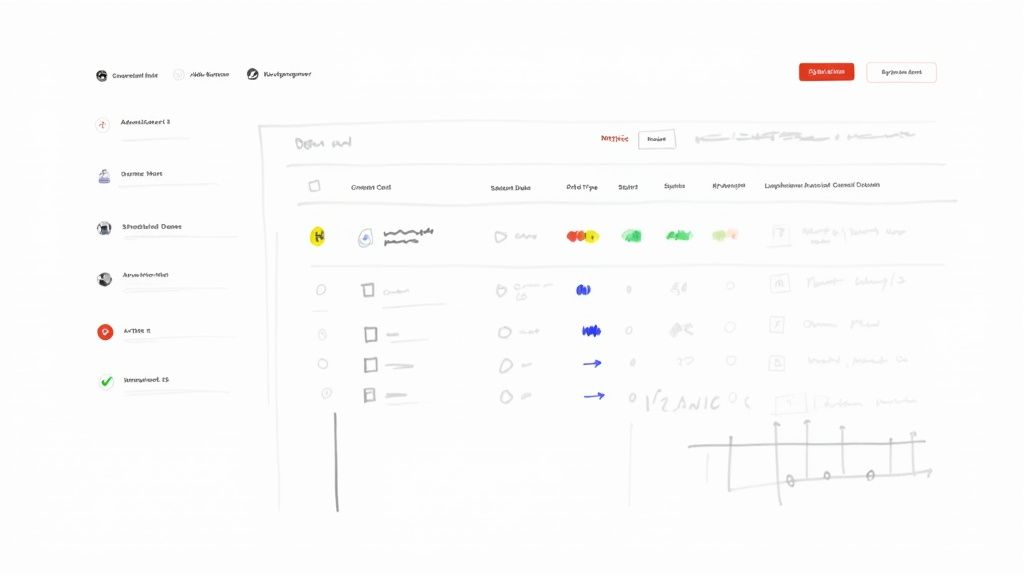
If you want to stop leaking revenue and actually scale your ad operations, you need a single source of truth. It is time to ditch the scattered emails, messy spreadsheets, and sticky notes. Let's build your ad fulfillment "command center". A centralized dashboard where you can see the entire lifecycle of every ad, from the moment it is booked to the second the payment hits your account.
This does not mean you need to go out and buy some expensive, complicated software. You can build an incredibly powerful system using tools you probably already use, like Airtable, Notion, or even a cleverly set up Google Sheet. The goal is simple: create a clear, at a glance view of all your ad commitments so you never double book or let an ad fall through the cracks again.
The Core Components of Your Tracking System
For your command center to work, it needs to track the right information. Think of these as the columns in your spreadsheet or the properties in your Notion database. Each one captures a critical piece of the puzzle, keeping the whole operation running smoothly.
At a minimum, you absolutely need these fields:
- Advertiser Name: Who booked the ad? Simple, but essential.
- Ad Creative: A link to the final copy, images, and assets.
- Scheduled Dates: The exact date (or dates) the ad is set to run.
- Ad Type: What kind of ad is it? (e.g., Main Sponsor, Classified, Sponsored Deep Dive).
- Status: A dropdown menu to track where the ad is in your workflow. This is your secret weapon.
That Status field is the engine of your entire fulfillment process. It tells you, in an instant, what needs to happen next for every single ad you have in the pipeline.
A simple status field with options like 'Scheduled', 'Live', 'Completed', and 'Invoiced' can completely change your workflow. It turns a static list into a dynamic, actionable to do list, instantly showing you what needs your attention right now.
How a Real-World Command Center Looks
Let’s get practical. I personally use an Airtable base as my command center. It gives me the friendly feel of a spreadsheet but with the muscle of a database. This lets me create different views (like a calendar) and run automations. For example, a travel newsletter with 50,000 subscribers uses a similar Airtable setup to manage over 20 unique ad placements per month, preventing any scheduling conflicts.
My setup includes all those core fields I just mentioned, but I have added a few more for deeper tracking and a more complete picture:
- Invoice #: The specific invoice number from my accounting software (Stripe, in my case).
- Payment Status: A simple tag showing 'Paid' or 'Unpaid'.
- Click-Through Rate (CTR): The key performance metric I need to report back to the advertiser.
- Notes: A catch all field for any special instructions, client requests, or internal reminders.
With this structure, I can filter my dashboard to see all ads scheduled for next week, pull up a list of all completed ads that are waiting on an invoice, or see all unpaid invoices that need a gentle nudge. This level of organization is what separates a hobby from a business and is fundamental to scaling your sponsorships. If you’re looking to get a better handle on advertiser relationships, our guide on building a newsletter sponsor CRM is a great next step.
Essential Views for Daily Management
The real magic of a command center is not just the data you store; it is how you look at it. Do not just leave it in a giant, overwhelming grid. Create custom views that answer specific questions and guide your daily work.
These are the three views I rely on every single day:
- The Calendar View: This is my ultimate safeguard against double booking. It lays out all my ad slots visually for the coming weeks and months, making it dead simple to spot open inventory and avoid costly mistakes.
- The "To Be Invoiced" View: This is just a filtered view that shows me ads with the status 'Completed' where the 'Invoice #' field is still empty. This instantly becomes my weekly invoicing checklist. No more digging through emails to figure out who owes me money.
- The "Live Ads" View: A super simple filter that shows only the ads scheduled to run today. This is the first thing I check in the morning to make sure the right creative is prepped and ready to go in that day's newsletter.
Setting up these views takes less than an hour, but it will save you countless hours of manual work and prevent the kind of errors that make you look unprofessional. It’s a small investment of time that builds a rock solid foundation for reliable, scalable ad fulfillment.
Automating Your Scheduling and Confirmation Workflow
Once you have your command center set up, the real fun begins. Let's be honest, manually sending confirmation emails, chasing advertisers for their ad copy, and updating statuses is a surefire recipe for burnout and costly mistakes. This is where you can connect your systems and let automation handle the tedious back and forth that eats up your day.
The goal is to create a seamless workflow that kicks off the second an ad is officially booked. For instance, a finance newsletter I follow automated their booking confirmations. This simple step reduced their administrative workload by an estimated 5-10 minutes for every single booking.
Connecting Your Tools for Hands-Free Management
To pull this off, you need a tool that acts as the glue between your command center (like Airtable or Notion) and your email provider (like Gmail or Outlook). Integration platforms like Zapier or Make are worth their weight in gold. They let you create simple "if this, then that" workflows without writing a single line of code.
This is not just about saving time; it is about being effective. Automated, trigger based emails get impressive results. Data shows they can achieve 42.1% open rates and 5.4% click rates, which are significantly higher than typical campaigns. That data tells a clear story: timely, relevant communications get seen and acted upon, making them perfect for ad confirmations.
This screenshot shows the Zapier dashboard, where you can connect thousands of different apps to automate your work.
The concept is simple. You pick a "trigger" app (where something happens) and an "action" app (what you want to happen as a result) to build a workflow, or what Zapier calls a "Zap." In our case, the trigger is an ad getting scheduled in your database. The action is an email automatically being sent to the advertiser.
A Practical Trigger-and-Action Recipe
Let's walk through a real world setup you can copy and paste. This is the exact workflow countless publishers rely on to automate their initial ad confirmation process.
The Automation Goal: When an ad is marked as "Scheduled" in Airtable, automatically send a confirmation email to the advertiser with all the key details and a link for them to upload their ad creative.
Here’s how you’d build that in Zapier:
- The Trigger: Select Airtable as your trigger app. Choose "New Record in View" as the specific event. I highly recommend creating a dedicated view in your Airtable base called something like "Ready for Confirmation" that only shows records with the status "Scheduled." This keeps things clean and prevents accidental triggers.
- The Action: Pick Gmail (or your email provider) as your action app. The action event will simply be "Send Email."
- Mapping the Fields: This is where the magic happens. You’ll pull data from the Airtable record to personalize the email. For example, the "To" field in your email step will be mapped to the "Advertiser Email" field from your Airtable record. The subject line can be something like, "Ad Confirmation for [Advertiser Name] in [Your Newsletter Name]."
This simple two step automation ensures every advertiser gets a professional, consistent confirmation the moment you've locked them in. It is a foundational step for effective daily newsletter ad fulfillment tracking. For those looking to get even more sophisticated, exploring dedicated newsletter ad scheduling software can unlock more powerful features built specifically for this purpose.
The Plug-and-Play Confirmation Email Template
Your automated email does not need to be flashy. In fact, simple and direct almost always works best. Its only job is to confirm the details and tell the advertiser exactly what you need from them next.
A great confirmation email does three things perfectly: it confirms the booking details to prevent misunderstandings, it sets clear expectations for the next steps, and it makes the advertiser feel confident they made a good decision.
Here's a battle tested template you can adapt and plug directly into your automation workflow.
Subject: Ad Confirmation & Next Steps for [Your Newsletter Name]
Hi [Advertiser First Name],
This email confirms your ad booking with [Your Newsletter Name]. We're excited to partner with you!
Here are the details for your campaign:
- Ad Type: [Ad Type from Airtable]
- Scheduled Date(s): [Scheduled Date from Airtable]
Next Step: Creative Upload
Please provide your ad creative (copy, images, links) at least three business days before your scheduled run date.
You can submit everything through this form: [Link to Your Creative Upload Form]
If you have any questions, just reply to this email. We're looking forward to a great campaign!
Best,
[Your Name]
This template is designed for automation. The fields in brackets, like [Advertiser First Name], are the placeholders where your automation tool will dynamically insert the specific data from your command center. Set this up once, and you’ll never have to manually type a confirmation email again.
Streamlining Invoicing and Payment Tracking
After the ad runs, you hit the most important part: getting paid. But let’s be honest, chasing down invoices and manually checking bank statements can become a massive time suck. It delays cash flow and can create some awkward friction with your advertisers. The secret is to plug your command center directly into your accounting software. This turns the entire invoicing process into a hands off, automated workflow.
Picture this: you drag an ad in your Airtable base from ‘Live’ to ‘Completed.’ That one move could instantly trigger a draft invoice in Stripe or QuickBooks, automatically pulling in all the advertiser’s details and the correct amount. This is not just a nice idea; it is a completely doable setup that will change how you manage your money.
A publisher I know set this up and it completely changed their Fridays. They went from spending nearly three hours every week creating invoices and sending follow up emails to just fifteen minutes. The automation did all the heavy lifting, freeing them up to focus on what actually grows the business which is selling more ads.
This whole process really starts before the invoice is even a thought. Getting the pre flight check right makes the final payment step a breeze.
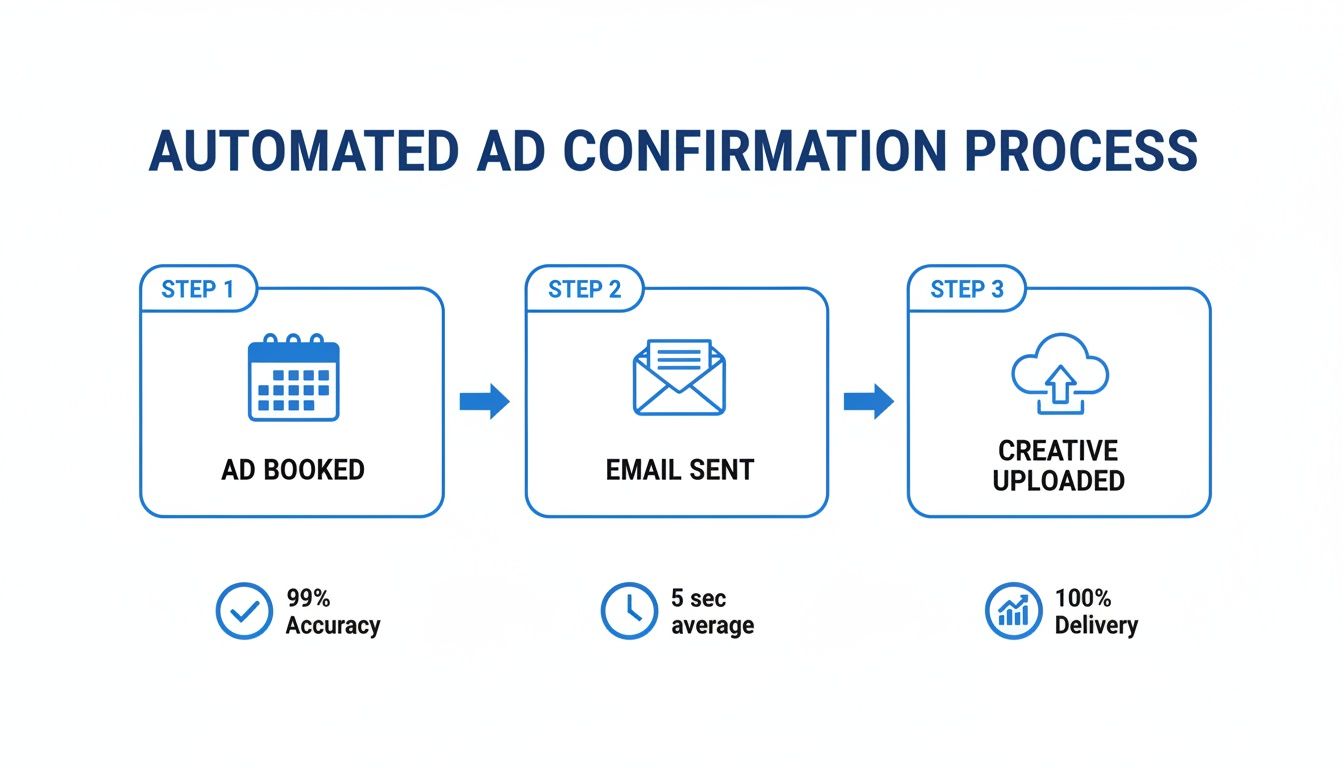
The diagram shows how a confirmed booking can kick off the entire chain reaction, from confirmation emails to creative requests, making sure everything is lined up long before it's time to send the bill.
Building The Automated Invoicing Bridge
That connection between your ad tracker and your payment software? It is the most powerful piece of automation you will build. Using a tool like Zapier, you can create a simple rule that links a status update in your command center to a specific action in your payment platform.
Here is a workflow I have seen work incredibly well:
- The Trigger: An ad record in Airtable gets its status updated to 'Completed'.
- The Action: Zapier instantly creates a new draft invoice in Stripe.
- The Data: The workflow grabs the 'Advertiser Name', 'Advertiser Email', and 'Ad Rate' from your Airtable record and populates the invoice fields.
From there, you just need to give the draft a quick once over in Stripe, add any notes, and hit send. No more manual data entry, which is where most invoicing mistakes happen.
The goal is to remove yourself as the bottleneck. An automated system ensures invoices go out on time and are 100% accurate, every single time. It not only gets you paid faster but also makes you look incredibly professional to your sponsors.
Creating a Closed-Loop Revenue System
Getting the invoice out the door is only half the battle. You also need to know, at a glance, who has paid and who has not. A truly buttoned up system brings that payment information back into your command center, giving you a real time revenue dashboard without ever having to leave your main workspace.
This "closed loop" is easier to set up than you might think. It’s just another simple automation.
- Trigger: An invoice is marked as 'Paid' in Stripe.
- Action: The matching ad record in your Airtable is updated. You can have a 'Payment Status' field that automatically flips from 'Unpaid' to 'Paid'.
This small step has a huge impact. It lets you create a view in your Airtable that only shows outstanding payments, making follow up systematic and painless. To ensure you’re communicating clearly with advertisers, it helps to know the difference between invoice types. This guide on understanding pro forma invoices is a fantastic primer.
The financial upside of nailing your daily newsletter ad fulfillment tracking is real. Data from HubSpot shows that 25% of creators saw major profit growth from their newsletters in the last year alone. What's more, 46% of creators say newsletters bring in ad revenue faster than other channels. That speed makes a slick, automated invoicing system more than just a convenience. It is a genuine competitive advantage.
Creating Proof Of Performance Reports Advertisers Actually Want to Read
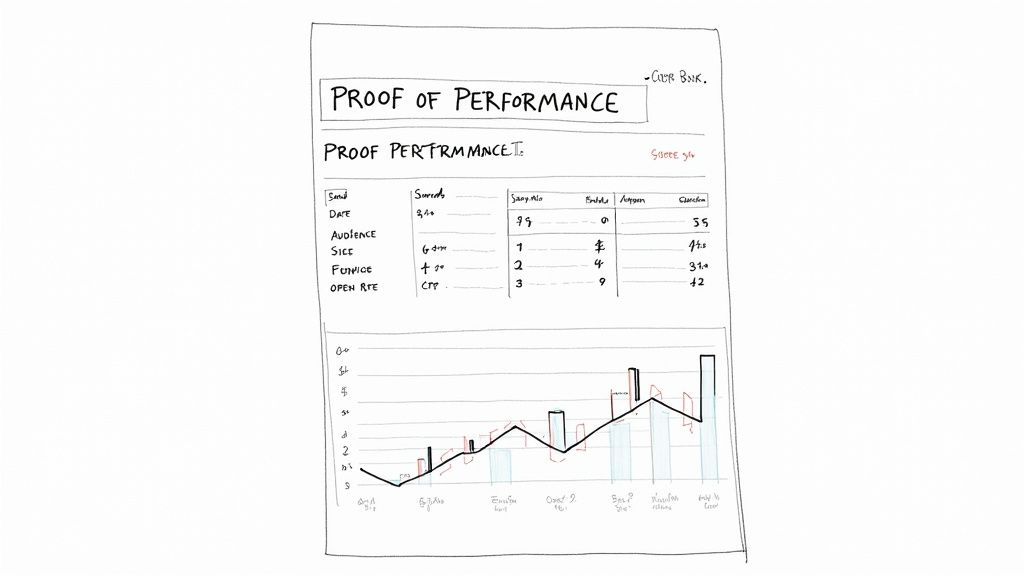
Want to turn a one time advertiser into a repeat customer? The secret is building trust. Once a campaign wraps up, your work is not quite finished. You need to close the loop with a clear, straightforward proof of performance report. This simple document gives sponsors the confidence that their money was well spent and gets them excited to book another ad with you.
This is not about drowning them in a sea of vanity metrics. A great report is clean, simple, and laser focused on the numbers that truly matter to their business. It’s your proof that you delivered on your promise and generated tangible results for their ad spend.
Focus on the Metrics That Matter
Let's be real: advertisers are busy. They do not have time to sift through a complex analytics dashboard. Your report should give them the bottom line at a glance, homing in on just four key metrics that tell the whole story.
Here’s what you absolutely must include every single time:
- Send Date: The exact date the newsletter went out. This is the first checkmark. It confirms you fulfilled the ad on schedule.
- Audience Size: The total number of subscribers who received that email. This shows the reach their investment bought.
- Newsletter Open Rate: The open rate for that specific newsletter issue. This gives valuable context on your audience's engagement that day.
- Ad Click-Through Rate (CTR): The percentage of subscribers who clicked their specific ad link. For most advertisers, this is the holy grail for measuring direct response.
These four data points paint a powerful and concise picture. They prove you held up your end of the bargain and show the advertiser exactly how your audience responded to their message.
Set Up Your Reporting on Autopilot
Manually creating a PDF for every single advertiser is a soul crushing task that’s begging to be automated. You can easily connect the data in your command center to a mail merge tool or document generator to create professional, personalized reports with a single click. It’s a small touch that adds immense value and makes you look like a pro.
With over 347 billion emails sent globally every day, anything you can do to stand out helps. Automated, data driven communications like performance reports have a massive advantage, earning impressive 42.1% open rates and 5.4% click rates. These figures are way above typical benchmarks. This high level of engagement, detailed in Omnisend's email marketing statistics, proves that advertisers not only see these updates but act on them, reinforcing their trust in your newsletter.
Here's a simple way to get this done using Google Docs and a free add-on like Autocrat:
- Build a Google Doc Template: First, design a clean, branded report. Use simple placeholders like
<<AdvertiserName>>for the company and<<AdCTR>>for the click through rate. - Point to Your Data: Your command center, whether it is an Airtable base or a Google Sheet, should have a view of "Completed" ads with all the necessary metrics in neat columns.
- Map and Merge: Next, configure Autocrat to map the columns from your data sheet to the corresponding placeholders in your Google Doc template.
- Generate and Send: With one click, the tool will automatically create a polished PDF report for each advertiser and can even be set up to email it directly to them.
A timely, well designed performance report is more than just a recap of stats. It is a marketing tool for your own business. It justifies the advertiser's spend, reinforces the value you provide, and makes it a complete no brainer for them to book again.
Automating this final step in your daily newsletter ad fulfillment tracking process does more than just save you a headache. It builds the kind of trust and transparency that turns one off advertisers into long term partners, helping you secure a predictable revenue stream for your publication.
Troubleshooting Common Ad Fulfillment Failures
No matter how dialed in your system is, things will go wrong. An advertiser goes dark, a link breaks, or a last minute cancellation throws a wrench in your schedule. How you handle these moments is what truly defines your reputation.
Think of this as your playbook for navigating the inevitable hiccups without torching valuable advertiser relationships. A solid process is not about preventing every single problem. That is impossible. It is about having a clear, repeatable plan for when they do happen, turning a potential crisis into a manageable bump in the road.
Scenario 1: The Missed Creative Deadline
It’s the day before a big send, and your main sponsor’s creative is nowhere in sight. This is probably one of the most common headaches you'll face. The first rule? Do not panic.
Here’s exactly what to do:
- Check Your Automation: First things first, double check that your automated reminder emails actually fired off. If they did, you have a clear record showing you did your part to follow up.
- Send a Direct, Final Reminder: Time for a personal touch. Send a direct email with a clear subject line like, "Urgent: Creative Needed for Tomorrow's Newsletter." In the body, let them know the deadline has passed but you can still slot it in if they send it over in the next couple of hours.
- Prep Your Backup Ad: Always have a generic "house ad" on standby. This can be an ad promoting your own products, a favorite affiliate link, or even just a call to subscribe. Running a blank space just looks sloppy.
If they blow past that final deadline, go ahead and run your backup ad. When you send them the performance report, you can politely mention that the creative was not provided in time. From there, you can offer to reschedule them, often for a small fee to cover the slot you held for them.
Scenario 2: The Wrong Link Went Live
This one stings. You hit "publish" and then that sinking feeling hits. The advertiser's ad is pointing to the wrong URL. The key here is to act fast and own the mistake completely.
The moment you realize an error occurred, your response time is everything. A quick, honest apology and a proactive solution can actually strengthen an advertiser relationship by showing you are accountable and dedicated to making things right.
Here’s your immediate action plan:
- Acknowledge and Apologize Immediately: Do not wait or try to hide it. Send an email right away explaining exactly what happened.
- Offer a Make-Good: The industry standard is to offer a free "make good" ad run in an upcoming issue of equal or greater value. It's the right thing to do.
- Fix Your Process: Treat this as a learning opportunity. Add a new step to your pre send checklist: manually click and verify every single ad link before the newsletter goes out. Every single time.
Common Questions About Ad Tracking
Got a few more questions? Let's tackle some of the most common ones I hear from newsletter operators setting up their ad systems.
What Are The Best Free Tools To Start With?
You can actually get a surprisingly robust system off the ground without spending a dime.
Seriously, a well organized Google Sheet can be your command center. Just set up columns for the advertiser's name, the dates their ads are scheduled, the status (e.g., booked, assets received, live, reported), and a spot for key metrics once the ad runs.
For automation, the free plans from tools like Zapier or Make are more than enough to get started. You can easily set up a simple workflow, like automatically sending a confirmation email from your Gmail account the moment you add a new advertiser to your Google Sheet. It is a great way to build a professional process with zero upfront cost.
How Often Should I Send Performance Reports?
My rule of thumb is to send a performance report within 24 to 48 hours after the ad has run. One of the huge advantages of daily newsletters is how fast the data comes in. Advertisers absolutely love getting prompt, clear reports. It shows you’re a pro.
If you have an advertiser running a multi day campaign, just send a quick report after the first day and then a final, comprehensive one when the campaign wraps up.
Proactive reporting is a game-changer. Do not make advertisers chase you for their data. Sending it over promptly makes them see you as a reliable partner they will want to work with again.
What Is A Reasonable SLA For Ad Fulfillment Issues?
A clear Service Level Agreement (SLA) is your best friend. It manages expectations and protects your relationships when things inevitably go sideways.
For a major screw up, like running the wrong ad link, you should aim to acknowledge the problem within one to two business hours. From there, propose a fix, like a make good ad slot, within 24 hours.
For smaller stuff, like a minor copy tweak or a question about performance, a 24 hour response time is perfectly fine. The key is to spell these SLAs out in your advertising agreements so everyone is on the same page from day one.
Ready to stop wrestling with spreadsheets and automate your ad operations? Ad Slots is the all-in-one platform that handles your scheduling, invoicing, and reporting so you can focus on writing. Learn more at AdSlots.co.