
Chasing sponsors with PDF invoices and tracking everything in a spreadsheet is a frustrating, time-sucking grind. Trust me, I have been there. The quickest way out of that mess is to automate your entire sponsor payment workflow. This includes the initial invoice, follow-up reminders, payment collection, and ad slot confirmation. Making this one change can give you back hours every single week.
Why Your Manual Sponsor System Is Costing You Time and Money
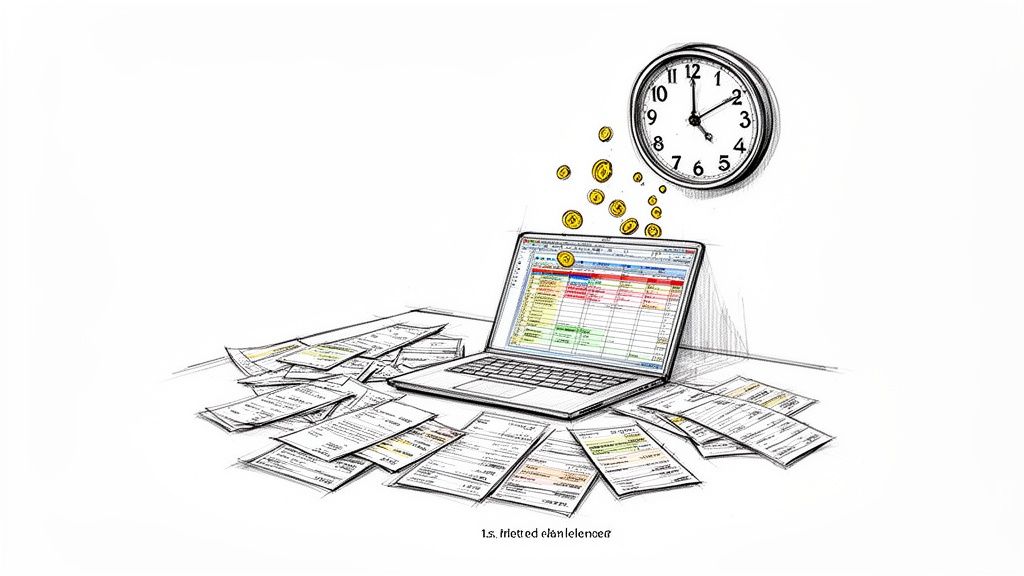
If you still wrestle with sponsorships manually, you are not alone. That administrative overhead is probably costing you a lot more than you think. Every hour you spend creating a PDF invoice, checking it against a spreadsheet, and sending a polite "just checking in" email is an hour you are not spending on your content.
This manual process is the bottleneck that keeps a passion project from becoming a scalable business. It is not just about lost time. It is about the costly and embarrassing mistakes that always seem to creep in.
The Hidden Costs of Manual Admin Work
Let's be honest, human error is inevitable with any manual system. An invoice with the wrong amount, a missed ad slot, or a forgotten follow-up can damage sponsor relationships. These little mistakes chip away at trust and can make a sponsor think twice about renewing.
The real-world frustrations add up fast:
- Wasted Hours: Creating and sending invoices for every sponsor, month after month, is painfully repetitive.
- Awkward Follow-Ups: Nobody enjoys chasing late payments. It is uncomfortable and strains a professional relationship.
- Damaged Credibility: Simple slip-ups, like double-booking an ad slot, make your operation look disorganized.
- Lost Revenue: When a payment slips through the cracks, you are leaving money on the table.
The pain of manual sponsor management is a universal headache for creators. It is that administrative drag that keeps you from focusing on what you actually love to do: writing for your audience.
Reclaiming Your Time with Automation
The good news is, there is a clear way out of this. A case study from a B2B marketing agency found that automating their invoicing process cut down administrative time by over 50%. For a newsletter creator spending 8 to 12 hours a week on sponsor admin, implementing automated invoicing can cut that down to just 3 to 5 hours.
That’s a time savings of roughly 40% to 70%.
This shift is about more than just clawing back your time. It professionalizes your entire operation. A smooth, automated system gives sponsors confidence that their investment is in good hands. To see how this fits into the bigger picture, check out our guide on using a newsletter sponsor CRM. Automating payments is the first, most impactful step toward building a more profitable newsletter business.
Picking the Right Automation Tools for Your Newsletter
The tools you choose will be the engine of your automated payment system. The good news? You do not need a massive tech stack to make this work. Often, the most crucial piece is a solid, reliable way to get paid.
Most creators I know start with a payment processor like Stripe. It is the industry standard for a reason. It is powerful, trustworthy, and its invoicing features are often enough when you only have a few sponsors a month. You can quickly create an invoice, send it, and get paid. Simple.
But what happens when you start juggling multiple sponsors with different ad schedules? That is when a basic payment processor starts to feel like manual work again. This brings you to a fork in the road. Do you build your own system or invest in a platform built for what you are doing?
All-in-One Platforms vs. a DIY Approach
You really have two main paths to automate sponsor payments. The first is to use an all-in-one platform built from the ground up for newsletter advertising. The second is the Do-It-Yourself (DIY) approach, where you connect different tools to build a custom workflow.
Let's dig into what each of those paths means for you.
Comparing Sponsor Payment Automation Approaches
Choosing between a dedicated platform and a custom-built system comes down to what you value more: turn-key simplicity or total customization. Both can work, but they serve very different needs.
| Feature | All-in-One Platform (e.g., AdSlots) | DIY Approach (e.g., Stripe + Zapier + Calendar) |
|---|---|---|
| Setup Time | Quick and guided. You can be up and running in minutes with zero technical headaches. | More involved. You will need to connect apps, set up triggers, and test everything. |
| Core Function | Manages the whole sponsor lifecycle, from booking to payment tracking. | Handles individual tasks. You will have one tool for payments and another for scheduling. |
| Best For | Creators who want a reliable system that just works so they can focus on writing. | Tech-savvy creators who enjoy tinkering or have very specific requirements. |
| Cost | Typically a predictable subscription fee for a complete, managed solution. | Can seem cheaper at first, but multiple subscriptions can add up over time. |
The DIY approach gives you incredible flexibility. If you love to build things, you can create impressive custom connections using Zapier for comprehensive automation to link your tools. This is perfect if your process is unconventional, but it also means you are on call when something breaks. If a single connection in your chain fails, the whole workflow can grind to a halt.
An all-in-one platform is like buying a professionally built car. It is designed to get you where you need to go reliably. A DIY setup is like building a kit car. It can be fun and highly customizable, but you are also the mechanic.
For most creators, the point of automation is to reduce admin work, not create new puzzles. A dedicated platform handles all the tricky stuff for you. You can see how an automated newsletter invoice software manages these complexities. This gives you one central place to see all your sponsorship activity, which is essential for staying organized as you grow.
How to Build Your Automated Invoicing Workflow
Alright, let's get into the nuts and bolts of building a system that runs itself. Setting up an automated invoicing workflow is about connecting a few key tools to stop the endless back-and-forth. The goal is simple: a sponsor books a slot, and your system takes it from there.
This whole setup works because of smart triggers. A trigger is an event that kicks off an automatic action. For instance, when a sponsor submits your booking form, that is a trigger. That one action can then instantly create and send a professional invoice their way. No more manually copying sponsor details into an invoice template.
Setting Up Your Payment Foundation
First, you need a solid way to get paid online. A payment processor like Stripe is the gold standard here. You will connect it to your bank account, which is a straightforward, one-time task. This link lets money flow from your sponsor to you without you lifting a finger.
Once that is connected, create your invoice template. Think of this as your digital bill. You can add your newsletter's logo and colors to keep everything professional. The real magic is using dynamic fields for details like:
- Sponsor Name: Automatically pulls the company name from the booking form.
- Ad Dates: Populates the exact dates their sponsorship is scheduled to run.
- Amount Due: Fills in the correct price based on the ad package they chose.
This makes sure every invoice is accurate without any manual work. If you want to dive deeper into the technical side, we have a complete guide on the Stripe integration for newsletter ads.
Here is a simple visual that breaks down this three-step automation process.
It shows how the workflow moves from collecting information to automating the invoice and getting paid. Each step flows into the next.
Creating Smart Triggers and Reminders
With your template ready, it is time to create the "if this, then that" rules that will run the show. These rules make your system truly hands-off, managing the payment process from start to finish.
For example, a common workflow from Justin Welsh, who generates over $1M from his newsletter, uses a simple but effective reminder sequence. His system sends reminders based on the campaign start date. A creator can easily adopt a similar model:
- Immediate Invoice: The moment a sponsor books, the system sends the invoice with a secure payment link.
- Pre-Campaign Reminder: If unpaid, an automatic reminder goes out 14 days before the campaign begins.
- Final Nudge: A last reminder is sent 3 days before the ad goes live if payment has not come through.
This sequence removes the awkwardness from chasing payments. It is not you asking for money. It is the system following pre-set rules. This shift makes the interaction feel more professional.
Once the sponsor pays, the automation loop closes. The system marks the invoice as paid, confirms the sponsor's ad slot, and sends you a notification. The entire process is complete, and you did not have to do anything. That is how you build a process that lets you focus on creating great content.
Connecting Payments to Your Content Calendar
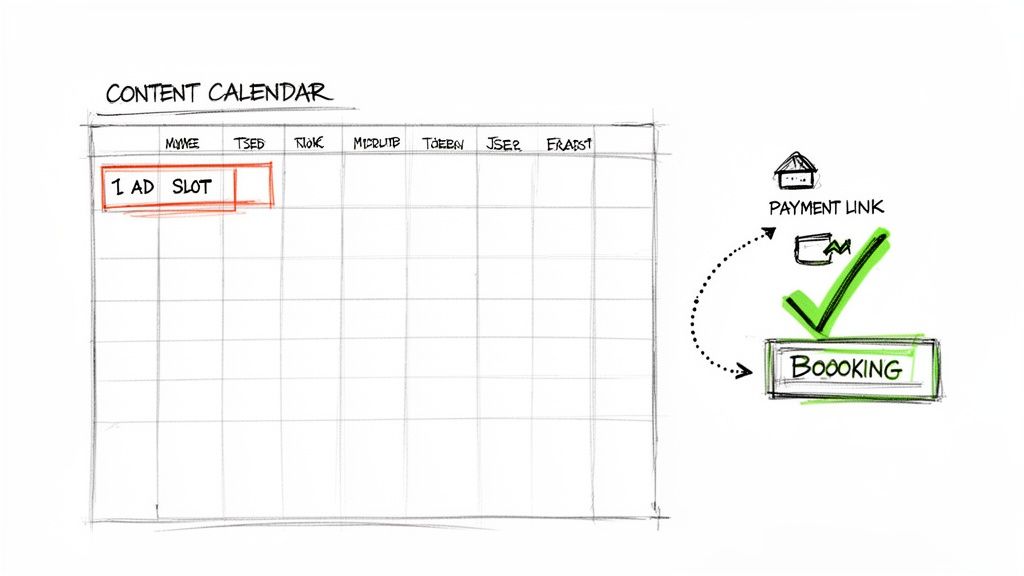
Getting paid on time is a huge win, but it is only half the battle. A paid invoice means nothing if the ad never runs. The final piece of the automation puzzle is linking your payment system directly to your content calendar.
This connection saves you from the single biggest risk of manual management: a missed ad placement. It turns your calendar into a single source of truth. No more cross-referencing bank statements, a spreadsheet, and your calendar just to figure out if a sponsor is good to go.
Creating a Single Source of Truth
The magic happens when a successful payment automatically triggers a calendar event. Here is how that looks in practice: a sponsor pays the invoice via Stripe. The second that payment goes through, a tool like Zapier or a platform like AdSlots creates a new event in your Google Calendar.
That one automated action handles several critical tasks:
- It books the slot: The ad placement is now a concrete event on your schedule.
- It adds all the details: The calendar event can be populated with the sponsor's name, a link to their ad copy, and a "PAID" status.
- It stops double-booking: That ad slot is now officially claimed, so you cannot accidentally sell the same spot twice.
This simple connection makes your operation look and feel professional. It gives sponsors confidence that you have your act together.
How Calendar Integration Prevents Costly Errors
Relying on spreadsheets is asking for trouble. It is shockingly easy to make a mistake. Data from Paved, a newsletter sponsorship network, shows that manual errors in ad operations can lead to fulfillment issues. A creator managing just 20 sponsors manually could easily miss 1 to 3 ad placements each quarter from human error. That is a fulfillment failure rate of 5% to 15%, which is not sustainable.
By tying invoicing to your send schedule, an automated system can get that failure rate down to nearly zero. You can learn more about the state of newsletters to see how automation is changing the game.
Think of your content calendar as mission control. When an ad slot is only "booked" after payment is confirmed and an event is automatically added, there is no more guesswork.
This is how you truly automate newsletter sponsor payments. When it is time to write your next issue, you just glance at your calendar. All the confirmed, paid sponsors are right there. You can trust the system because it is built on triggers, not memory.
Using Automation to Prove Sponsor ROI
A smart automation system does more than just get you paid. It is your secret weapon for making more money. How? By clearly showing sponsors the exact value you deliver. This is the justification you need to command higher rates and lock in renewals.
The goal is to change the conversation. You are not just selling ad space. You are selling tangible results. When you can hand a sponsor concrete performance data, you build trust and gain leverage to increase prices over time.
Tracking Performance with Simple Tools
You do not need an expensive analytics suite to prove your worth. It all begins with a few basic tracking methods. You just need to see how your audience engages with a sponsor's content.
Here are a few simple ways to get this done:
- UTM Parameters: These are small bits of text you add to a URL. They tell the sponsor exactly how much traffic came from your newsletter.
- Link Shorteners: Tools like Bitly do more than just clean up links. They have click-tracking analytics, giving you another data point to share.
- Dedicated Landing Pages: This is a great tactic. Ask sponsors to create a unique page for your campaign, like
sponsor.com/yournewsletter. It is the cleanest way to trace signups or sales back to your promotion.
Once you have these in place, you have the raw data. The magic happens when you automate how you collect and present it.
Automating Sponsor Reports for Higher Renewals
This is where your automation system starts to pay for itself. Beyond handling invoices, it can pull performance data into a professional report. You can then send it to the sponsor when their campaign wraps up.
When a newsletter ties sponsored creative to automated tracking, creators can present sponsors with concrete KPIs like click-through rates. This makes performance-based billing feasible without extra manual work.
Automated reporting transforms your perceived value. Imagine a sponsor receiving their final invoice with a detailed performance report attached. It immediately reinforces the value they received at a critical financial moment.
By delivering clear proof of value, you look more professional. We go into more detail in our guide on automated payment tracking for newsletters. To see the big picture, it helps to understand your marketing automation ROI and how it fuels growth. This data-driven approach is how you turn one-off sponsorships into long-term partnerships.
Common Questions About Automating Sponsor Payments
Switching from a spreadsheet to an automated system always brings up questions. It is normal to wonder how it will handle real-world scenarios. Let's walk through common concerns so you can make the move with confidence.
Modern systems are built for flexibility. They are designed to take grunt work off your plate, not to box you in.
What If a Sponsor Has a Unique Payment Process?
This is probably the number one question. You will inevitably work with a big brand that has a formal procurement department.
The good news is that automation does not mean you lose control. For instance, with a tool like Stripe Invoicing, you can always step in and manually edit an invoice before it goes out. You can easily add a purchase order (PO) number or custom line items to meet their needs.
Think of it this way: Your automation handles 90% of the standard work. This frees you up to give that other 10% of special cases the personal attention they need.
Is an Automated Payment System Expensive?
It is almost always more affordable than you think, especially when you factor in your time. Most payment processors like Stripe do not charge a monthly fee. They just take a standard percentage of each transaction. All-in-one platforms usually have pricing tiers that grow with you.
Here is the real way to look at the cost: figure out how many hours you burn each month on invoices and spreadsheets. You will quickly see that the system pays for itself by letting you focus on creating great content and landing more sponsors.
How Do I Handle Refunds or Cancellations?
This is where automated systems shine. They make messy situations like refunds much cleaner. No more awkward email chains trying to sort things out.
- Refunds: Inside your Stripe dashboard, you can issue a full or partial refund with a few clicks. The money is returned automatically, and your financial records are updated instantly.
- Cancellations: If a deal falls through, your system should let you void the invoice and reopen that ad slot in your calendar. This keeps your inventory accurate and ready for another sponsor.
Can I Automate Recurring Sponsorship Deals?
Absolutely, and this is where you will see the biggest payoff. For sponsors who book a multi-month package, you can set up recurring invoices that go out like clockwork.
This is how you scale. It lets you build predictable revenue without drowning in admin. You can confidently sell bigger packages knowing the backend work is handled.
Stop wasting hours on manual ad ops. Ad Slots automates your entire sponsorship workflow—from booking and invoicing to calendar scheduling and payment tracking. See for yourself how much time you can save at https://adslots.co.