
The way your newsletter looks is just as important as what it says. A strong, intentional design grabs attention, makes your content easier to read, and builds a loyal audience that trusts your recommendations and sponsors. Finding the best e newsletter design isn’t about chasing trends; it’s about matching your format to your content and audience expectations. An effective design feels like a natural extension of your voice, helping you guide the reader’s eye exactly where you want it to go, whether that’s a key insight or a sponsored link.
A cluttered, confusing layout can cause readers to abandon your email before they ever get to the good stuff. According to a Nielsen Norman Group study, users often leave web pages in 10-20 seconds, and the same principle applies to newsletters. Your design is your first and best chance to convince them to stick around. A clean, scannable structure respects your reader’s time and makes your content feel more professional and authoritative. This is especially critical for creators who monetize through direct sponsorships, as a polished presentation directly reflects on the brands you partner with.
This roundup explores ten proven design approaches used by top creators and media companies. We will break down real examples from successful newsletters, showing you exactly why their layouts work. You will get clear, actionable takeaways on everything from typography and white space to placing sponsored ads that feel natural and integrated. By the end, you’ll have a clear roadmap and the practical inspiration needed to choose or refine a newsletter design that not only looks great but also helps you grow and monetize more effectively. We will cover a range of styles, from minimal text-focused formats to highly visual, magazine-style layouts and data-heavy reports. Let’s get started.
1. Minimal Text-Heavy Newsletter
The minimal text-heavy approach is a powerful and surprisingly effective e-newsletter design. It strips away complex graphics, flashy colors, and multi-column layouts. Instead, it prioritizes the written word, creating a clean, focused reading experience that feels more like a personal letter than a corporate broadcast.
This style builds authority and trust by putting your content front and center. Think of successful newsletters like The Profile by Polina Pompliano or Not Boring by Packy McCormick. Their designs are intentionally simple, using typography and whitespace to guide the reader through dense information without friction. The goal is to maximize readability and deliver value quickly, making it a perfect fit for creators focused on thought leadership, industry analysis, or deep-dive content.
Why This Design Works
A text-focused design excels because it respects the reader’s time and inbox. It often has better deliverability rates, as email clients are less likely to flag it as spam. Furthermore, its simplicity makes it mobile-friendly by default, a critical factor considering that a 2023 Litmus report found 44.5% of all email opens happen on mobile devices.
The minimal aesthetic conveys confidence in your content. It signals that your insights alone are valuable enough to hold the reader’s attention without needing decorative images. This approach forces you to be a better writer and editor, which ultimately benefits your audience.
Key Insight: A text-heavy design isn’t about being plain; it’s about being direct. By removing visual distractions, you create a more intimate and authoritative connection with your subscribers.
How to Implement This Design
- Establish a Strong Typographic Hierarchy: Use a clean, legible font. Differentiate headings, subheadings, and body text with size and weight (e.g., bold). This structure is the backbone of your design.
- Embrace Whitespace: Use generous line breaks and short paragraphs (2-3 sentences max) to prevent a “wall of text.” This gives your content room to breathe and makes it scannable.
- Use Minimal Color: Stick to a simple palette. Use one accent color for links and calls-to-action (CTAs) to make them stand out without overwhelming the reader.
- One Clear CTA: End with a single, unambiguous call-to-action. Whether you’re asking readers to share, upgrade, or click a link, keep the request focused.
2. Modular Card-Based Layout
A modular card-based layout is a modern design that organizes content into distinct, self-contained blocks or “cards.” Each card functions as a self-sufficient unit, often with its own heading, image, and snippet of text. This approach makes it easy for readers to scan and digest multiple topics in a single email.
This design is popular with content curation newsletters like Dense Discovery and product-focused emails from platforms like Product Hunt. The structure allows creators to present a variety of information, from different articles to multiple product features, without overwhelming the subscriber. Each card acts as a clear entry point to a different piece of content.
Why This Design Works
The card-based layout excels at presenting dense information in a digestible format. It’s visually organized, guiding the reader’s eye from one content block to the next. This scannability is a huge advantage for newsletters that curate links, news, or products, as subscribers can quickly identify what interests them.
This design is also inherently responsive. On a desktop, cards can be arranged in a grid, while on mobile, they neatly stack into a single column. This ensures a consistent and user-friendly experience across all devices. The clear separation between content blocks also provides a perfect structure for sponsored placements, making it one of the best e newsletter design choices for monetization.
Key Insight: A modular card design turns your newsletter into a scannable dashboard. It empowers readers to quickly choose what content is most relevant to them, increasing engagement and click-through rates.
How to Implement This Design
- Maintain Visual Consistency: Use consistent dimensions, internal padding (16-24px is a good starting point), and styling for each card to create a cohesive look.
- Use Subtle Separation: Employ light borders or subtle box-shadows to define each card. This creates visual separation without adding clutter to the design.
- Design for Mobile First: Ensure your cards stack vertically and elegantly on smaller screens. Test your layout to confirm that all content remains readable and accessible.
- Differentiate with Color: Use a single accent color to highlight specific card types, such as a featured story or a sponsored post. This helps guide the reader’s attention to key content.
3. Image-Heavy Visual Newsletter
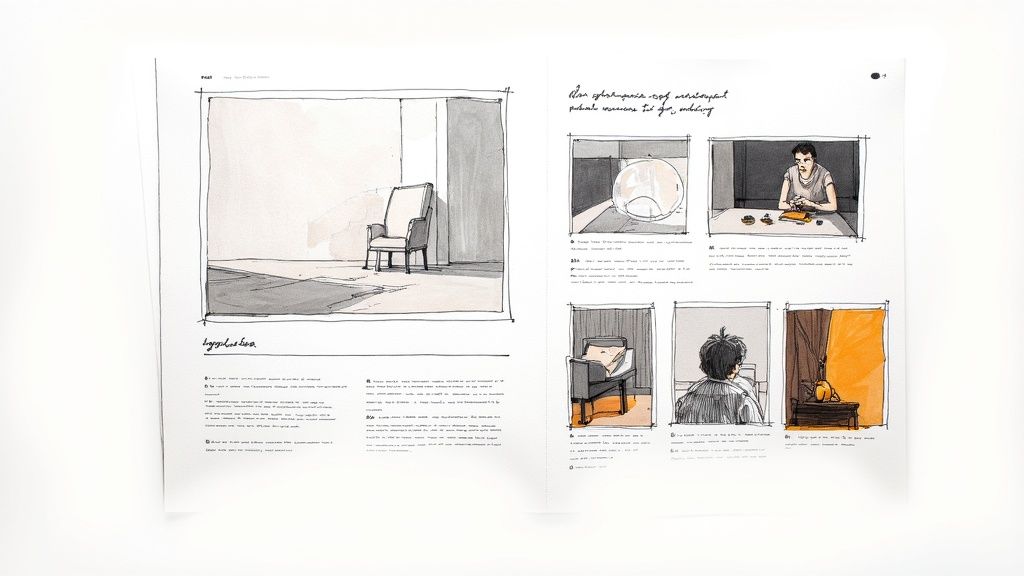
The image-heavy visual approach flips the script on traditional newsletters by prioritizing graphics, photography, and illustrations. Instead of using images to support text, this design uses stunning visuals as the main content, telling a story and evoking emotion before a single word is read. It transforms an email from a simple message into a curated visual experience.
This style is a staple for brands in creative, lifestyle, and e-commerce industries. Think of newsletters from travel companies like Away or apparel brands like Patagonia. They use high-quality imagery to showcase products, destinations, or artistic work, creating an immersive and aspirational feel. The goal is to captivate the audience visually, making the content not just informative but also desirable.
Why This Design Works
A visual-first design works because it taps directly into human emotion and grabs attention instantly. High-quality images can communicate complex ideas and feelings much faster than text, making your newsletter memorable in a crowded inbox. It’s perfect for building brand identity and creating a premium, polished perception.
This approach is highly effective for product-focused businesses, as it allows you to display your goods in an appealing, magazine-like format. It’s also incredibly shareable, encouraging subscribers to forward beautiful content to their friends. When executed well, this is one of the best e newsletter design strategies for driving desire and engagement.
Key Insight: Visual newsletters don’t just show things; they create a mood. They turn your email into a destination that subscribers look forward to opening for inspiration and aesthetic pleasure.
How to Implement This Design
- Optimize Every Image: Ensure all images are optimized for the web to load quickly. Keep your total email size below 100KB if possible. Export images at 72 DPI and compress them without sacrificing too much quality.
- Prioritize Alt Text: Write descriptive alt text for every image. This is crucial for accessibility, allowing screen readers to describe the visual content to users. It also ensures your message gets across if images fail to load.
- Create Visual Hierarchy: Use a mix of image sizes and layouts (e.g., full-width banners, multi-column grids) to guide the reader’s eye through the content. A balanced layout prevents the design from feeling cluttered.
- Maintain Brand Consistency: Use a consistent color palette, filter style, and type of imagery that aligns with your brand. This reinforces your visual identity and makes your newsletter instantly recognizable.
4. Interactive Element Newsletter
The interactive element newsletter transforms a static message into a dynamic, app-like experience right inside the inbox. This modern e-newsletter design uses elements like polls, carousels, accordions, and even simple games to engage subscribers directly. Instead of just reading, your audience can now click, tap, and interact without ever leaving their email client.
This approach is powered by technologies like AMP for Email, which allows for dynamic content that can be updated in real-time. For example, the travel booking site Booking.com has used interactive AMP emails to allow users to browse and manage their subscriptions directly within the inbox. That’s the power of an interactive design.
Why This Design Works
An interactive design works because it reduces friction and increases curiosity. It captures attention in a crowded inbox and provides immediate value, which can significantly lift engagement rates. For example, email marketing platform Zembula reported that interactive emails can increase click-to-open rates by over 73% and produce conversion rates as high as 5.2x that of static emails.
These elements also allow you to collect valuable zero-party data directly. A simple poll can give you instant feedback on content preferences, helping you tailor future sends. By making the experience more engaging and less passive, you build a stronger, more participatory relationship with your subscribers.
Key Insight: Interactive elements turn your newsletter from a one-way broadcast into a two-way conversation. This deepens engagement and provides valuable feedback without requiring readers to navigate to another page.
How to Implement This Design
- Start with a Clear Goal: Determine what you want to achieve with interactivity. Do you want feedback, higher click-through rates, or more product engagement? Choose an element that serves that specific purpose.
- Use Simple, Intuitive Interactions: Don’t overcomplicate it. A quick poll, a simple image carousel, or a collapsible accordion section to hide long-form text are great starting points.
- Always Provide a Fallback: Not all email clients support interactive elements. Ensure you design a static HTML version that all subscribers can see, so the experience is never broken.
- Test Across Major Email Clients: Use a testing tool like Litmus or Email on Acid to see how your interactive elements render in Gmail, Apple Mail, Outlook, and others. Prioritize the clients your audience uses most.
5. Magazine-Style Newsletter
The magazine-style newsletter brings the sophisticated, structured aesthetic of a print publication directly into the inbox. This design uses a multi-column grid system to organize diverse content, featuring a main story alongside smaller articles, sidebars, and curated links. It creates a rich, editorial experience that feels premium and authoritative.
This approach is perfect for newsletters that cover multiple topics or serve as a digest. Think of successful publications like The Skimm, which uses a clear, gridded layout to present news in a scannable format. Similarly, Bloomberg’s Open newsletter uses a multi-column design to organize market news, analysis, and charts into a digestible, professional package.
Why This Design Works
A magazine-style layout excels at presenting a high volume of information without overwhelming the reader. The structured grid creates a predictable yet engaging rhythm, allowing subscribers to quickly find the content that interests them most. This visual organization makes it a powerful choice for media outlets and content curators looking to boost engagement across multiple articles.
From a monetization perspective, this is one of the best e newsletter design formats for integrating sponsored content. The multi-column structure provides natural, non-intrusive placements for ads that feel like part of the editorial content, similar to a sponsored feature in a print magazine. This professional presentation often attracts higher-quality sponsors.
Key Insight: The magazine-style design transforms your newsletter from a simple message into a curated publication. Its organized structure allows for content density while maintaining a clean, professional, and highly scannable reading experience.
How to Implement This Design
- Establish a Clear Grid System: Use a two or three-column layout as your foundation. A main, wider column for the feature story and a narrower one for secondary content works well.
- Create a Strong Visual Hierarchy: Use bold headlines, distinct section headers, and varied image sizes to guide the reader. The most important content should be the most visually prominent.
- Prioritize Mobile Responsiveness: A multi-column layout can break on mobile if not coded correctly. Use a responsive email template or media queries to ensure your columns stack vertically and legibly on smaller screens.
- Incorporate a Table of Contents: For longer newsletters, a linked table of contents at the top allows readers to jump directly to sections that interest them, improving user experience.
- Maintain Brand Consistency: Use your brand’s fonts and color palette consistently across all sections to create a cohesive and polished final product.
6. Storytelling Sequential Newsletter
The storytelling sequential newsletter turns an email into a narrative journey. This design guides readers through a series of connected sections, where each part builds upon the last. It transforms a standard update into a cohesive, engaging story with a beginning, middle, and end.
This approach is highly effective for building an emotional connection and holding reader attention. A great case study is the marketing emails from Harry’s, the shaving company. They don’t just sell razors; they tell stories about design, craftsmanship, and customer experiences, guiding the reader through a narrative that makes the product feel more meaningful.
Why This Design Works
A sequential design taps into the fundamental human desire for stories. It creates suspense and curiosity, encouraging subscribers to keep scrolling to see what happens next. This continuous engagement makes the email feel less like marketing and more like entertainment or a personal reflection, which builds significant trust.
This narrative structure is also ideal for presenting complex ideas or arguments. By breaking them down into logical, sequential steps, you make the information easier to digest and more persuasive. The linear flow is naturally mobile-friendly, creating a seamless reading experience on any device.
Key Insight: A storytelling design moves beyond simply presenting information; it creates an experience. By sequencing your content into a compelling narrative, you can increase read time and make your message more impactful.
How to Implement This Design
- Start with a Strong Hook: Your opening line or first section must grab the reader’s attention immediately. Pose a question, state a surprising fact, or start in the middle of the action.
- Create Clear Transitions: Use headings, short sentences, or even subtle visual dividers like a simple line to signal the shift from one part of the story to the next. This maintains a clear, logical flow.
- Maintain Consistent Pacing: Vary your sentence and paragraph length to control the rhythm of the story. Short, punchy sections can build excitement, while longer ones allow for deeper explanation.
- Integrate CTAs Naturally: Place your calls-to-action at points where they feel like a natural next step in the journey. For instance, after building a case for a product, the CTA to “learn more” feels earned.
7. List and Ranking Newsletter
The list and ranking newsletter design is a highly scannable format that organizes content into ranked lists, top-X collections, or curated compilations. It capitalizes on our natural desire for order and prioritization, making complex information easy to digest at a glance.
This approach is perfect for news aggregation, product recommendations, and trend reporting. The daily newsletter from Morning Brew is a prime example. It often summarizes the day’s key business news in a numbered list, immediately signaling importance and making the content easy to scan during a busy morning commute.
Why This Design Works
A list-based design works because it provides a clear, predictable structure that simplifies information consumption. Readers know exactly what to expect and can quickly scan for items that capture their interest. The ranked format also creates a sense of authority and urgency, suggesting these are the most critical items they need to know.
This scannability is crucial for mobile readers, who often skim emails while on the go. The format is inherently easy to browse on a small screen. By presenting content as a numbered or bulleted list, you remove friction and make your newsletter a go-to resource for quick, curated insights.
Key Insight: The power of a list is its ability to create instant hierarchy. It tells your subscribers not just what to read, but in what order of importance, making your newsletter an indispensable filter in a noisy world.
How to Implement This Design
- Limit Your List: Keep your lists concise, ideally between 5 and 10 items. This ensures each item receives enough attention without overwhelming the reader.
- Use Consistent Formatting: Apply a uniform structure for each list item. Use clear numbering or icons, bold headlines, and keep descriptions brief, typically 1-2 sentences.
- Vary Your List Types: Keep your content fresh by mixing up the format. You could feature a “Top 5” one week and a “3 Tools to Try” the next.
- Craft Compelling Headlines: Your subject line is the entry point. A headline that clearly communicates the list format, like “5 Trends Shaping Our Industry,” can significantly boost open rates.
- Make Your #1 Stand Out: The top item on your list should be the most compelling. Use a slightly larger image or a different background color to give it visual prominence and draw the reader in immediately.
8. Single-Focus Newsletter
The single-focus newsletter is a masterclass in clarity and impact. This design dedicates each entire email to a single, compelling topic, article, or idea. It deliberately avoids multiple columns, story roundups, and distracting links, guiding the reader through one deep-dive experience from start to finish.
This approach is highly effective for building authority and creating high-intent engagement. Think of newsletters like Tim Ferriss’s 5-Bullet Friday, which, despite its name, often dedicates its main section to a single, powerful idea or recommendation. Another example is Lenny Rachitsky’s newsletter, where each edition provides an in-depth analysis of a single product growth topic.
Why This Design Works
A single-focus design eliminates choice paralysis and commands the reader’s full attention. By concentrating on one core message, the call-to-action becomes incredibly potent and contextually relevant. This model is exceptionally good at driving a specific outcome, whether it’s reading a full article, clicking a sponsor link, or considering a single product.
Furthermore, this format builds anticipation. Subscribers know each email will provide a substantial, worthwhile piece of content, not just a collection of links. This fosters a loyal readership that values depth over breadth, which is a powerful asset for monetization and community building. This is one of the best e newsletter design strategies for creators who want to establish themselves as experts in a niche.
Key Insight: A single-focus newsletter doesn’t just deliver information; it crafts an experience. By removing distractions, you create a direct path from the subject line to your core message, maximizing reader comprehension and action.
How to Implement This Design
- Develop a Strong Narrative: Your email must be built around a compelling idea or story. Ensure the topic is strong enough to carry the entire newsletter on its own.
- Use One Powerful Visual: A single, high-quality hero image or graphic at the top can set the tone and capture attention without creating visual clutter.
- Guide the Reader with Structure: Use subheadings, bold text, and short paragraphs to break up the content and guide the reader through your deep-dive argument.
- Create a Hyper-Relevant CTA: The call-to-action should be the logical conclusion of your topic. If the email is about productivity, the CTA could be for a productivity course or tool.
This design is particularly potent once you have an engaged audience. To learn more about attracting the right subscribers for this focused approach, you can read about how to build a targeted email list to ensure your deep dives land with impact.
9. Social-Media-Inspired Newsletter
The social-media-inspired approach brings the familiar, fast-paced feel of platforms like X (formerly Twitter) and Instagram directly into the inbox. This e-newsletter design borrows visual cues and interaction patterns from social feeds, creating a dynamic and engaging experience that resonates with a digitally native audience. It often features thread-like layouts, creator profile cards, and a more conversational, community-driven tone.
TLDR, a tech newsletter, is a great real-world example of this. It uses short, snippet-like summaries with clear icons and a scannable structure that feels very similar to browsing a curated social media feed. This design makes dense technical news feel quick and approachable.
Why This Design Works
A social-media-inspired design works because it leverages established user behavior. Readers already know how to navigate and interact with this type of layout, which lowers the cognitive load and encourages engagement. The casual, informal tone helps build a more personal relationship with subscribers, making the newsletter feel like a direct message from a friend rather than a corporate email.
This format also excels at showcasing multiple pieces of content without overwhelming the reader. By presenting information in a feed-like structure, you can highlight different topics, user-generated content, or quick updates in a single send. This makes it one of the best e-newsletter design choices for community-driven or content-heavy publications looking to boost interaction.
Key Insight: This design turns a passive reading experience into an active one. By mirroring the look and feel of social media, you invite subscribers to engage, reply, and feel like part of a larger conversation.
How to Implement This Design
- Adopt a Conversational Tone: Write like you speak. Use informal language, ask questions, and don’t be afraid to show personality. This is key to making the format feel authentic.
- Use Visual Social Cues: Incorporate elements like rounded profile pictures, “like” or “reply” icons (which can link to your social profiles), and thread-like dividers between content blocks to mimic a social feed.
- Structure Content in Snippets: Break your content into short, distinct posts or updates. Each snippet should be easy to read and digest on its own, just like a post on a social media timeline.
- Encourage Direct Replies: Explicitly ask your readers to reply to the email with their thoughts. Frame your call-to-action as a conversation starter, such as “Hit reply and let me know your take.”
10. Data Visualization Newsletter
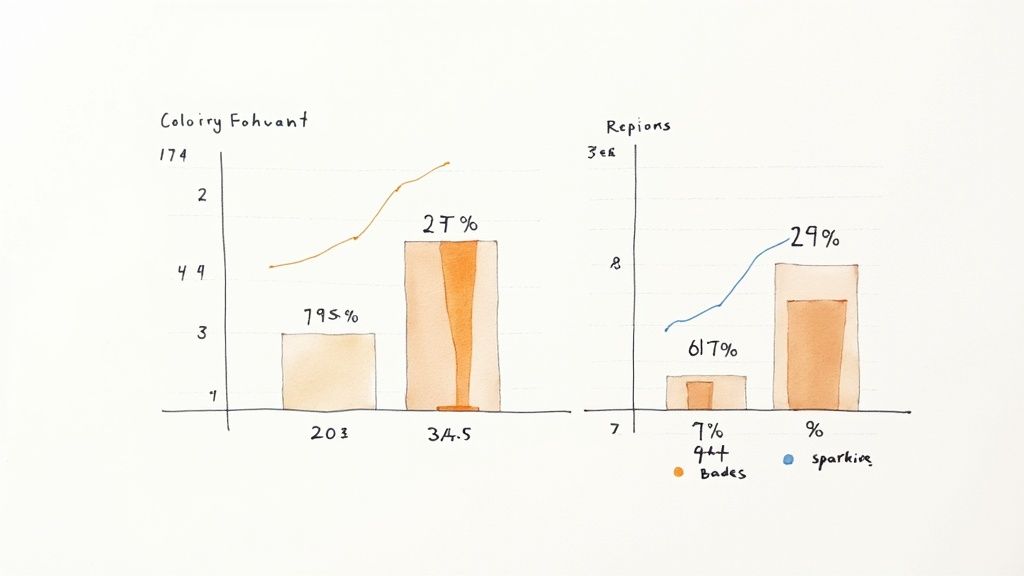
The data visualization approach transforms complex information into engaging, easy-to-digest visual content. This e-newsletter design prioritizes charts, graphs, and infographics as the primary method for storytelling. It moves beyond text-heavy explanations, allowing data to speak for itself in a clear and compelling format.
This style is perfect for niches that handle dense information like finance, research, or technology. A prime example is Chartr, a newsletter that explains business and tech trends using simple, powerful charts. Each email centers on a few key visualizations, making complex data not only understandable but also highly shareable.
Why This Design Works
A data visualization design works because the human brain processes images 60,000 times faster than text. It grabs attention in a crowded inbox and makes complex data less intimidating. This is one of the best e-newsletter design strategies for demonstrating expertise without overwhelming your audience with technical jargon or long-form analysis.
Well-designed visuals are highly shareable, increasing the potential for organic growth as subscribers forward your newsletter or post screenshots on social media. It also caters to a modern audience that prefers scannable, visually-driven content. By making data beautiful, you create a premium reading experience that subscribers look forward to.
Key Insight: Data visualization is not just about making numbers look pretty; it’s about providing clarity. This design turns abstract data into a concrete story, making your insights more impactful and easier to remember.
How to Implement This Design
- Focus on One Core Idea per Graphic: Avoid cluttering a single chart with too much information. Each visualization should communicate one key takeaway clearly and quickly.
- Prioritize Accessibility: Use color-blind friendly palettes and ensure high contrast between text and backgrounds. Always include descriptive alt text for images so screen readers can interpret the data for visually impaired subscribers.
- Maintain Visual Consistency: Use a consistent style for all your charts and graphs. This includes fonts, color schemes, and branding elements. This makes your newsletter look professional and reinforces your brand identity.
- Pair Visuals with Minimal Text: Add a short headline or a brief caption to provide context for each visualization. Use the text to highlight the most important statistic or trend shown in the graphic.
Top 10 e-Newsletter Design Comparison
| Design | 🔄 Implementation complexity | ⚡ Resource requirements | 📊 Expected outcomes | Ideal use cases | ⭐ Key advantages / 💡 Tip |
|---|---|---|---|---|---|
| Minimal Text-Heavy Newsletter | Low — simple HTML/text flow | Low — copy-focused, minimal assets | High clarity, fast load, broad deliverability | Thought leadership, industry updates, professional comms | ⭐ Clear messaging; 💡 Use bold headlines and concise paragraphs |
| Modular Card-Based Layout | Medium — modular HTML/CSS and spacing | Medium — design system + templates | Highly scannable, flexible content blocks | Curated digests, product updates, mixed-topic newsletters | ⭐ Modularity & scalability; 💡 Keep card dimensions and spacing consistent |
| Image-Heavy Visual Newsletter | Medium–High — image layouts and fallbacks | High — photography/illustration and optimization | Strong brand recall, high engagement but slower loads | Fashion, travel, lifestyle, creative brands | ⭐ Visual storytelling; 💡 Optimize images, use alt text and test clients |
| Interactive Element Newsletter | High — AMP/JS-like interactivity and fallbacks | High — developer expertise, testing across clients | Very high engagement where supported, limited reach elsewhere | Product launches, polls, rich campaigns for modern clients | ⭐ Deep interaction; 💡 Always include robust static fallbacks |
| Magazine-Style Newsletter | High — complex responsive grids and typography | High — editorial content, design and dev effort | Premium appearance, supports dense content | Editorial publications, business digests, long-form newsletters | ⭐ High perceived value; 💡 Use media queries and limit to 2–3 columns |
| Storytelling Sequential Newsletter | Medium — structured pacing and visual transitions | Medium — strong editorial and visual assets | Increased retention and emotional engagement | Long-form essays, brand narratives, campaign series | ⭐ Memorable storytelling; 💡 Open with a hook and maintain pacing |
| List and Ranking Newsletter | Low — simple structured lists and numbering | Low — curation and brief copy | Extremely scannable, quick consumption, high mobile friendliness | Top-X lists, trend digests, recommendations | ⭐ Fast consumption; 💡 Limit lists to 5–10 items for impact |
| Single-Focus Newsletter | Low–Medium — linear layout, one strong narrative | Medium — deep content per send | High focus, strong conversion potential | Deep dives, niche topics, specialist newsletters | ⭐ High engagement per topic; 💡 Make the CTA highly relevant |
| Social-Media-Inspired Newsletter | Medium — thread-like cards and voice styling | Medium — consistent voice and lightweight visuals | Relatable, shareable, higher engagement for younger audiences | Creator updates, community-driven communications | ⭐ Familiar & engaging tone; 💡 Keep voice authentic and consistent |
| Data Visualization Newsletter | Medium–High — custom charts and accessibility | High — data analysis + graphic design resources | Clear insights, memorable, highly shareable for data audiences | Finance, analytics, research, data journalism | ⭐ Makes complex data digestible; 💡 Use color-blind palettes and alt text |
Putting Your Design into Action
We’ve explored a wide spectrum of the best e newsletter design approaches, from the minimalist, text-heavy style of The Morning Brew to the visually rich, data-driven layouts seen in publications like The Pudding. The journey through these ten distinct formats reveals a fundamental truth: there is no single “best” design. The ideal format is the one that best serves your content, resonates with your audience, and supports your monetization strategy.
A modular card-based layout offers incredible flexibility for content-diverse newsletters, while a storytelling sequential design is unmatched for building narrative tension and deep reader engagement. A magazine-style format can elevate your brand’s perceived value, justifying premium sponsorship rates, whereas an interactive design can boost key metrics like click-through rates and time-on-email, data points that are incredibly compelling to potential advertisers. The key is to see design not as a cosmetic layer but as a strategic tool.
From Design Theory to Business Reality
Choosing the right design is a significant first step. Now, you must translate that choice into a sustainable operation. The real challenge for many creators isn’t just producing great content within their chosen framework; it’s managing the business that grows around it. This is especially true when you start monetizing with direct sponsorships.
Imagine you’ve adopted a modular layout that allows for three distinct ad placements per issue. You send out your newsletter three times a week. Suddenly, you’re managing nine potential ad slots every single week. That’s up to 36 slots a month. Manually tracking availability, negotiating with sponsors, sending invoices, and chasing payments for each of those slots in a spreadsheet is not just tedious. It’s a direct threat to your creative output and a bottleneck to your growth. This administrative burden is where many promising newsletters stall.
The best e newsletter design paired with a clunky, manual backend system creates a frustrating experience for both you and your sponsors. A sponsor might wait days for you to confirm availability or send an invoice, creating friction and damaging a potentially long-term relationship. You lose valuable hours that could have been spent writing, researching, or acquiring new subscribers.
Your Actionable Next Steps
To truly capitalize on a strong design, you need a system that works as efficiently as your layout. Here is a clear path forward:
- Audit Your Current Design: Review the ten designs we covered. Does your current format truly align with your content and goals? If you run a data-heavy newsletter but use a simple text layout, you’re missing a massive opportunity to make your insights more impactful.
- Map Your Ad Inventory: Take your chosen design and clearly identify every potential ad slot. Is it a “Presented by” banner at the top? A mid-article native placement? A classifieds section at the bottom? Define each one. This clarity is the foundation of a professional ad sales process.
- Systematize Your Operations: This is the most critical step. Move away from manual tracking. Implement a dedicated system to manage your ad sales. This isn’t a luxury; it’s a necessity for scaling your revenue. An automated system handles the repetitive tasks, freeing you to focus on high-value activities like building sponsor relationships and creating exceptional content.
Ultimately, mastering your newsletter’s design is about building a powerful, predictable engine for your business. It’s about creating a reader experience that commands attention and a backend operation that runs smoothly, allowing you to monetize that attention effectively. The perfect design gets subscribers to open and read. A streamlined system ensures your business thrives.
Ready to stop managing spreadsheets and start scaling your revenue? Ad Slots is the all-in-one platform that automates your entire ad management workflow, from a live booking calendar for sponsors to automated invoicing and payment tracking. Turn your well-designed newsletter into a well-oiled business with Ad Slots.