
When you're first getting into newsletter sponsorships, it's easy to think you need fancy, expensive software right out of the gate. But honestly, that’s a myth. Sticking with simple tools like spreadsheets and your calendar to track deals and schedule ads is often the smarter move, especially when you're growing.
Why A Manual Sponsorship System Still Wins
This hands-on approach isn't just about saving money. It's a powerful strategy for building a real, sustainable business around your newsletter.
The biggest win? You get to build strong, personal relationships with your sponsors. Automated platforms are great for efficiency, but they can't replicate the trust you build through a genuine conversation. That personal touch often leads to better deals, repeat business, and long-term partnerships that become the bedrock of your revenue.
The Power of a Personal Connection
Imagine you run a niche newsletter with 8,000 dedicated subscribers. An ad network might just fill your slots with generic, low-paying ads. But if you handle it yourself, you can identify five dream brands that you know your audience would love.
Take the case of Lenny's Newsletter, which grew to over 500,000 subscribers. In the early days, Lenny Rachitsky personally managed sponsorships. This allowed him to forge direct relationships with brands like Miro and Notion, who became long-term partners paying premium rates because he could articulate the exact value his specific audience offered. You stop being just another ad slot and become a true partner.
This direct line of communication also gives you invaluable feedback. You learn exactly what ad copy, offers, and formats click with your readers, which helps you fine-tune your sponsorship packages for even better results down the road.
Building a Strong Foundation
For newsletters with under 5,000 subscribers, manual management is where it's at. A 2023 report from The Creator Economy Press found that newsletters at this stage can drive up to 67% of their revenue from directly sold ads and sponsorships. As your list grows, that foundation of trust and understanding only becomes more critical.
A manual system forces you to understand every moving part of your sponsorship business. This knowledge is invaluable, even after you decide to adopt automation. You'll make better decisions because you've done the work yourself.
Ultimately, this approach helps you build a more resilient monetization engine. It equips you with insights and relationships that software alone just can't deliver. To get even better at crafting promotions your readers will actually appreciate, check out our guide on newsletter advertising best practices.
Think of manual management not as a temporary hassle, but as a strategic phase for building a successful, long-term business.
Building Your Sponsorship Command Center
Forget about fancy CRMs or expensive software for now. Your entire sponsorship operation can, and should, start with a simple spreadsheet. This is your command center. I use Google Sheets, but tools like Airtable work just as well.
The goal here isn't to build some monster dashboard with complex formulas. It’s about creating a single source of truth that prevents silly, but costly, mistakes. A well-organized tracker is what stops you from double-booking an ad slot or, even worse, forgetting to chase down an invoice for a sponsorship that has already run. Honing your skills in basic data management in Excel or Sheets will pay dividends as you get this set up.
A simple, centralized sheet puts you miles ahead of the competition. Believe it or not, even with global sponsorship spending projected to fly past $108 billion by 2030 according to a report by Statista, a shocking number of deals are still managed with nothing more than messy email threads and scattered files. This system forces you to be organized from day one.
The Essential Columns For Your Sponsorship Tracker
Every column in your command center has a job to do. Each one is a safeguard against chaos. To get started, you don't need dozens of fields, just the essentials that track a sponsor from the first "hello" to the final "paid."
Here’s a look at the core fields that will form the rock-solid foundation of your sponsorship pipeline.
| Field Name | Purpose | Example Data |
|---|---|---|
| Sponsor Name | The official name of the company sponsoring you. | "Peak Coffee Co." |
| Contact Info | The name and email of your main point of contact. | "Jane Doe, jane@peakcoffee.com" |
| Deal Stage | Tracks where the sponsor is in your pipeline. | "Prospect," "Negotiating," "Signed," "Fulfilled" |
| Ad Package | The specific sponsorship package they purchased. | "Primary Sponsorship," "Classified Ad" |
| Price | The agreed-upon price for the sponsorship slot. | "$500" |
| Send Date | The exact date their ad is scheduled to run. | "2024-10-15" |
| Payment Status | Tracks whether the invoice is sent, paid, or overdue. | "Invoiced," "Paid," "Overdue" |
| Asset Link | A link to a folder with all ad assets (copy, images). | "[Google Drive Link]" |
With this structure, a simple spreadsheet suddenly becomes a powerful management tool. In seconds, you can filter by "Send Date" to see your upcoming calendar or by "Payment Status" to know exactly who needs a friendly nudge about an invoice.
The real power of a manual tracker isn’t just seeing what’s happening; it’s preventing what could go wrong. By updating the ‘Deal Stage’ and ‘Payment Status’ fields religiously, you create a system of accountability that ensures nothing falls through the cracks.
Putting Your Command Center Into Action
So, what does this look like in the real world? Let’s say you have five sponsors bubbling away in your pipeline. A quick glance at your sheet tells you everything.
- Peak Coffee Co. is in the "Negotiating" stage for a Primary Sponsorship in November.
- SaaS Weekly is "Signed" for a Classified Ad on October 22nd, and their status is "Invoiced."
- Growth Tools has "Fulfilled" their ad from last week, and their status is "Paid."
- Indie Creator Hub is a new "Prospect" you just reached out to.
- Tech Gadgets is "Signed" for October 29th, but you're still waiting on assets.
Instantly, you know your to-do list. You need to follow up with Peak Coffee to close that deal, maybe send a payment reminder to SaaS Weekly if the due date is close, and definitely chase Tech Gadgets for their ad copy. Each field gives you a clear, actionable next step.
This manual system is fantastic for getting started and will serve you well for a long time. But as your newsletter grows, you'll find that chasing payments becomes a serious time suck. When you hit that point, you can explore automated payment tracking for newsletters to get that time back. For now, this command center is your key to running a tight, professional sponsorship operation.
A Simple Workflow For Onboarding Sponsors
The real difference between a professional operation and a chaotic one comes down to a smooth, repeatable workflow. Once you've got your command center spreadsheet set up, the next job is building the actual process that takes a sponsor from a signed deal to a successful campaign. Think of this as your playbook for managing sponsor onboarding without getting overwhelmed.
The first thing to tackle is the endless email back-and-forth for ad assets. The easiest fix? A simple intake form. You can use a free tool like Google Forms to create one spot where sponsors can submit everything you need in one go.
This little form immediately makes you look more professional and saves you from the headache of chasing down missing info. It guarantees you have everything required to run their ad correctly, long before the deadline is breathing down your neck.
This flow chart shows how to build out your manual sponsorship tracking system from scratch.
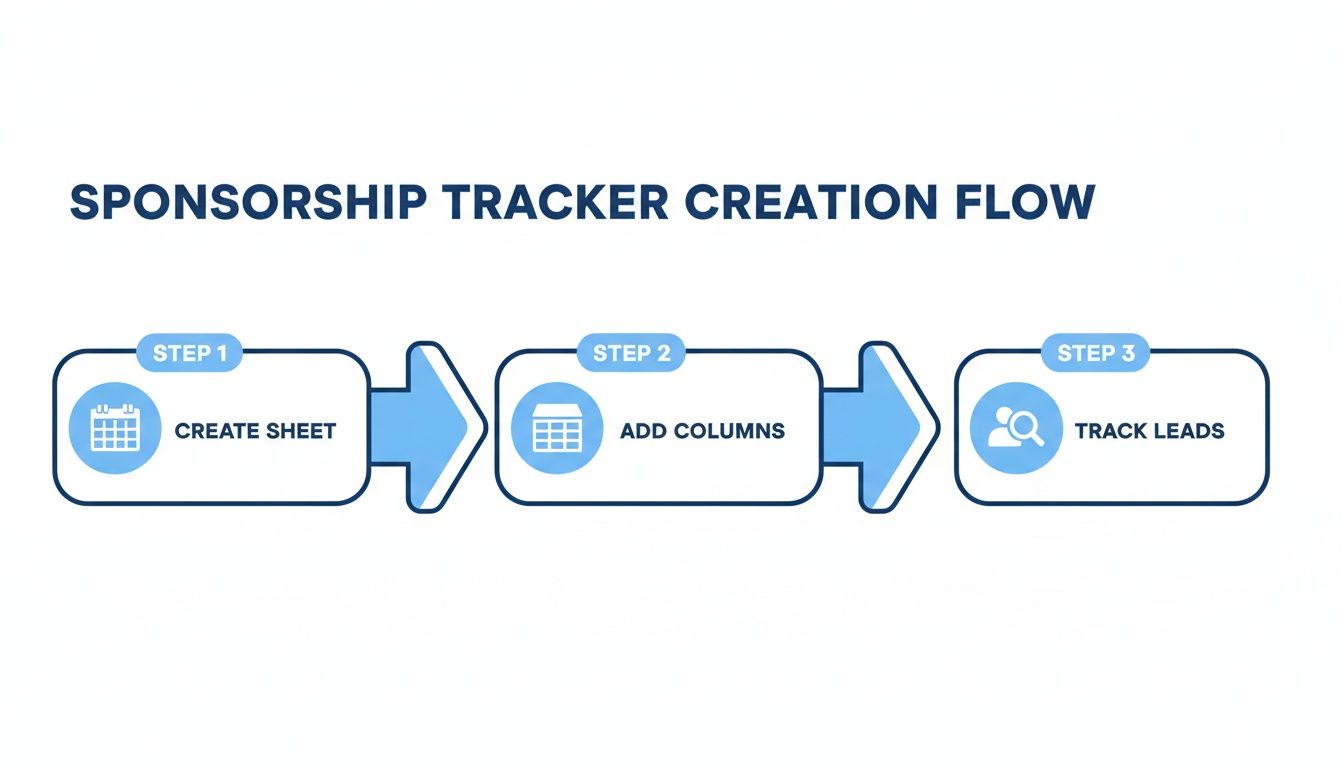
It really boils down to three parts: creating the sheet, adding the right columns, and then using it to track your leads. This is the core of your command center.
Collect Assets With An Intake Form
Keep your intake form simple and only ask for what you absolutely need. Making it too complicated just creates friction for your sponsors, who are busy people.
I've found these are the essential fields to include:
- Company Name: So you know who you're working with.
- Main Point of Contact (Name & Email): This ensures you know who to talk to if questions come up.
- Ad Copy (Headline & Body): The exact text they want you to run.
- Call to Action (CTA) Text: The specific text for the button or link.
- Tracking Link (URL): Their destination link, complete with tracking parameters.
- Image/Logo Files: An upload field for any required graphics.
As soon as a sponsor fills it out, you get a clean notification, and all the assets land in one predictable place. No more digging through old email threads.
Visualize Your Ad Calendar
With the creative assets ready, it's time to get their placement on the schedule. A shared calendar, like Google Calendar, is perfect for visualizing your ad inventory and making sure you don't double-book. It gives you a great bird's-eye view of all your commitments.
I’ve always found that a simple color-coding system keeps things crystal clear.
- Blue: Confirmed and fully paid sponsorship slots.
- Yellow: Tentative holds for sponsors who are close to signing.
- Red: Dates that are totally unavailable.
For each calendar event, I just use the sponsor's name as the title and set it for the scheduled newsletter send date. Then, right in the event description, I drop a link to their intake form submission or the folder with their assets. This tiny step saves a ton of searching later by connecting your schedule directly to the materials you need.
A visual calendar does more than just prevent double bookings. It helps you see revenue patterns and identify your most popular months, giving you valuable data for future pricing strategies.
Communicate Clearly With Email Templates
Consistent, professional communication is what makes for a great sponsor experience. Having a few email templates ready to go saves you time and ensures you never miss a crucial step. A study by Who Sponsors Stuff found that publishers can spend 5 to 10 hours per deal on the manual grind of finding sponsors, negotiating, and invoicing. Templates slash that time dramatically.
Your first template should be a solid welcome email that goes out right after a deal is signed. This is your chance to set expectations and officially kick off the process.
Here's a Welcome Email You Can Adapt:
Subject: Welcome Aboard! Next Steps for Your [Your Newsletter] Sponsorship
Hi [Sponsor Name],
We are so excited to have you on board as a sponsor for the [Date] edition of [Your Newsletter]!
To get everything teed up, could you please fill out our asset intake form here: [Link to Google Form]
The deadline for submitting everything is [Date]. This just ensures we have plenty of time to get it all formatted and scheduled properly.
Let me know if you have any questions at all.
Best,
[Your Name]
About a week before the send date, a final confirmation email does wonders. It confirms you have everything you need and just gives them a friendly heads-up. It's a small touch that shows you're on top of your game. Of course, you first need to land those deals, and you can find some great examples in our guide to newsletter sponsor outreach email templates.
This whole workflow is a repeatable process that will save you hours of admin work and make you look like the pro you are.
Reporting And Invoicing Like A Professional
Running a great campaign for your sponsor is only half the battle. The other half is proving your value with clear, professional reporting and making sure you get paid on time. This is where you truly solidify your reputation and turn a one-off deal into a long-term partnership.
Too many creators stumble at this last hurdle, thinking a quick email with a few stats is good enough. It’s not. A polished report and a proper invoice aren't just formalities; they show you’re serious about your business and you respect the sponsor's investment.
Proving Your Value With Performance Reports
Right after a sponsor's ad has run, your next move is to send them a performance report. Think of it as your proof of delivery. The key is to present the data in a way that’s easy to digest, even for someone who doesn't live and breathe email marketing metrics every day.
You don't need fancy software for this. A simple, reusable template in Google Docs or Canva works perfectly. Just make sure it’s clean, features your newsletter's logo, and focuses on the numbers that actually matter.
Here are the essential metrics to pull directly from your email service provider:
- Total Subscribers Sent To: The size of the audience that received the ad.
- Open Rate (%): The percentage of subscribers who opened the email.
- Total Clicks: The raw number of clicks the sponsor's link received.
- Click-Through Rate (CTR %): Clicks divided by the total number of recipients.
- Click-to-Open Rate (CTOR %): The percentage of openers who clicked the link. This one is a gem for showcasing genuine audience engagement.
Here’s a pro tip: Always include screenshots from your email platform's dashboard as visual proof of your numbers. This small act of transparency builds immense trust and leaves no room for doubt.
When you're sharing this data, remember that sponsors value precision. Mailchimp's latest benchmarks show average newsletter open rates hover around 34.23%, and a strong click-to-open rate (CTOR) is typically between 10-20%. If your manual reporting seems even slightly off, it can erode the confidence you need to secure renewals, which is a huge problem when sponsorships are your main source of income. You can learn more about these crucial newsletter KPIs from Admailr.
Creating and Sending Professional Invoices
Once the report is in their hands, it's time to send the invoice. Prompt, professional invoicing is absolutely critical for keeping your cash flow healthy. Don't let it slide. Get that invoice out within a day or two of the campaign wrapping up.
Again, simple tools are your friend here. A template in Google Docs, Canva, or even a well-organized spreadsheet will do the trick.
Make sure every invoice includes these key details:
- Your business name and contact info.
- The sponsor's business name and contact info.
- A unique invoice number for your records.
- The date the invoice was issued.
- A clear description of the service (e.g., "Primary Sponsorship in [Your Newsletter Name]").
- The total amount due.
- Your payment terms and how they can pay you.
Setting Clear Payment Terms
Payment terms simply tell the sponsor when you expect to be paid. Stating this clearly on the invoice helps you avoid confusion and those awkward follow-up emails later on.
Common terms you'll see are:
- Net 15: Payment is due 15 days from the invoice date.
- Net 30: Payment is due 30 days from the invoice date.
- Due Upon Receipt: Payment is expected as soon as they get the invoice.
For new sponsors, I'd recommend sticking with "Due Upon Receipt" or "Net 15." As you build a trusted relationship, you might feel comfortable extending to "Net 30," but it's smart to start with shorter terms. And don't forget to include clear instructions on how to pay, whether that’s via Stripe, PayPal, or a direct bank transfer.
Handling Late Payments With Grace
Nobody enjoys chasing money, but it's an unavoidable part of running a business. If an invoice goes past its due date, a polite but firm follow-up email is your next step. It's a good idea to have a template ready for this so you aren't trying to write one under pressure.
Here’s a simple script you can adapt for a late invoice:
Subject: Following up on Invoice #[Invoice Number]
Hi [Sponsor Name],
Hope you're having a good week.
Just wanted to follow up on Invoice #[Invoice Number] for [Amount], which was due on [Due Date]. I've attached it again here for your convenience.
Please let me know if you have any questions.
Thanks,
[Your Name]
This approach is professional, direct, and doesn't create any unnecessary tension. If you find that this manual process of invoicing and chasing payments starts eating up a significant chunk of your time, that's a strong signal it might be time to look into platforms that provide automated newsletter invoice software to handle the financial side of things for you.
When To Upgrade From A Manual System
Every manual system has a breaking point. What starts as a simple, effective spreadsheet can slowly morph into a source of stress and expensive mistakes. The trick is to spot the signs that your process is holding you back before it’s too late.
This isn't about manual being "bad" and automation being "good." It’s about recognizing that each approach has its place at different stages of your newsletter's life. The manual workflow we’ve laid out is fantastic for getting off the ground, but you have to know when you've outgrown it.
Catching the warning signs early means you can make the switch before a major catastrophe, like forgetting to run a key sponsor's ad or letting an invoice slip through the cracks and messing up your cash flow. It’s all about planning for growth instead of just reacting to chaos.
Telltale Signs Your Manual System Is Failing
If you find yourself nodding along to any of these, consider it a clear signal that the cracks are starting to show. These aren't just minor headaches; they're symptoms that your system is stretched to its limit.
-
You're spending more time on admin than content. Are you sinking more than 10 hours a week just updating spreadsheets, chasing down ad copy, and sending payment reminders? Your real job is creating an amazing newsletter, not moonlighting as a full-time ad ops manager.
-
Costly mistakes are starting to pile up. Have you ever accidentally double-booked an ad slot? Or forgotten to send a performance report to a sponsor? These slip-ups, which happen when you're juggling too much by hand, can seriously damage your reputation and cost you renewals.
-
You're juggling more than five active sponsors per month. Keeping a few sponsors happy is one thing. But once you cross that threshold, the complexity multiplies fast. Trying to track different creative assets, send dates, and payment statuses for a dozen partners in a single spreadsheet is a recipe for disaster.
When your manual workflow starts to feel like a full-time job, it's probably time to explore automated booking solutions like bookedin.ai that can take the scheduling burden off your plate and give you back your time.
A familiar story for many creators is drowning in a sea of spreadsheets, email threads, and file folders just to confirm a single ad ran correctly. This constant firefighting isn't a sustainable way to run a business.
A Head-to-Head Look: Manual vs. Automated
Switching to an automated platform isn't just about plugging leaks; it’s about opening up new possibilities for your business. Let's put the manual spreadsheet system side-by-side with a dedicated ad management tool.
| Feature | Manual System (Spreadsheet) | Automated System (Ad Platform) |
|---|---|---|
| Scheduling | Prone to double-booking and human error. | Real-time ad inventory and automated booking. |
| Invoicing | You have to create, send, and track every invoice by hand. | Generates and sends invoices automatically. |
| Reporting | Manually pulling stats and building reports for each sponsor. | One-click performance reports with all the key metrics. |
| Scalability | Becomes messy and error-prone as you add more sponsors. | Easily handles dozens of sponsors without the extra work. |
| Cost | "Free" in dollars, but very expensive in terms of your time. | A monthly fee that buys back hours of your week. |
That tipping point is different for everyone. For some, it’s the first big, embarrassing mistake. For others, it’s the slow, dawning realization that their growth has flatlined because they’re buried in administrative quicksand.
The takeaway here is simple. Start with a manual system to learn the ropes and forge those crucial early relationships with sponsors. But keep a sharp eye out for these warning signs. The moment the time you spend managing newsletter sponsors manually is greater than the benefits, it’s time to find a system that can grow right along with you.
Unpacking the Details of Manual Sponsorships
Even with a killer manual system, you're going to have questions. It's totally normal. Things like pricing, finding your first partners, and proving you're worth the investment always come up. Let's get into the nitty-gritty and answer the questions I hear most often from creators running their own sponsorships.
How Do I Figure Out My Pricing?
Pricing feels like a dark art, but it doesn't have to be. You can get started with two simple models that sponsors already understand.
The easiest place to begin is with a Flat Fee. This is just a set price for a spot in one of your newsletter editions. To figure out your rate, just do a little homework. See what other newsletters in your space with a similar audience are charging. For instance, if you write a marketing newsletter for 10,000 subscribers, look up what Marketing Brew or Stacked Marketer charge. That gives you a real-world baseline to work from.
Another common approach is CPM, which is short for "Cost Per Mille" (or cost per thousand subscribers). According to data from the Paved marketplace, the average newsletter CPM is around $45, but this can vary wildly. For most niche newsletters, a good starting point is somewhere between $25 and $100 CPM. If your readers are super engaged or you're in a hot B2B niche like finance or tech, you can definitely aim for the higher end of that spectrum.
My favorite trick for new creators? Offer a sweet introductory rate for your first 3-5 sponsors. It gets your foot in the door, helps you land those critical first deals, and lets you build case studies to justify higher prices later.
This tactic lets you test the waters with your pricing and collect performance data, which makes selling future ad slots so much easier.
Where Can I Find My First Sponsors?
Landing that first sponsor is a huge moment. And honestly, the best place to look is probably right under your nose.
Start by making a list of the tools, products, and services you already pay for and genuinely love. When you can authentically recommend something you use yourself, it doesn't feel like an ad to your audience. It feels like a trusted tip. That's gold.
Another great strategy is to see who's already sponsoring other newsletters or podcasts in your niche. These brands already get it. They've set aside a budget for this kind of marketing and know it works, making them incredibly warm leads.
Once you have a list, it's time for a short, personalized cold email. Get straight to the point and lead with your key stats.
- Total number of subscribers
- Your average open rate
- One quick sentence describing your audience
Want to look pro from day one? Whip up a simple one-page media kit in a tool like Canva and attach it to your email. This single document with your stats and sponsorship options immediately shows you’re organized and serious.
What Numbers Should I Put in My Sponsor Reports?
Sponsors are paying for results, so your reports need to show them the money. Be transparent and focus on the metrics that prove their investment paid off.
Always start with the basics. You can pull these numbers directly from your email service provider.
- Total Subscribers Sent To: The total reach of their ad.
- Open Rate (%): How many of those subscribers actually opened the email.
- Total Clicks: The raw number of people who clicked their link.
- Click-Through Rate (CTR %): The percentage of total recipients who clicked.
If you really want to stand out, add one more metric: Click-to-Open Rate (CTOR %). This calculates the percentage of openers who then clicked the link. It's a much better signal of how compelling your ad copy and audience are, because it isolates the most engaged readers.
And please, always include screenshots from your email platform’s dashboard. It’s a simple act of showing your work that builds immense trust and makes sponsors excited to book with you again.
Tired of juggling spreadsheets and chasing down invoices? Ad Slots takes the chaos of manual sponsorships and turns it into a smooth, automated system. You’ll save hours every week, get paid on time, and have more brainpower for what you do best: creating great content. Learn how Ad Slots can streamline your newsletter sponsorships today.